 Get it on your desk →
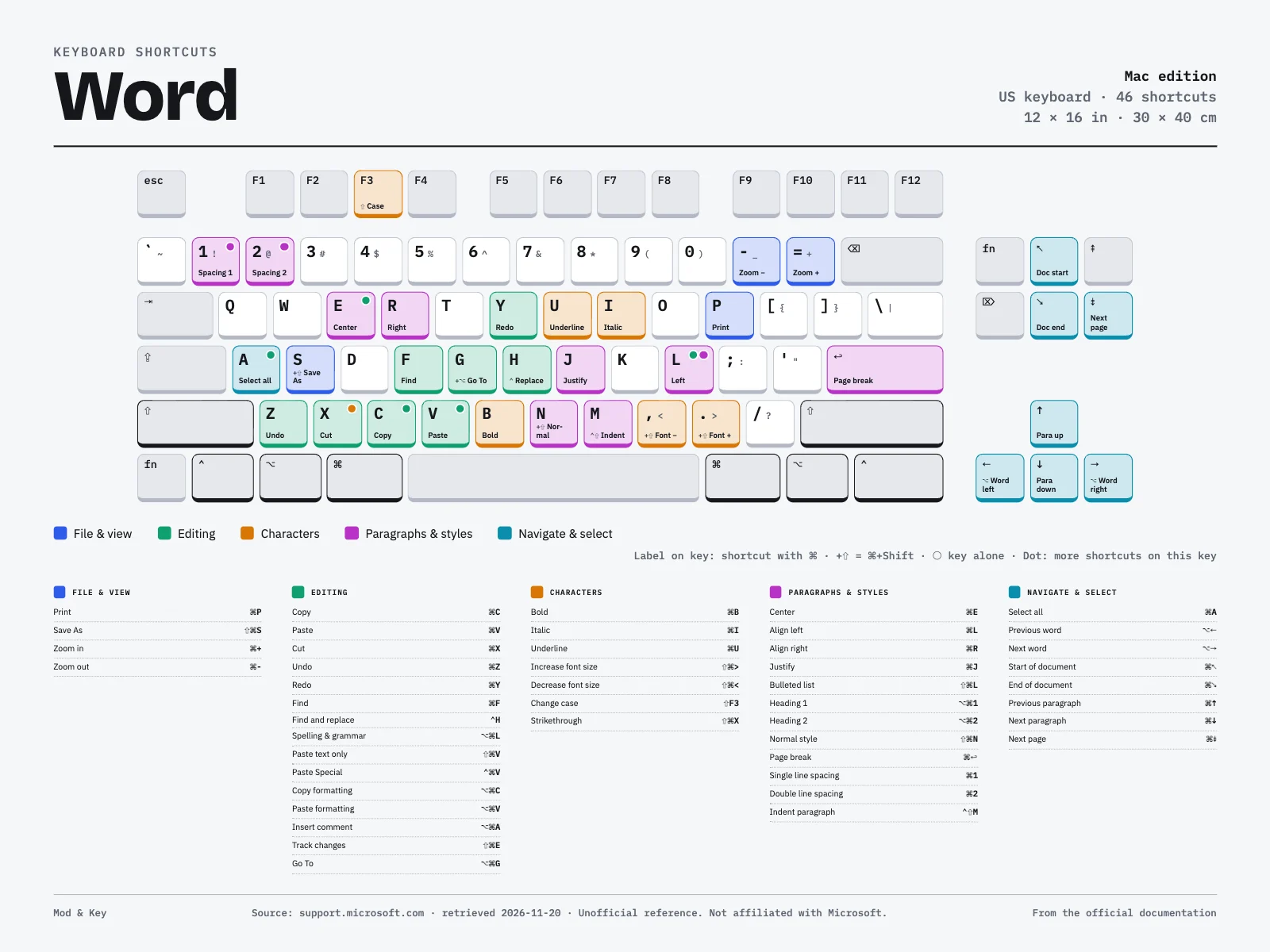
The most used Word shortcuts on Mac: Copy (⌘C), Paste (⌘V), Undo (⌘Z), Redo (⌘Y), Find (⌘F). This page lists all 46, from the official documentation.
46 Word keyboard shortcuts for Mac, grouped into File & view, Editing, Characters, Paragraphs & styles, Navigate & select. Every key is copied from support.microsoft.com (retrieved November 20, 2026) and shown on a real keyboard layout.
On Mac, 36 of these 44 shortcuts are the Windows ones with ⌘ in place of Ctrl; 8 are different, for example Save As (⇧⌘S; Windows: F12), Find and replace (⌃H; Windows: Ctrl+H), Spelling & grammar (⌥⌘L; Windows: F7).
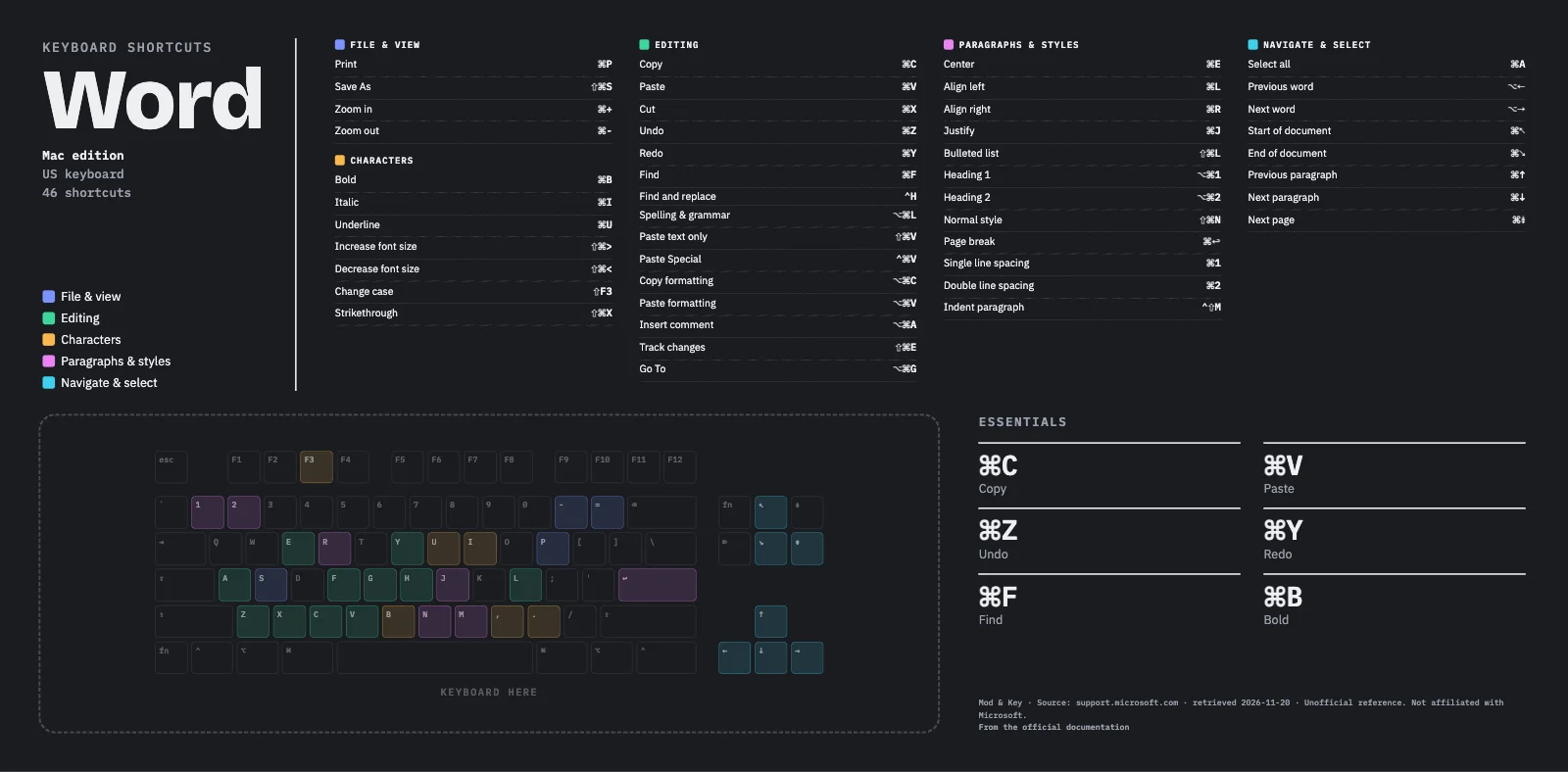
Word keyboard map
Pick your keyboard and a modifier. Keys with a shortcut light up; point at or tap a key to see everything on it. Try it: hold ⌘ Cmd on your keyboard
More shortcuts on this key with other modifiers.
With ⌘25 keys
All Word keyboard shortcuts for Mac
No shortcut matches that search.
File & view4
| Command | Shortcut |
|---|---|
| ⌘P | |
| Save As | ⇧⌘S |
| Zoom in | ⌘+ |
| Zoom out | ⌘- |
Editing15
| Command | Shortcut |
|---|---|
| Copy | ⌘C |
| Paste | ⌘V |
| Cut | ⌘X |
| Undo | ⌘Z |
| Redo | ⌘Y |
| Find | ⌘F |
| Find and replace | ⌃H |
| Spelling & grammar | ⌥⌘L |
| Paste text only | ⇧⌘V |
| Paste Special | ⌃⌘V |
| Copy formatting | ⌥⌘C |
| Paste formatting | ⌥⌘V |
| Insert comment | ⌥⌘A |
| Track changes | ⇧⌘E |
| Go To | ⌥⌘G |
Characters7
| Command | Shortcut |
|---|---|
| Bold | ⌘B |
| Italic | ⌘I |
| Underline | ⌘U |
| Increase font size | ⇧⌘> |
| Decrease font size | ⇧⌘< |
| Change case | ⇧F3 |
| Strikethrough | ⇧⌘X |
Paragraphs & styles12
| Command | Shortcut |
|---|---|
| Center | ⌘E |
| Align left | ⌘L |
| Align right | ⌘R |
| Justify | ⌘J |
| Bulleted list | ⇧⌘L |
| Heading 1 | ⌥⌘1 |
| Heading 2 | ⌥⌘2 |
| Normal style | ⇧⌘N |
| Page break | ⌘↩ |
| Single line spacing | ⌘1 |
| Double line spacing | ⌘2 |
| Indent paragraph | ⌃⇧M |
Navigate & select8
| Command | Shortcut |
|---|---|
| Select all | ⌘A |
| Previous word | ⌥← |
| Next word | ⌥→ |
| Start of document | ⌘↖ |
| End of document | ⌘↘ |
| Previous paragraph | ⌘↑ |
| Next paragraph | ⌘↓ |
| Next page | ⌘⇟ |
Source: Microsoft · support.microsoft.com · retrieved . Unofficial reference. Not affiliated with Microsoft. How we source shortcuts →
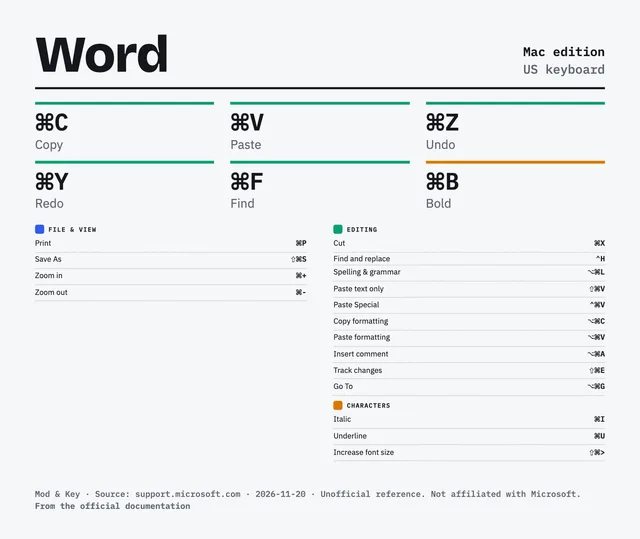
Free printable Word cheat sheet
The essential shortcuts on one page (PDF, 24 × 20 cm), for your keyboard and language.
Word shortcut questions
- What is the shortcut for “Copy” in Word on Mac?
- Press ⌘C. That is the shortcut for “Copy” in Word on Mac, as given in the official documentation.
- What is the shortcut for “Paste” in Word on Mac?
- Press ⌘V. That is the shortcut for “Paste” in Word on Mac, as given in the official documentation.
- What is the shortcut for “Undo” in Word on Mac?
- Press ⌘Z. That is the shortcut for “Undo” in Word on Mac, as given in the official documentation.
- Where do these Word shortcuts come from?
- From Microsoft’s official documentation at support.microsoft.com, retrieved November 20, 2026. Every key is copied from there, never from other websites.