 Get it on your desk →
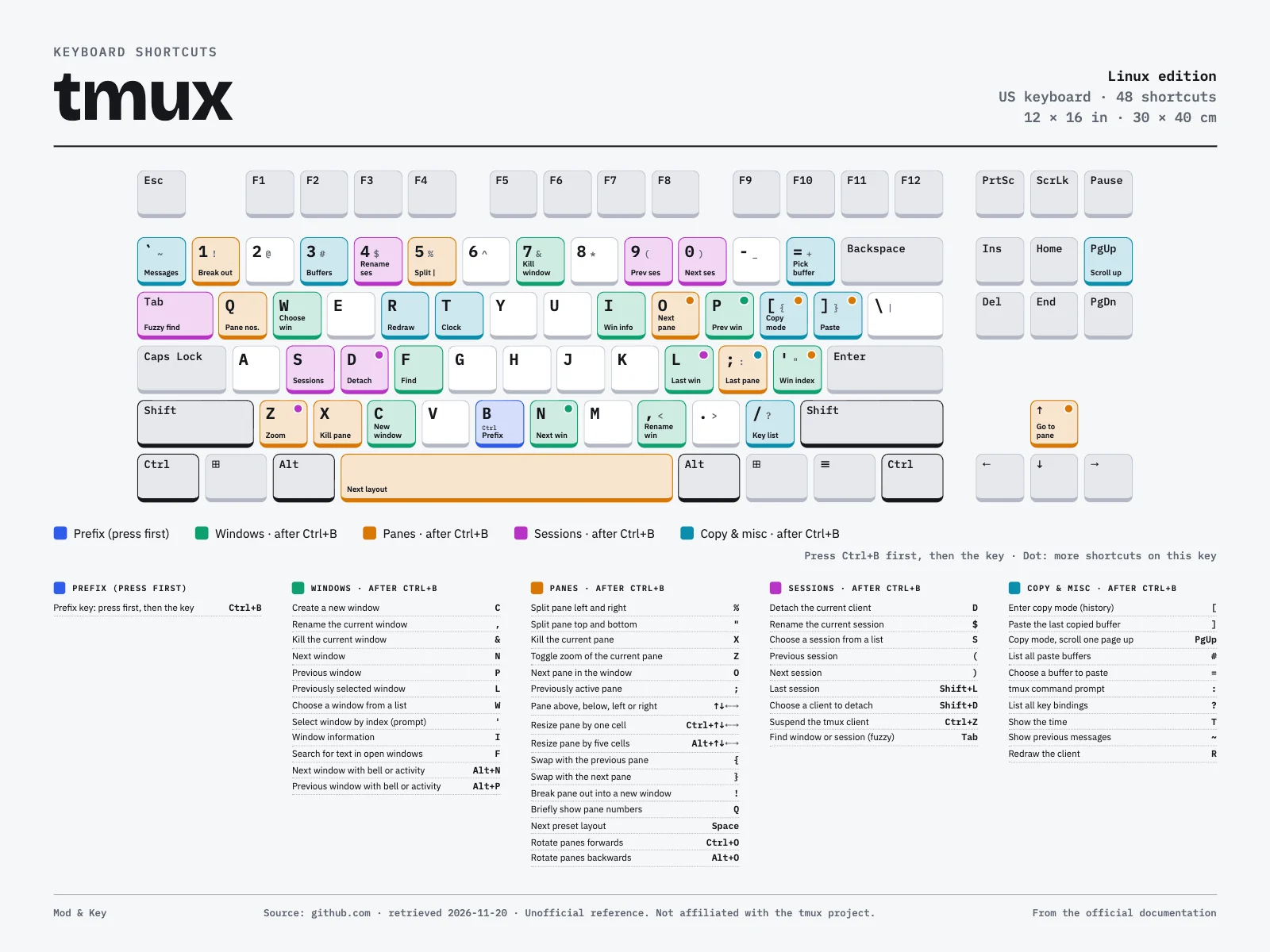
The most used tmux shortcuts on Linux: Prefix key: press first, then the key (Ctrl+B), Create a new window (C), Split pane left and right (%), Split pane top and bottom ("), Detach the current client (D). This page lists all 48, from the official documentation.
48 tmux keyboard shortcuts for Linux, grouped into Prefix (press first), Windows · after Ctrl+B, Panes · after Ctrl+B, Sessions · after Ctrl+B, Copy & misc · after Ctrl+B. Every key is copied from github.com (retrieved November 20, 2026) and shown on a real keyboard layout.
On Linux, 40 of these 44 shortcuts are the Mac ones with Ctrl in place of ⌘; 4 are different, for example Prefix key: press first, then the key (Ctrl+B; Mac: ⌃B), Resize pane by one cell (Ctrl+↑↓←→; Mac: ⌃↑↓←→), Rotate panes forwards (Ctrl+O; Mac: ⌃O).
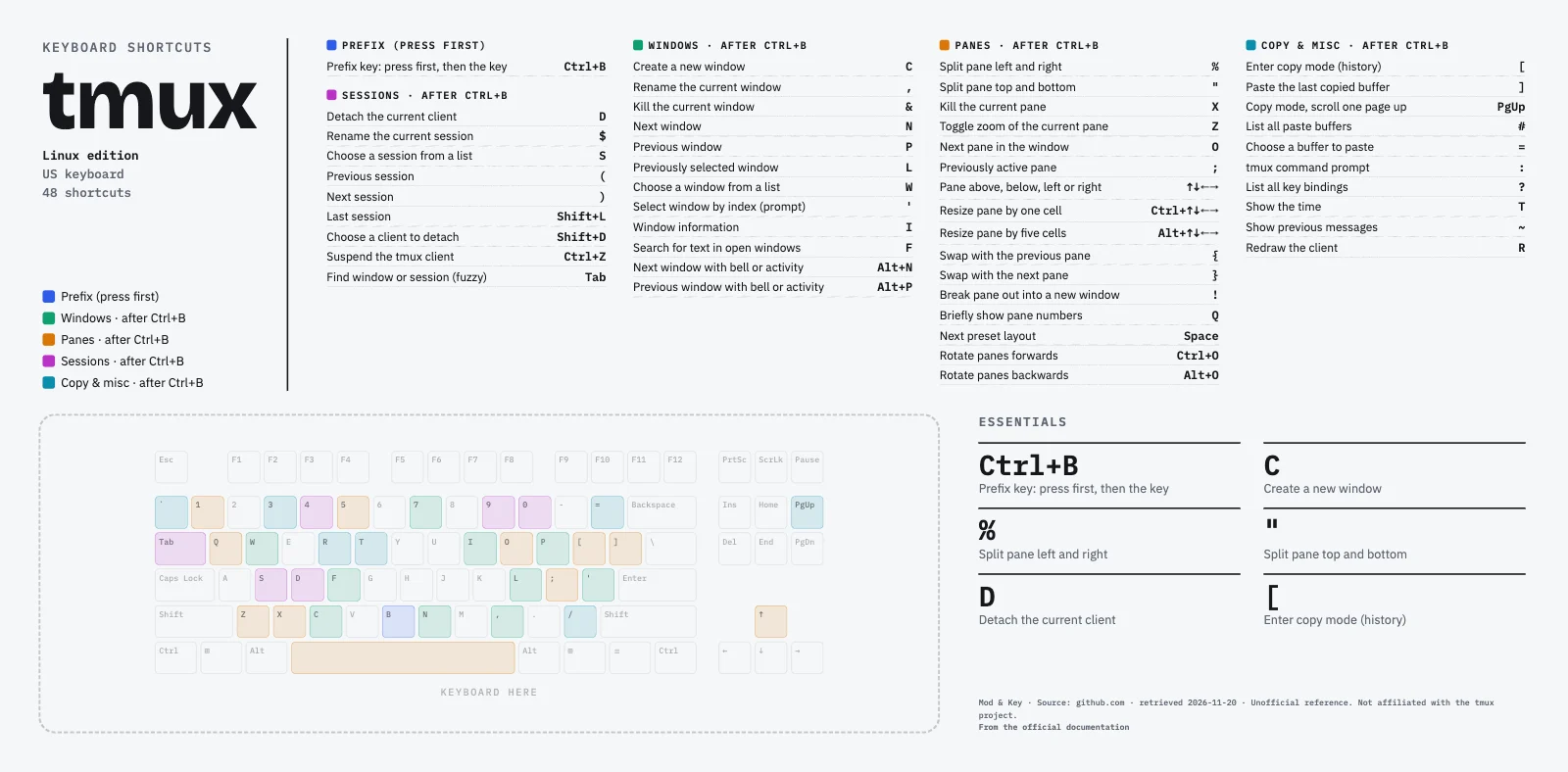
tmux keyboard map
Pick your keyboard and a modifier. Keys with a shortcut light up; point at or tap a key to see everything on it. Try it: hold Ctrl on your keyboard
More shortcuts on this key with other modifiers.
Key alone34 keys
All tmux keyboard shortcuts for Linux
No shortcut matches that search.
Prefix (press first)1
| Command | Shortcut |
|---|---|
| Prefix key: press first, then the key | Ctrl+B |
Windows · after Ctrl+B12
| Command | Shortcut |
|---|---|
| Create a new window | C |
| Rename the current window | , |
| Kill the current window | & |
| Next window | N |
| Previous window | P |
| Previously selected window | L |
| Choose a window from a list | W |
| Select window by index (prompt) | ' |
| Window information | I |
| Search for text in open windows | F |
| Next window with bell or activity | Alt+N |
| Previous window with bell or activity | Alt+P |
Panes · after Ctrl+B16
| Command | Shortcut |
|---|---|
| Split pane left and right | % |
| Split pane top and bottom | " |
| Kill the current pane | X |
| Toggle zoom of the current pane | Z |
| Next pane in the window | O |
| Previously active pane | ; |
| Pane above, below, left or right | ↑↓←→ |
| Resize pane by one cell | Ctrl+↑↓←→ |
| Resize pane by five cells | Alt+↑↓←→ |
| Swap with the previous pane | { |
| Swap with the next pane | } |
| Break pane out into a new window | ! |
| Briefly show pane numbers | Q |
| Next preset layout | Space |
| Rotate panes forwards | Ctrl+O |
| Rotate panes backwards | Alt+O |
Sessions · after Ctrl+B9
| Command | Shortcut |
|---|---|
| Detach the current client | D |
| Rename the current session | $ |
| Choose a session from a list | S |
| Previous session | ( |
| Next session | ) |
| Last session | Shift+L |
| Choose a client to detach | Shift+D |
| Suspend the tmux client | Ctrl+Z |
| Find window or session (fuzzy) | Tab |
Copy & misc · after Ctrl+B10
| Command | Shortcut |
|---|---|
| Enter copy mode (history) | [ |
| Paste the last copied buffer | ] |
| Copy mode, scroll one page up | PgUp |
| List all paste buffers | # |
| Choose a buffer to paste | = |
| tmux command prompt | : |
| List all key bindings | ? |
| Show the time | T |
| Show previous messages | ~ |
| Redraw the client | R |
Source: the tmux project · github.com · retrieved . Unofficial reference. Not affiliated with the tmux project. How we source shortcuts →
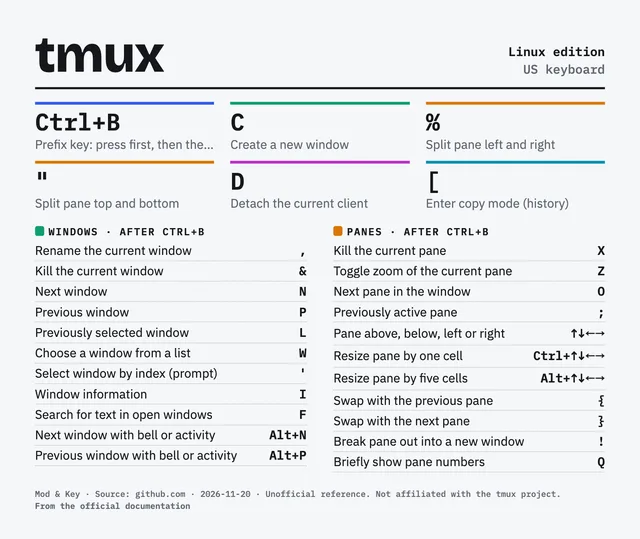
Free printable tmux cheat sheet
The essential shortcuts on one page (PDF, 24 × 20 cm), for your keyboard and language.
tmux shortcut questions
- What is the shortcut for “Prefix key: press first, then the key” in tmux on Linux?
- Press Ctrl+B. That is the shortcut for “Prefix key: press first, then the key” in tmux on Linux, as given in the official documentation.
- What is the shortcut for “Create a new window” in tmux on Linux?
- Press C. That is the shortcut for “Create a new window” in tmux on Linux, as given in the official documentation.
- What is the shortcut for “Split pane left and right” in tmux on Linux?
- Press %. That is the shortcut for “Split pane left and right” in tmux on Linux, as given in the official documentation.
- Where do these tmux shortcuts come from?
- From the tmux project’s official documentation at github.com, retrieved November 20, 2026. Every key is copied from there, never from other websites.