 Get it on your desk →
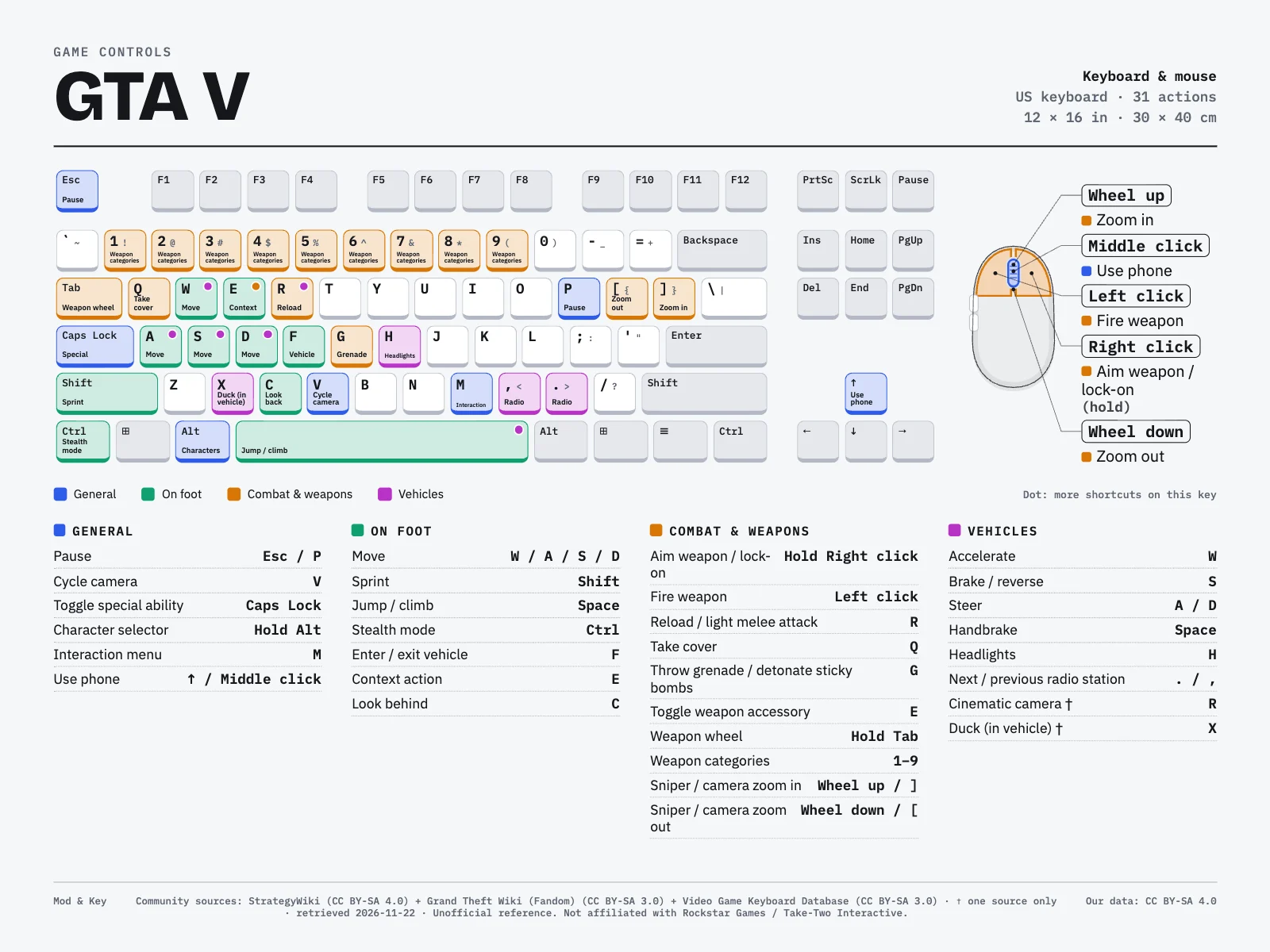
31 GTA V controls for Keyboard & mouse, grouped into General, On foot, Combat & weapons, Vehicles.
Taken from community sources, not from the publisher. Actions a second source confirms are unmarked; † marks those only one source has. Community sources: StrategyWiki (CC BY-SA 4.0) + Grand Theft Wiki (Fandom) (CC BY-SA 3.0) + Video Game Keyboard Database (CC BY-SA 3.0).
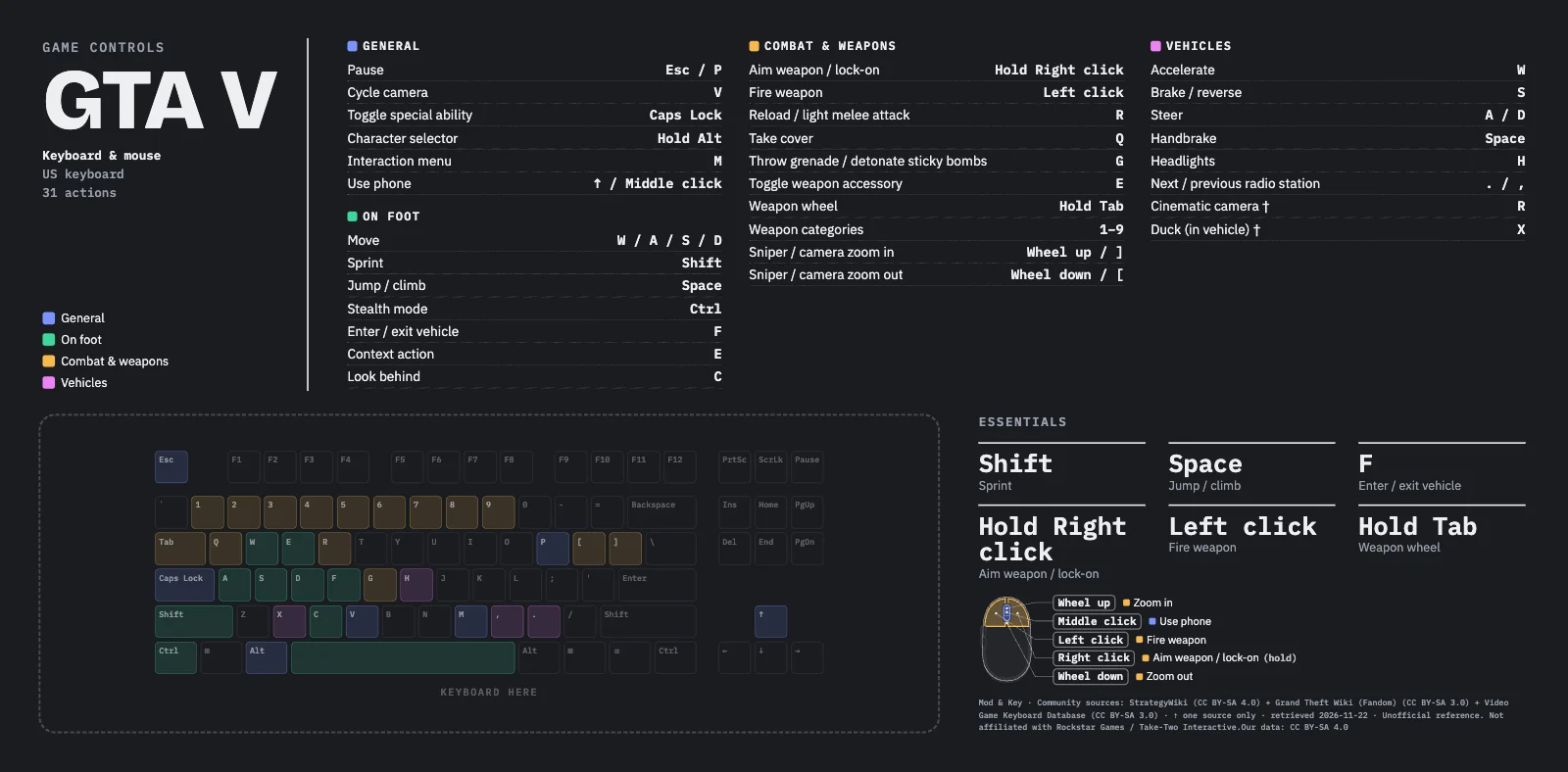
Essentials
All GTA V controls: Keyboard & mouse
General6
On foot7
Combat & weapons10
Vehicles8
Community sources: StrategyWiki (CC BY-SA 4.0) + Grand Theft Wiki (Fandom) (CC BY-SA 3.0) + Video Game Keyboard Database (CC BY-SA 3.0) · retrieved November 22, 2026. Unofficial reference. Not affiliated with Rockstar Games / Take-Two Interactive. GTA V and the console names are trademarks of their owners, used here only to say which game and controller the poster covers. No game art or logos.
† Only one source has it; no second source confirms it yet.
Our control data adapts StrategyWiki (CC BY-SA 4.0) and is published under CC BY-SA 4.0.