31 GTA V controls for Xbox controller, grouped into General, On foot, Combat & weapons, Vehicles.
Taken from community sources, not from the publisher. Actions a second source confirms are unmarked; † marks those only one source has. Community sources: StrategyWiki (CC BY-SA 4.0) + Grand Theft Wiki (Fandom) (CC BY-SA 3.0) + Video Game Keyboard Database (CC BY-SA 3.0).
Hover to read the shortcuts 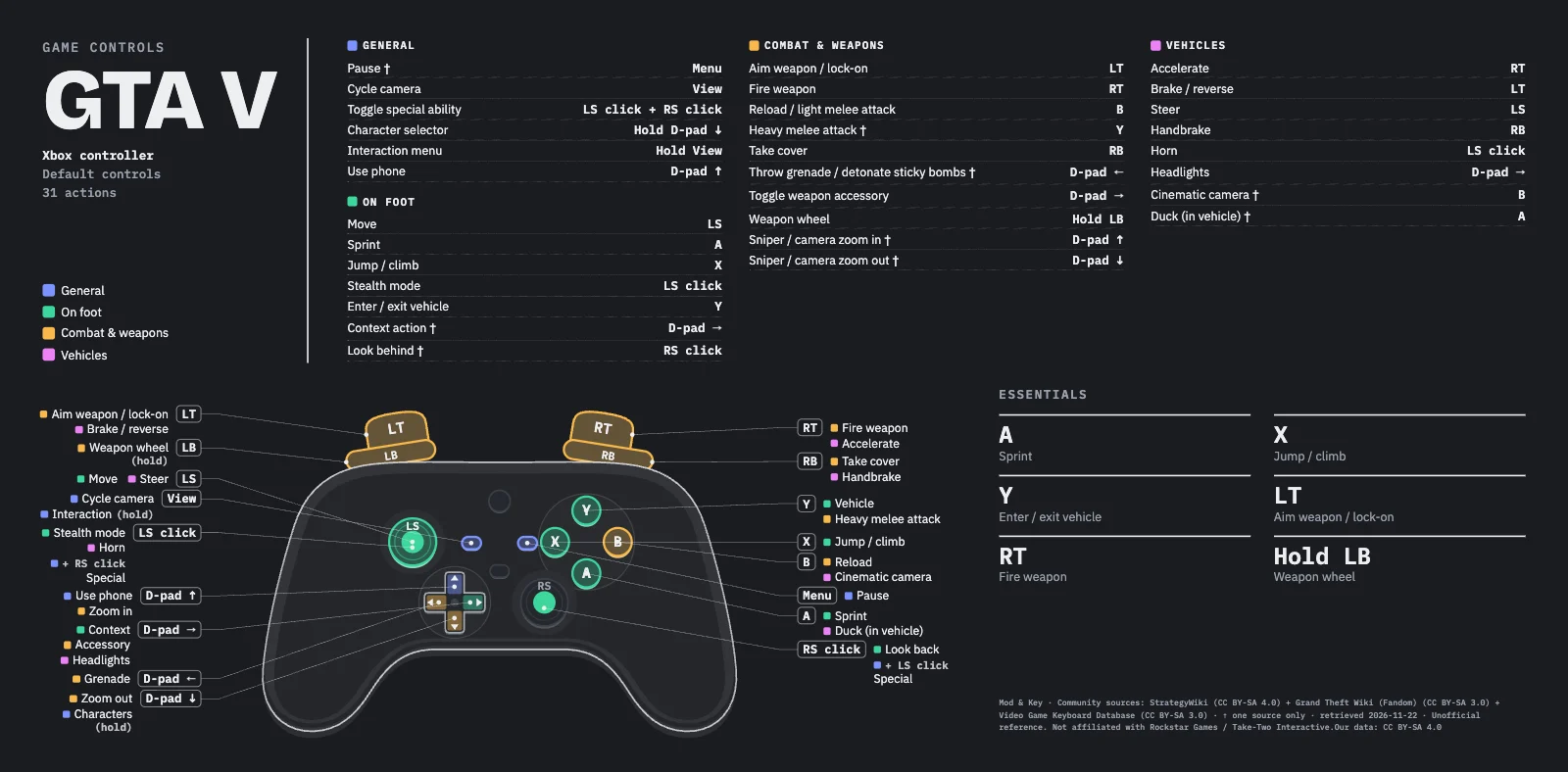
GTA V (Xbox) · Desk mat$39.00
All GTA V controls: Xbox controller
31 controls
General6
Pause †Menu
Cycle cameraView
Toggle special abilityLS clickRS click
Character selectorholdD-pad ↓
Interaction menuholdView
Use phoneD-pad ↑
MoveLS
SprintA
Jump / climbX
Stealth modeLS click
Enter / exit vehicleY
Context action †D-pad →
Look behind †RS click
Combat & weapons10
Aim weapon / lock-onLT
Fire weaponRT
Reload / light melee attackB
Heavy melee attack †Y
Take coverRB
Throw grenade / detonate sticky bombs †D-pad ←
Toggle weapon accessoryD-pad →
Weapon wheelholdLB
Sniper / camera zoom in †D-pad ↑
Sniper / camera zoom out †D-pad ↓
Vehicles8
AccelerateRT
Brake / reverseLT
SteerLS
HandbrakeRB
HornLS click
HeadlightsD-pad →
Cinematic camera †B
Duck (in vehicle) †A
Community sources: StrategyWiki (CC BY-SA 4.0) + Grand Theft Wiki (Fandom) (CC BY-SA 3.0) + Video Game Keyboard Database (CC BY-SA 3.0) · retrieved November 22, 2026. Unofficial reference. Not affiliated with Rockstar Games / Take-Two Interactive. GTA V and the console names are trademarks of their owners, used here only to say which game and controller the poster covers. No game art or logos.
† Only one source has it; no second source confirms it yet.
Our control data adapts StrategyWiki (CC BY-SA 4.0) and is published under CC BY-SA 4.0.
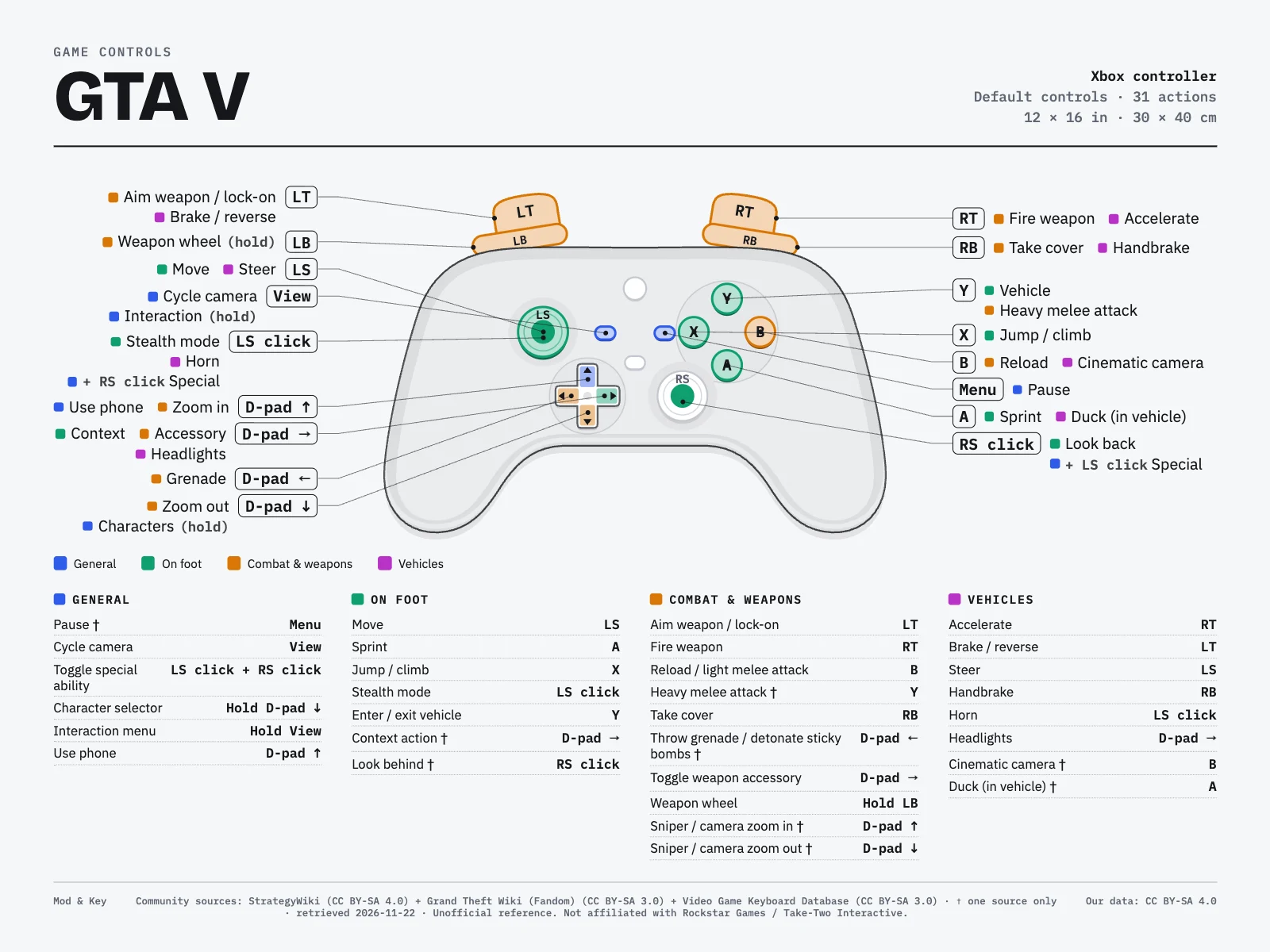 Get it on your desk →