Keyboard shortcuts for video editors
Cutting, trimming, playback and timeline shortcuts for video and audio apps, sourced from the official documentation.
Apps in this guide
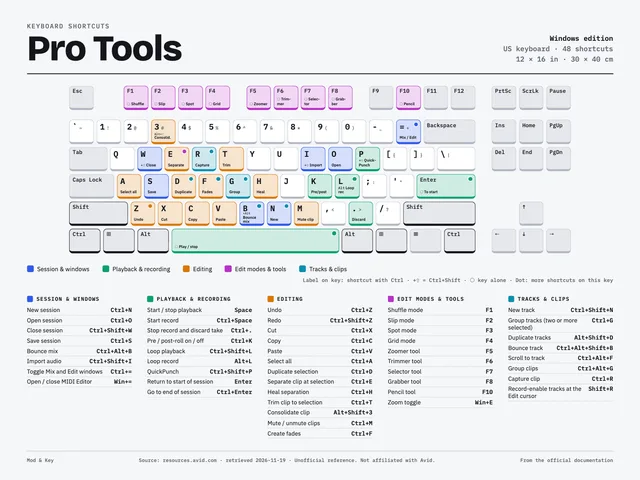
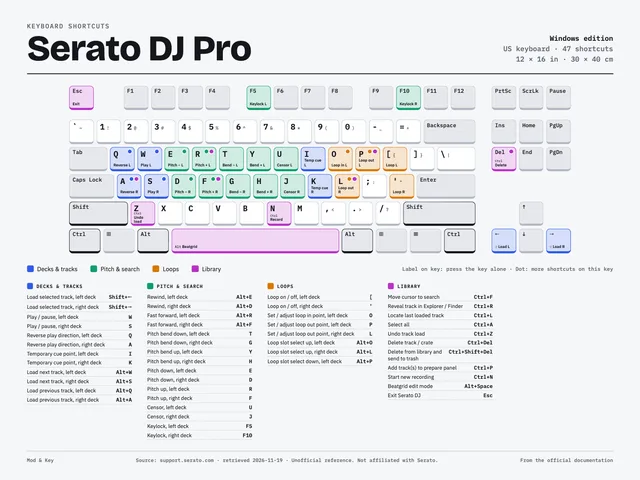
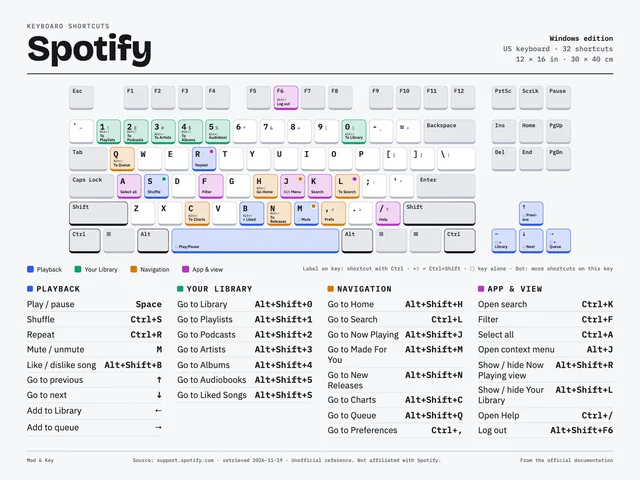
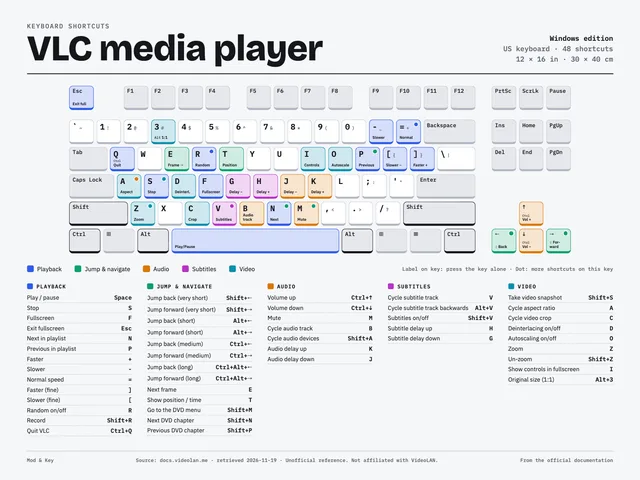
Where to start
The most-used shortcut of every category, from each app.
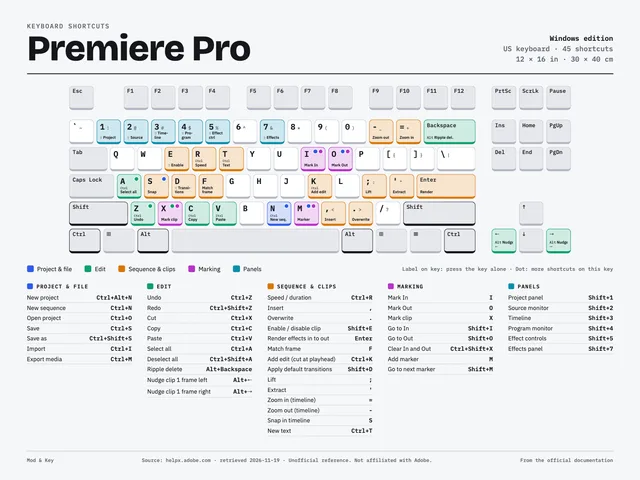
Premiere ProWindows
Save · Project & fileCtrl+S
Undo · EditCtrl+Z
Add edit (cut at playhead) · Sequence & clipsCtrl+K
Mark In · MarkingI
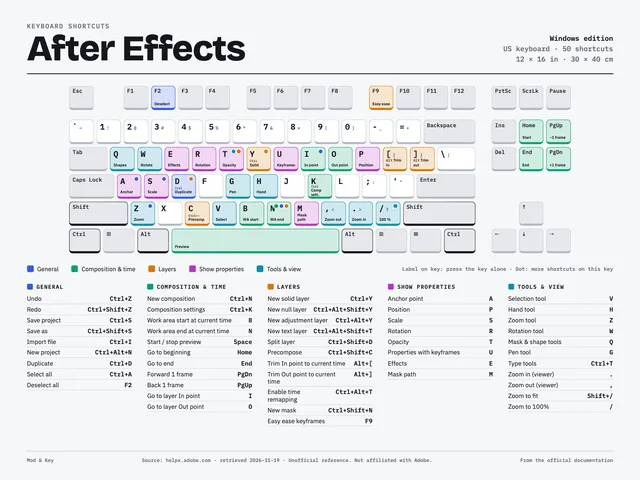
After EffectsWindows
Undo · GeneralCtrl+Z
New composition · Composition & timeCtrl+N
Split layer · LayersCtrl+Shift+D
Anchor point · Show propertiesA
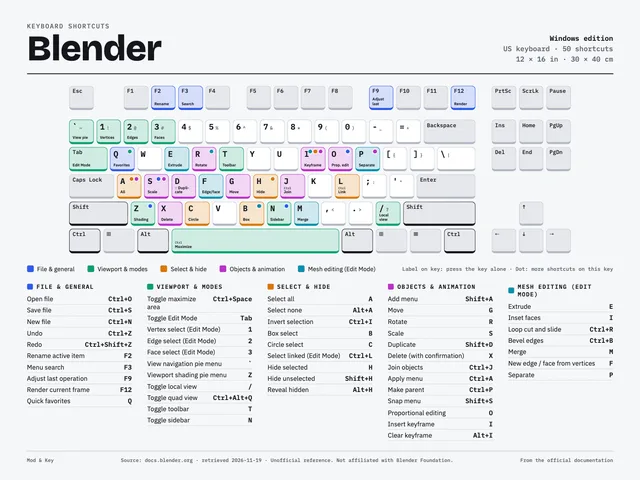
BlenderWindows
Undo · File & generalCtrl+Z
Toggle Edit Mode · Viewport & modesTab
Select all · Select & hideA
Add menu · Objects & animationShift+A
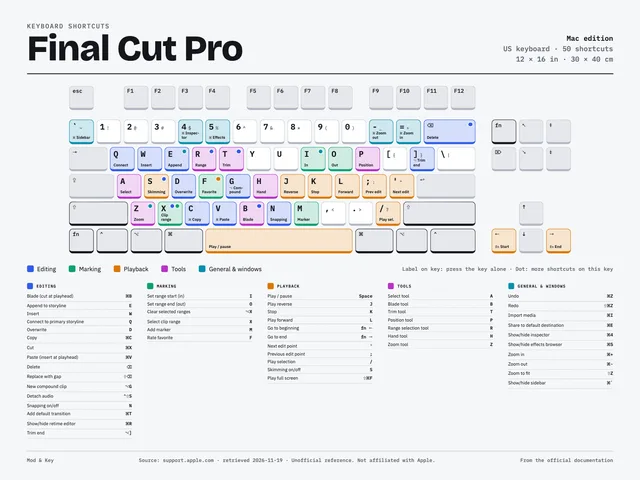
Final Cut ProMac
Blade (cut at playhead) · Editing⌘B
Set range start (in) · MarkingI
Play / pause · PlaybackSpace
Select tool · ToolsA
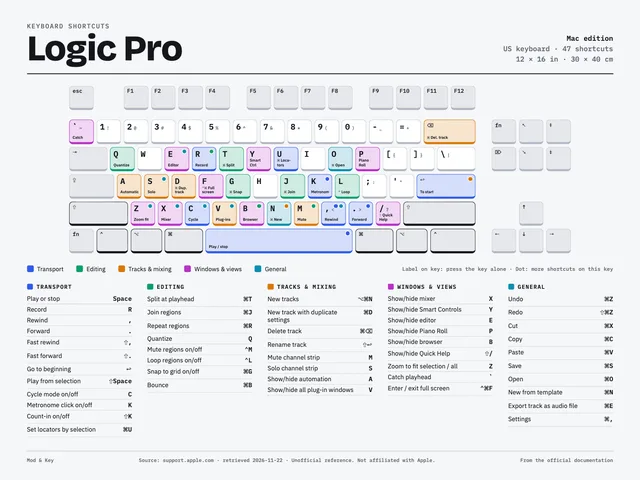
Logic ProMac
Play or stop · TransportSpace
Split at playhead · Editing⌘T
New tracks · Tracks & mixing⌥⌘N
Show/hide mixer · Windows & viewsX
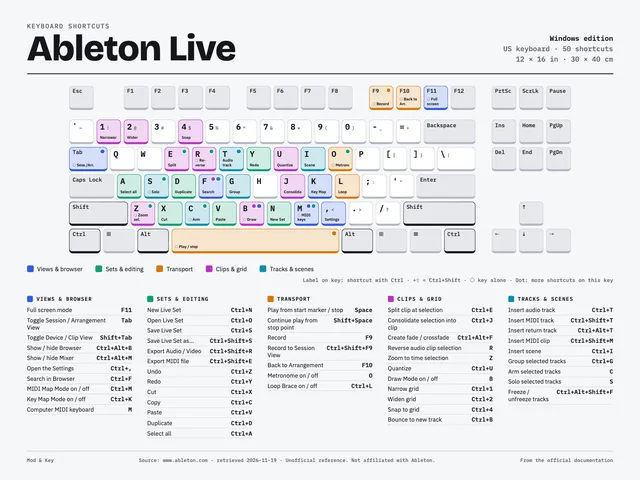
Ableton LiveWindows
Toggle Session / Arrangement View · Views & browserTab
Save Live Set · Sets & editingCtrl+S
Play from start marker / stop · TransportSpace
Split clip at selection · Clips & gridCtrl+E
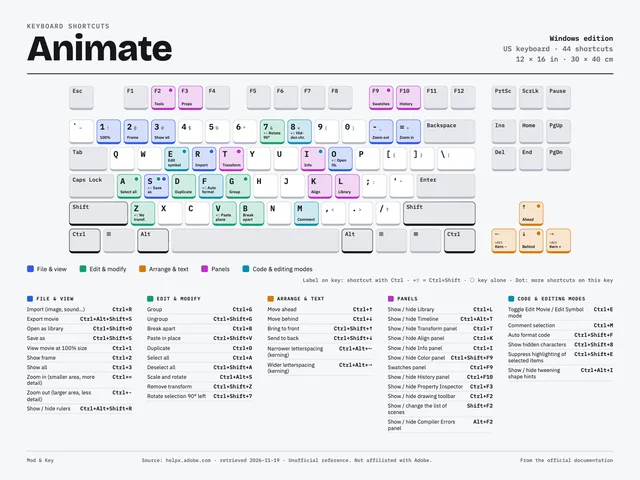
AnimateWindows
Import (image, sound…) · File & viewCtrl+R
Group · Edit & modifyCtrl+G
Move ahead · Arrange & textCtrl+↑
Show / hide Library · PanelsCtrl+L
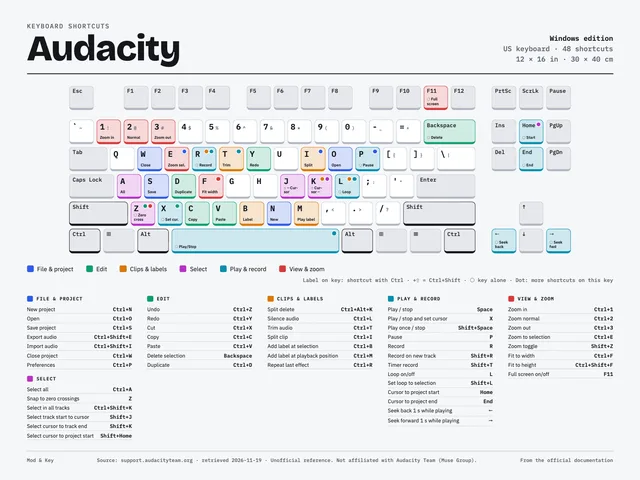
AudacityWindows
Save project · File & projectCtrl+S
Undo · EditCtrl+Z
Split clip · Clips & labelsCtrl+I
Select all · SelectCtrl+A
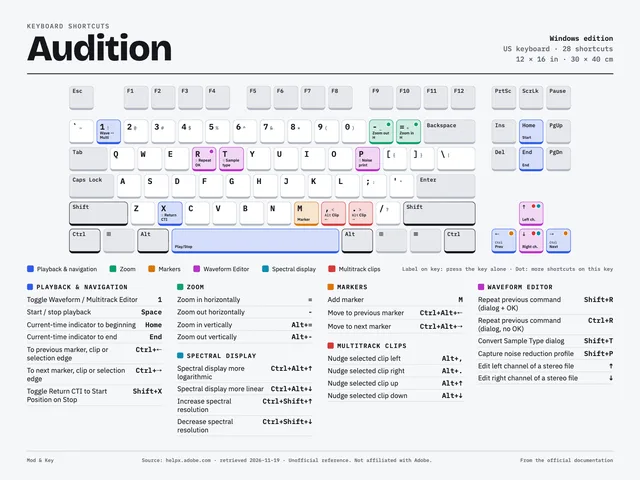
AuditionWindows
Toggle Waveform / Multitrack Editor · Playback & navigation1
Zoom in horizontally · Zoom=
Add marker · MarkersM
Capture noise reduction profile · Waveform EditorShift+P
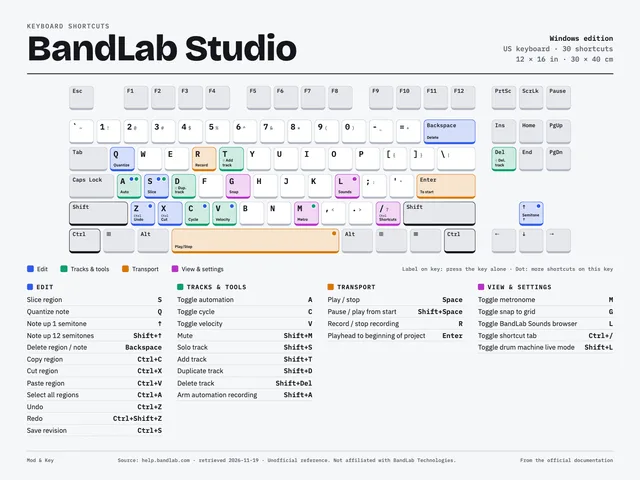
BandLab StudioWindows
Slice region · EditS
Toggle automation · Tracks & toolsA
Play / stop · TransportSpace
Toggle metronome · View & settingsM
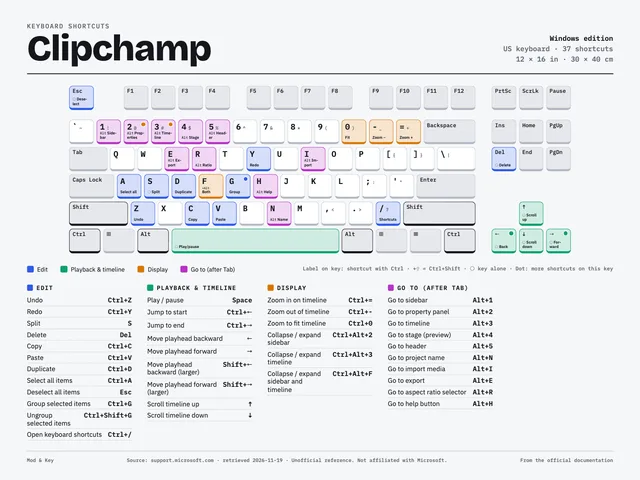
ClipchampWindows
Undo · EditCtrl+Z
Play / pause · Playback & timelineSpace
Zoom in on timeline · DisplayCtrl+=
Go to sidebar · Go to (after Tab)Alt+1
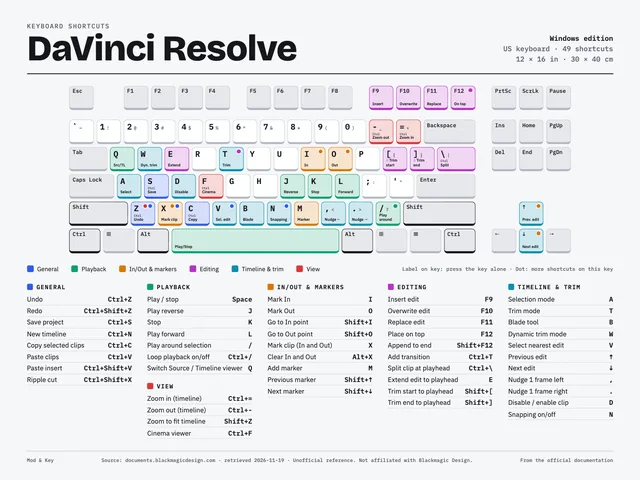
DaVinci ResolveWindows
Undo · GeneralCtrl+Z
Play / stop · PlaybackSpace
Mark In · In/Out & markersI
Split clip at playhead · EditingCtrl+\
Tip
J, K and L (play backwards, stop, play forwards) work in almost every editor. Learn them first.