 Get it on your desk →
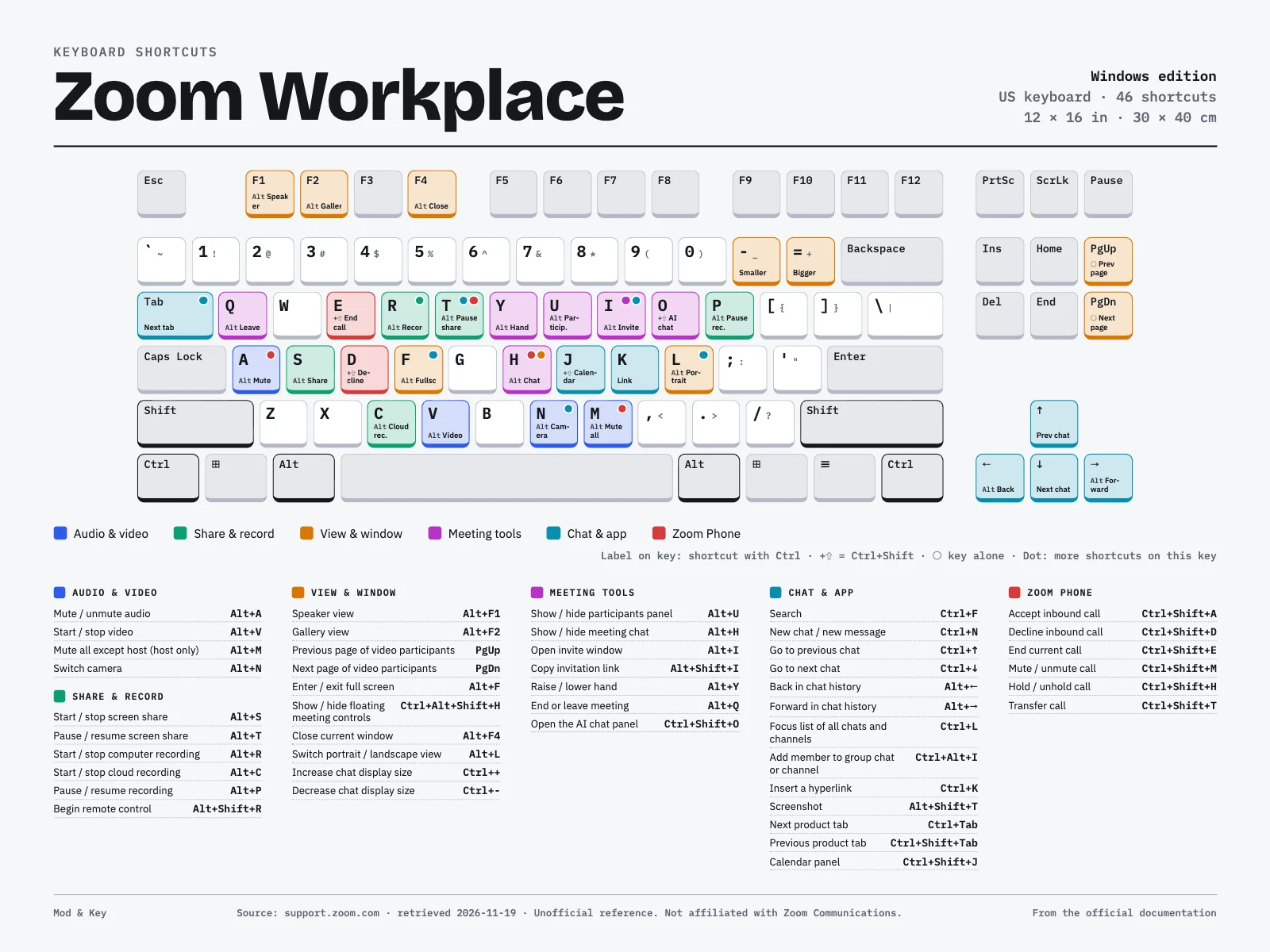
The most used Zoom Workplace shortcuts on Windows: Mute / unmute audio (Alt+A), Start / stop video (Alt+V), Start / stop screen share (Alt+S), Show / hide participants panel (Alt+U), Show / hide meeting chat (Alt+H). This page lists all 46, from the official documentation.
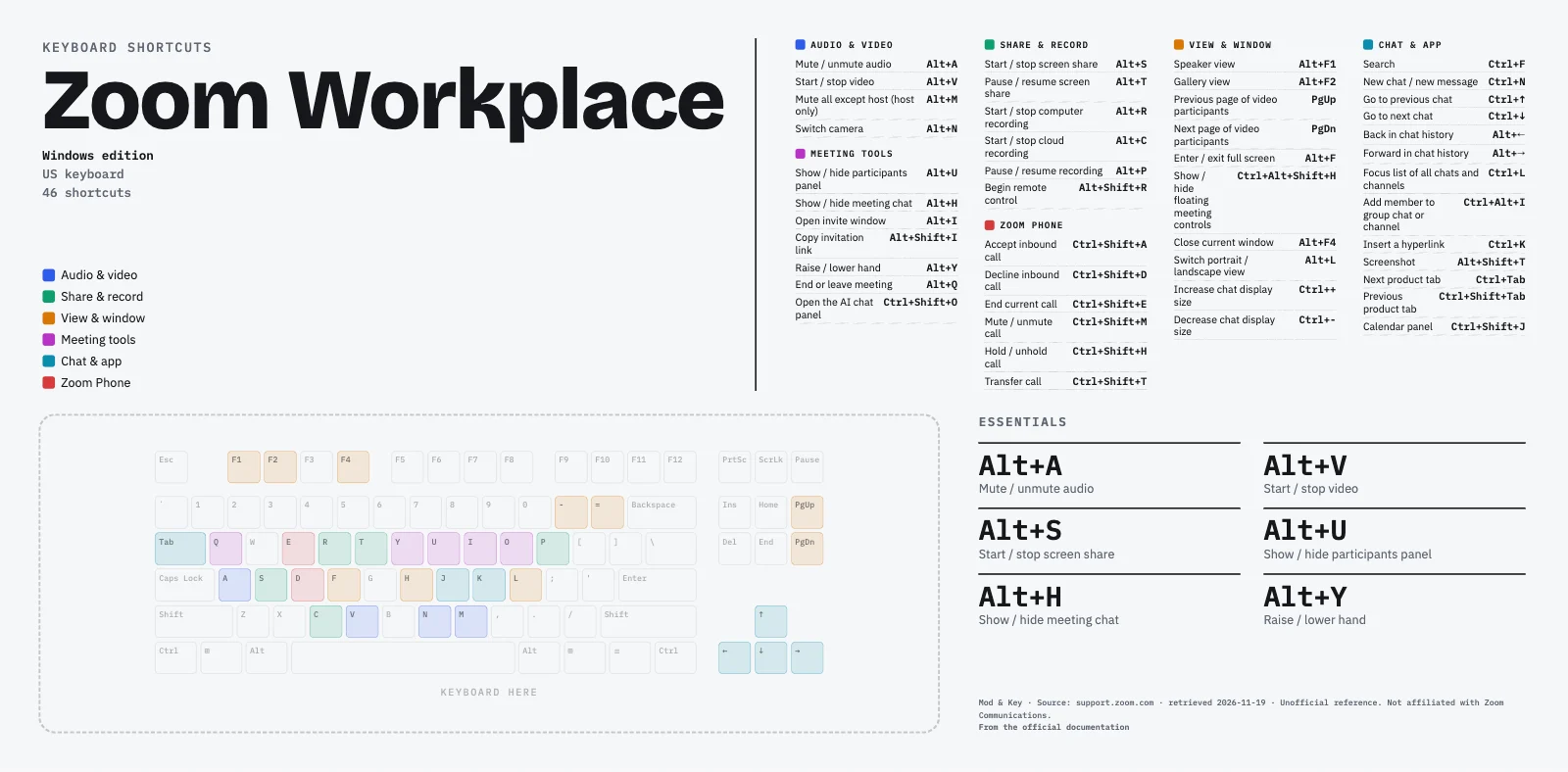
46 Zoom Workplace keyboard shortcuts for Windows, grouped into Audio & video, Share & record, View & window, Meeting tools, Chat & app, Zoom Phone. Every key is copied from support.zoom.com (retrieved November 19, 2026) and shown on a real keyboard layout.
On Windows, 7 of these 40 shortcuts are the Mac ones with Ctrl in place of ⌘; 33 are different, for example Mute / unmute audio (Alt+A; Mac: ⇧⌘A), Start / stop video (Alt+V; Mac: ⇧⌘V), Mute all except host (host only) (Alt+M; Mac: ⌃⌘M).
Zoom Workplace keyboard map
Pick your keyboard and a modifier. Keys with a shortcut light up; point at or tap a key to see everything on it. Try it: hold Ctrl on your keyboard
More shortcuts on this key with other modifiers.
With Alt21 keys
All Zoom Workplace keyboard shortcuts for Windows
No shortcut matches that search.
Audio & video4
| Command | Shortcut |
|---|---|
| Mute / unmute audio | Alt+A |
| Start / stop video | Alt+V |
| Mute all except host (host only) | Alt+M |
| Switch camera | Alt+N |
Share & record6
| Command | Shortcut |
|---|---|
| Start / stop screen share | Alt+S |
| Pause / resume screen share | Alt+T |
| Start / stop computer recording | Alt+R |
| Start / stop cloud recording | Alt+C |
| Pause / resume recording | Alt+P |
| Begin remote control | Alt+Shift+R |
View & window10
| Command | Shortcut |
|---|---|
| Speaker view | Alt+F1 |
| Gallery view | Alt+F2 |
| Previous page of video participants | PgUp |
| Next page of video participants | PgDn |
| Enter / exit full screen | Alt+F |
| Show / hide floating meeting controls | Ctrl+Alt+Shift+H |
| Close current window | Alt+F4 |
| Switch portrait / landscape view | Alt+L |
| Increase chat display size | Ctrl++ |
| Decrease chat display size | Ctrl+- |
Meeting tools7
| Command | Shortcut |
|---|---|
| Show / hide participants panel | Alt+U |
| Show / hide meeting chat | Alt+H |
| Open invite window | Alt+I |
| Copy invitation link | Alt+Shift+I |
| Raise / lower hand | Alt+Y |
| End or leave meeting | Alt+Q |
| Open the AI chat panel | Ctrl+Shift+O |
Chat & app13
| Command | Shortcut |
|---|---|
| Search | Ctrl+F |
| New chat / new message | Ctrl+N |
| Go to previous chat | Ctrl+↑ |
| Go to next chat | Ctrl+↓ |
| Back in chat history | Alt+← |
| Forward in chat history | Alt+→ |
| Focus list of all chats and channels | Ctrl+L |
| Add member to group chat or channel | Ctrl+Alt+I |
| Insert a hyperlink | Ctrl+K |
| Screenshot | Alt+Shift+T |
| Next product tab | Ctrl+Tab |
| Previous product tab | Ctrl+Shift+Tab |
| Calendar panel | Ctrl+Shift+J |
Zoom Phone6
| Command | Shortcut |
|---|---|
| Accept inbound call | Ctrl+Shift+A |
| Decline inbound call | Ctrl+Shift+D |
| End current call | Ctrl+Shift+E |
| Mute / unmute call | Ctrl+Shift+M |
| Hold / unhold call | Ctrl+Shift+H |
| Transfer call | Ctrl+Shift+T |
Source: Zoom Communications · support.zoom.com · retrieved . Unofficial reference. Not affiliated with Zoom Communications. How we source shortcuts →
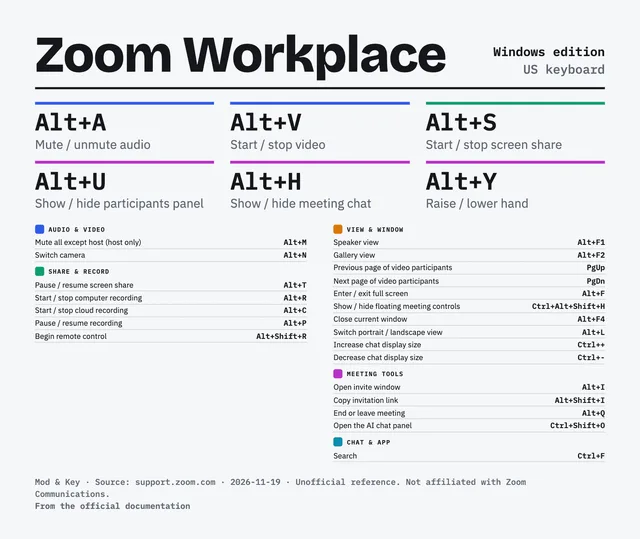
Free printable Zoom Workplace cheat sheet
The essential shortcuts on one page (PDF, 24 × 20 cm), for your keyboard and language.
Zoom Workplace shortcut questions
- What is the shortcut for “Mute / unmute audio” in Zoom Workplace on Windows?
- Press Alt+A. That is the shortcut for “Mute / unmute audio” in Zoom Workplace on Windows, as given in the official documentation.
- What is the shortcut for “Start / stop video” in Zoom Workplace on Windows?
- Press Alt+V. That is the shortcut for “Start / stop video” in Zoom Workplace on Windows, as given in the official documentation.
- What is the shortcut for “Start / stop screen share” in Zoom Workplace on Windows?
- Press Alt+S. That is the shortcut for “Start / stop screen share” in Zoom Workplace on Windows, as given in the official documentation.
- Where do these Zoom Workplace shortcuts come from?
- From Zoom Communications’s official documentation at support.zoom.com, retrieved November 19, 2026. Every key is copied from there, never from other websites.