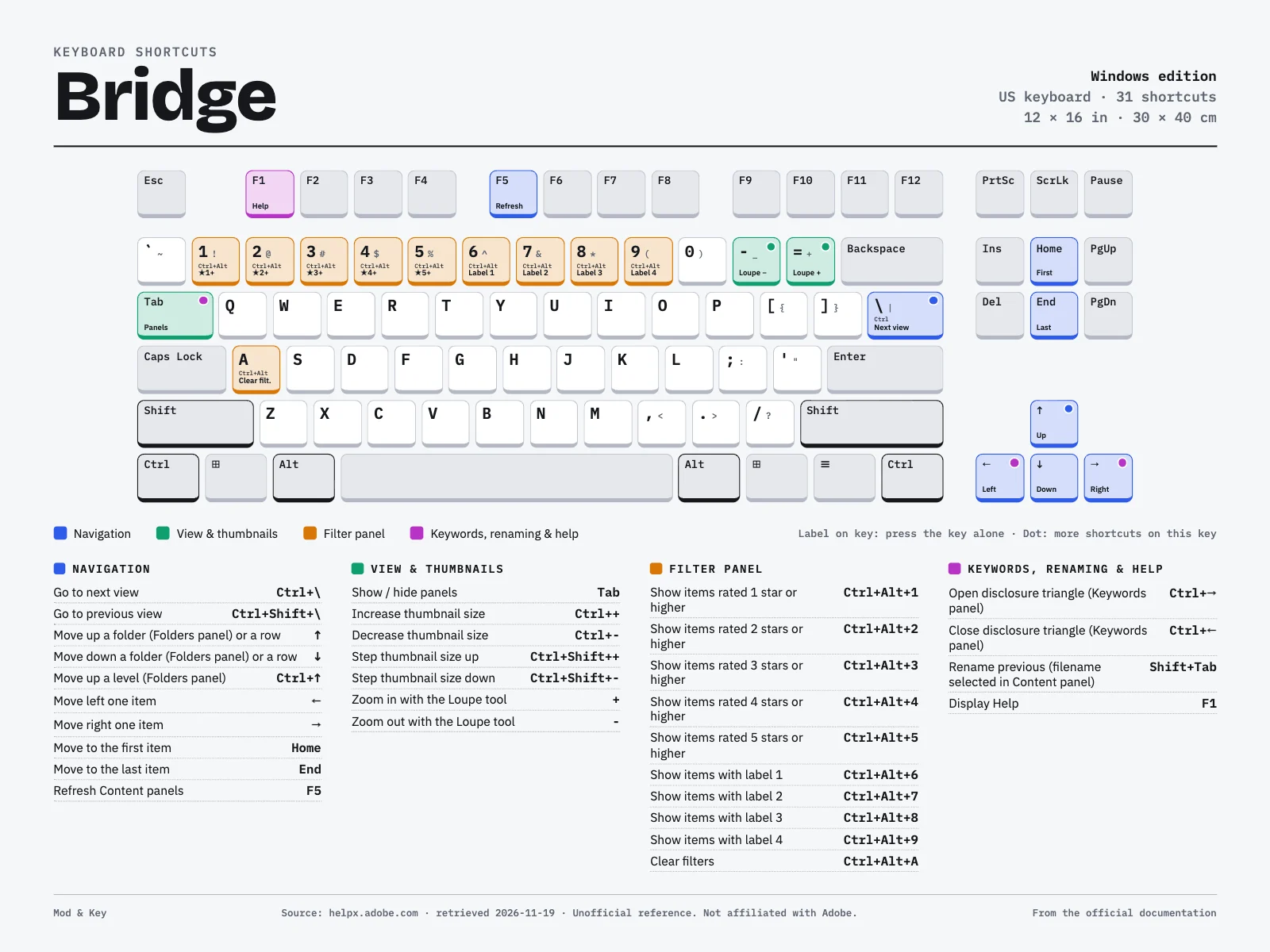
 Get it on your desk →
The most used Bridge shortcuts on Windows: Go to next view (Ctrl+\), Refresh Content panels (F5), Show / hide panels (Tab), Increase thumbnail size (Ctrl++), Decrease thumbnail size (Ctrl+-). This page lists all 31, from the official documentation.
31 Bridge keyboard shortcuts for Windows, grouped into Navigation, View & thumbnails, Filter panel, Keywords, renaming & help. Every key is copied from helpx.adobe.com (retrieved November 19, 2026) and shown on a real keyboard layout.
On Windows, 30 of these 31 shortcuts are the Mac ones with Ctrl in place of ⌘; 1 are different, for example Display Help (F1; Mac: ⌘/).
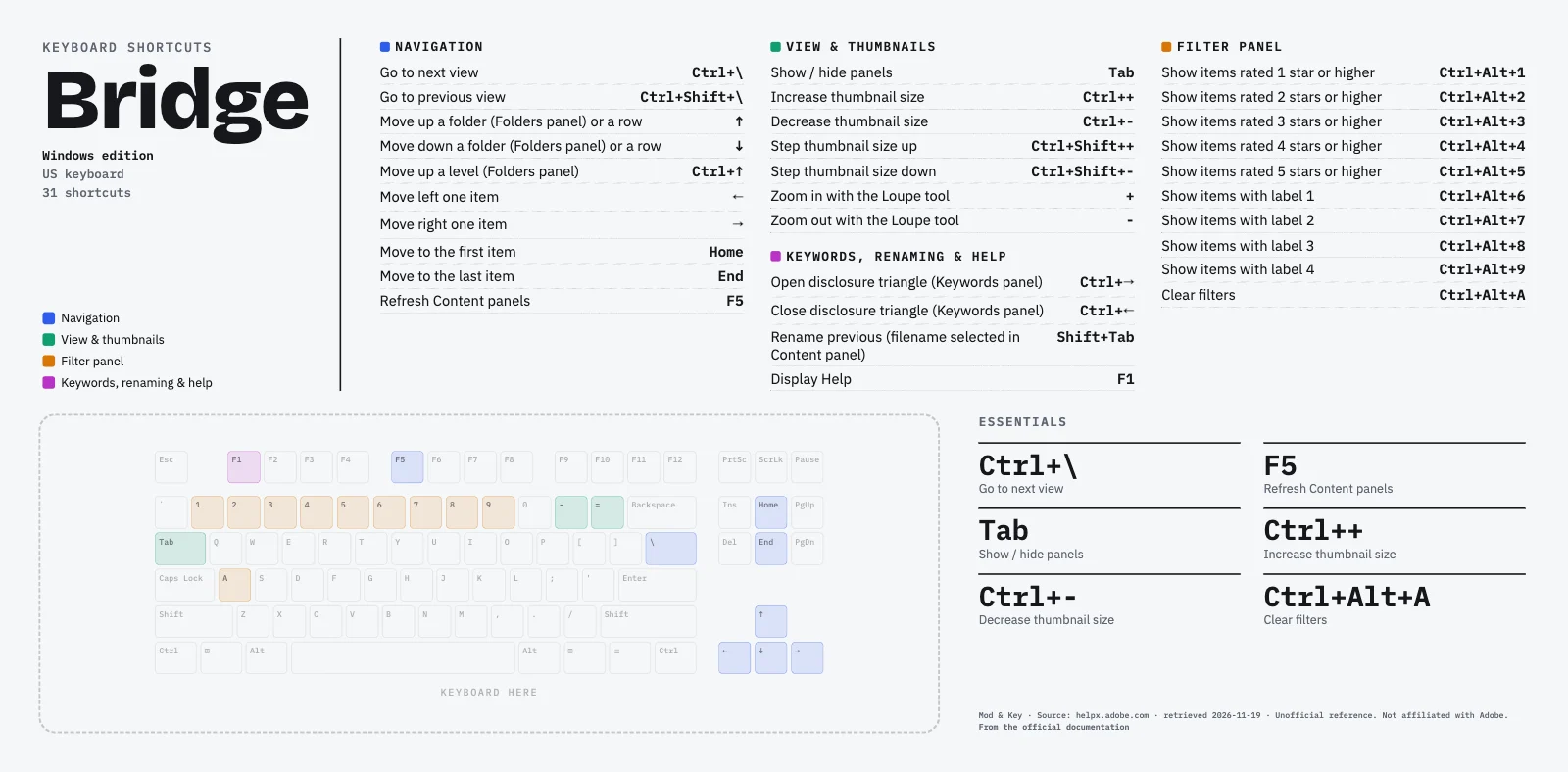
Bridge keyboard map
Pick your keyboard and a modifier. Keys with a shortcut light up; point at or tap a key to see everything on it. Try it: hold Ctrl on your keyboard
More shortcuts on this key with other modifiers.
Key alone11 keys
All Bridge keyboard shortcuts for Windows
No shortcut matches that search.
Navigation10
| Command | Shortcut |
|---|---|
| Go to next view | Ctrl+\ |
| Go to previous view | Ctrl+Shift+\ |
| Move up a folder (Folders panel) or a row | ↑ |
| Move down a folder (Folders panel) or a row | ↓ |
| Move up a level (Folders panel) | Ctrl+↑ |
| Move left one item | ← |
| Move right one item | → |
| Move to the first item | Home |
| Move to the last item | End |
| Refresh Content panels | F5 |
View & thumbnails7
| Command | Shortcut |
|---|---|
| Show / hide panels | Tab |
| Increase thumbnail size | Ctrl++ |
| Decrease thumbnail size | Ctrl+- |
| Step thumbnail size up | Ctrl+Shift++ |
| Step thumbnail size down | Ctrl+Shift+- |
| Zoom in with the Loupe tool | + |
| Zoom out with the Loupe tool | - |
Filter panel10
| Command | Shortcut |
|---|---|
| Show items rated 1 star or higher | Ctrl+Alt+1 |
| Show items rated 2 stars or higher | Ctrl+Alt+2 |
| Show items rated 3 stars or higher | Ctrl+Alt+3 |
| Show items rated 4 stars or higher | Ctrl+Alt+4 |
| Show items rated 5 stars or higher | Ctrl+Alt+5 |
| Show items with label 1 | Ctrl+Alt+6 |
| Show items with label 2 | Ctrl+Alt+7 |
| Show items with label 3 | Ctrl+Alt+8 |
| Show items with label 4 | Ctrl+Alt+9 |
| Clear filters | Ctrl+Alt+A |
Keywords, renaming & help4
| Command | Shortcut |
|---|---|
| Open disclosure triangle (Keywords panel) | Ctrl+→ |
| Close disclosure triangle (Keywords panel) | Ctrl+← |
| Rename previous (filename selected in Content panel) | Shift+Tab |
| Display Help | F1 |
Source: Adobe · helpx.adobe.com · retrieved . Unofficial reference. Not affiliated with Adobe. How we source shortcuts →
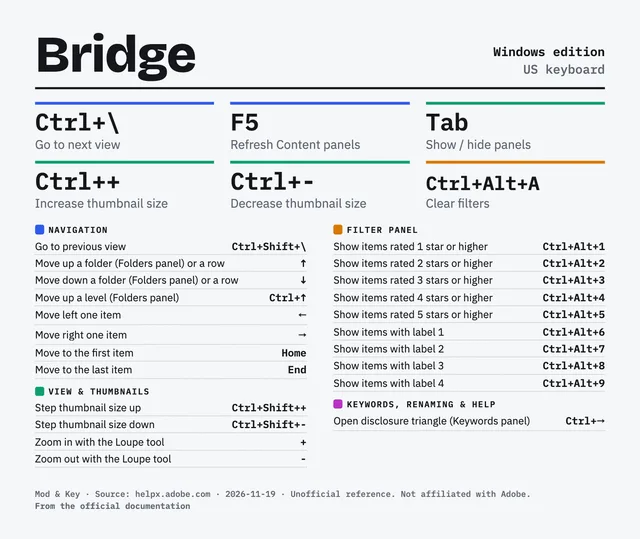
Free printable Bridge cheat sheet
The essential shortcuts on one page (PDF, 24 × 20 cm), for your keyboard and language.
Bridge shortcut questions
- What is the shortcut for “Go to next view” in Bridge on Windows?
- Press Ctrl+\. That is the shortcut for “Go to next view” in Bridge on Windows, as given in the official documentation.
- What is the shortcut for “Refresh Content panels” in Bridge on Windows?
- Press F5. That is the shortcut for “Refresh Content panels” in Bridge on Windows, as given in the official documentation.
- What is the shortcut for “Show / hide panels” in Bridge on Windows?
- Press Tab. That is the shortcut for “Show / hide panels” in Bridge on Windows, as given in the official documentation.
- Where do these Bridge shortcuts come from?
- From Adobe’s official documentation at helpx.adobe.com, retrieved November 19, 2026. Every key is copied from there, never from other websites.