 Get it on your desk →
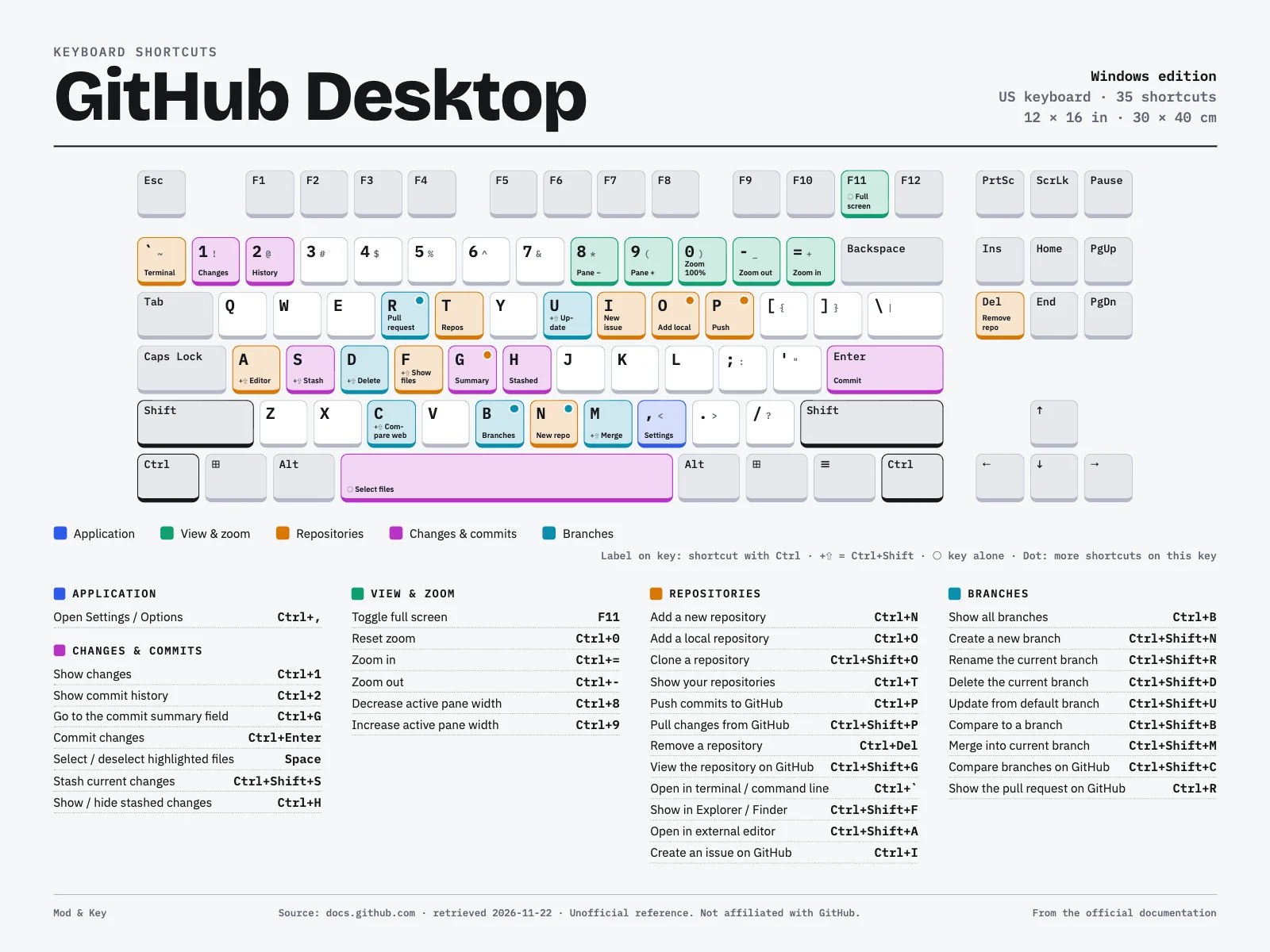
The most used GitHub Desktop shortcuts on Windows: Push commits to GitHub (Ctrl+P), Pull changes from GitHub (Ctrl+Shift+P), Show changes (Ctrl+1), Commit changes (Ctrl+Enter), Show all branches (Ctrl+B). This page lists all 35, from the official documentation.
35 GitHub Desktop keyboard shortcuts for Windows, grouped into Application, View & zoom, Repositories, Changes & commits, Branches. Every key is copied from docs.github.com (retrieved November 22, 2026) and shown on a real keyboard layout.
On Windows, 31 of these 35 shortcuts are the Mac ones with Ctrl in place of ⌘; 4 are different, for example Toggle full screen (F11; Mac: ⌃⌘F), Remove a repository (Ctrl+Del; Mac: ⌘⌫), Open in terminal / command line (Ctrl+`; Mac: ⌃`).
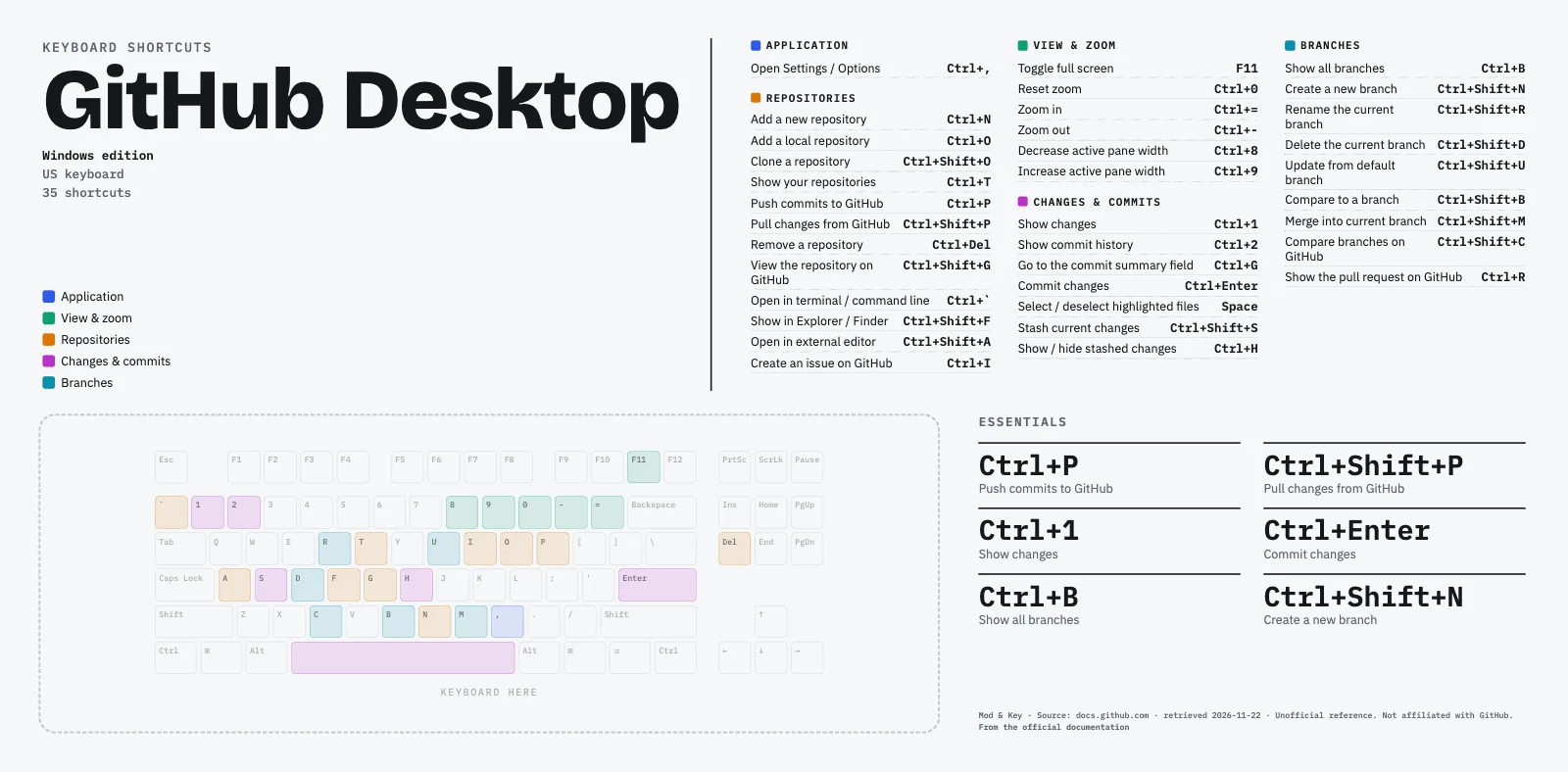
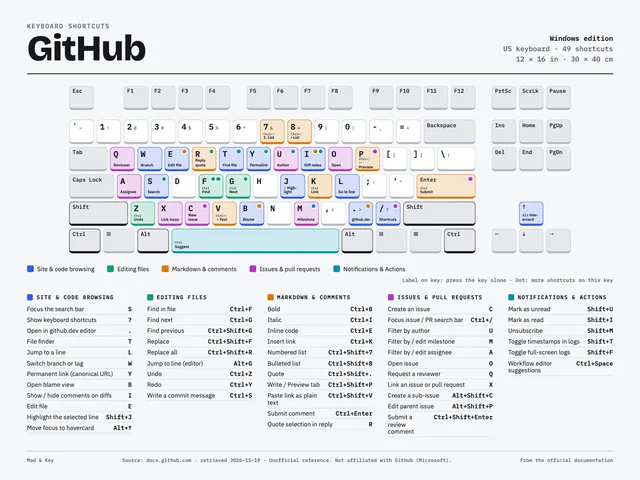
GitHub Desktop keyboard map
Pick your keyboard and a modifier. Keys with a shortcut light up; point at or tap a key to see everything on it. Try it: hold Ctrl on your keyboard
More shortcuts on this key with other modifiers.
With Ctrl20 keys
All GitHub Desktop keyboard shortcuts for Windows
No shortcut matches that search.
Application1
| Command | Shortcut |
|---|---|
| Open Settings / Options | Ctrl+, |
View & zoom6
| Command | Shortcut |
|---|---|
| Toggle full screen | F11 |
| Reset zoom | Ctrl+0 |
| Zoom in | Ctrl+= |
| Zoom out | Ctrl+- |
| Decrease active pane width | Ctrl+8 |
| Increase active pane width | Ctrl+9 |
Repositories12
| Command | Shortcut |
|---|---|
| Add a new repository | Ctrl+N |
| Add a local repository | Ctrl+O |
| Clone a repository | Ctrl+Shift+O |
| Show your repositories | Ctrl+T |
| Push commits to GitHub | Ctrl+P |
| Pull changes from GitHub | Ctrl+Shift+P |
| Remove a repository | Ctrl+Del |
| View the repository on GitHub | Ctrl+Shift+G |
| Open in terminal / command line | Ctrl+` |
| Show in Explorer / Finder | Ctrl+Shift+F |
| Open in external editor | Ctrl+Shift+A |
| Create an issue on GitHub | Ctrl+I |
Changes & commits7
| Command | Shortcut |
|---|---|
| Show changes | Ctrl+1 |
| Show commit history | Ctrl+2 |
| Go to the commit summary field | Ctrl+G |
| Commit changes | Ctrl+Enter |
| Select / deselect highlighted files | Space |
| Stash current changes | Ctrl+Shift+S |
| Show / hide stashed changes | Ctrl+H |
Branches9
| Command | Shortcut |
|---|---|
| Show all branches | Ctrl+B |
| Create a new branch | Ctrl+Shift+N |
| Rename the current branch | Ctrl+Shift+R |
| Delete the current branch | Ctrl+Shift+D |
| Update from default branch | Ctrl+Shift+U |
| Compare to a branch | Ctrl+Shift+B |
| Merge into current branch | Ctrl+Shift+M |
| Compare branches on GitHub | Ctrl+Shift+C |
| Show the pull request on GitHub | Ctrl+R |
Source: GitHub · docs.github.com · retrieved . Unofficial reference. Not affiliated with GitHub. How we source shortcuts →
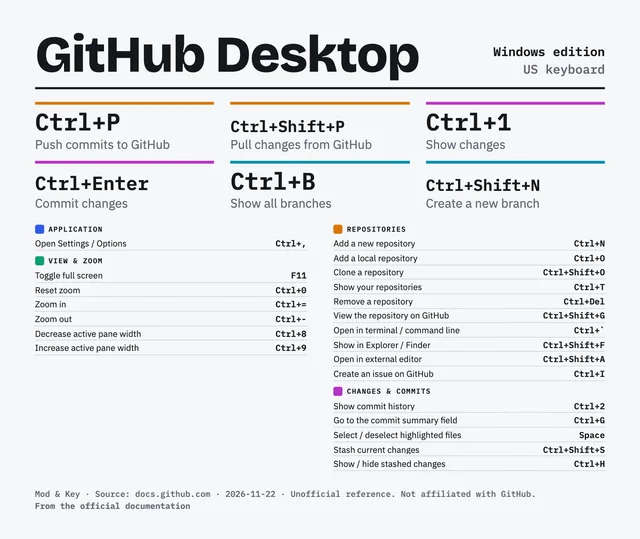
Free printable GitHub Desktop cheat sheet
The essential shortcuts on one page (PDF, 24 × 20 cm), for your keyboard and language.
GitHub Desktop shortcut questions
- What is the shortcut for “Push commits to GitHub” in GitHub Desktop on Windows?
- Press Ctrl+P. That is the shortcut for “Push commits to GitHub” in GitHub Desktop on Windows, as given in the official documentation.
- What is the shortcut for “Pull changes from GitHub” in GitHub Desktop on Windows?
- Press Ctrl+Shift+P. That is the shortcut for “Pull changes from GitHub” in GitHub Desktop on Windows, as given in the official documentation.
- What is the shortcut for “Show changes” in GitHub Desktop on Windows?
- Press Ctrl+1. That is the shortcut for “Show changes” in GitHub Desktop on Windows, as given in the official documentation.
- Where do these GitHub Desktop shortcuts come from?
- From GitHub’s official documentation at docs.github.com, retrieved November 22, 2026. Every key is copied from there, never from other websites.