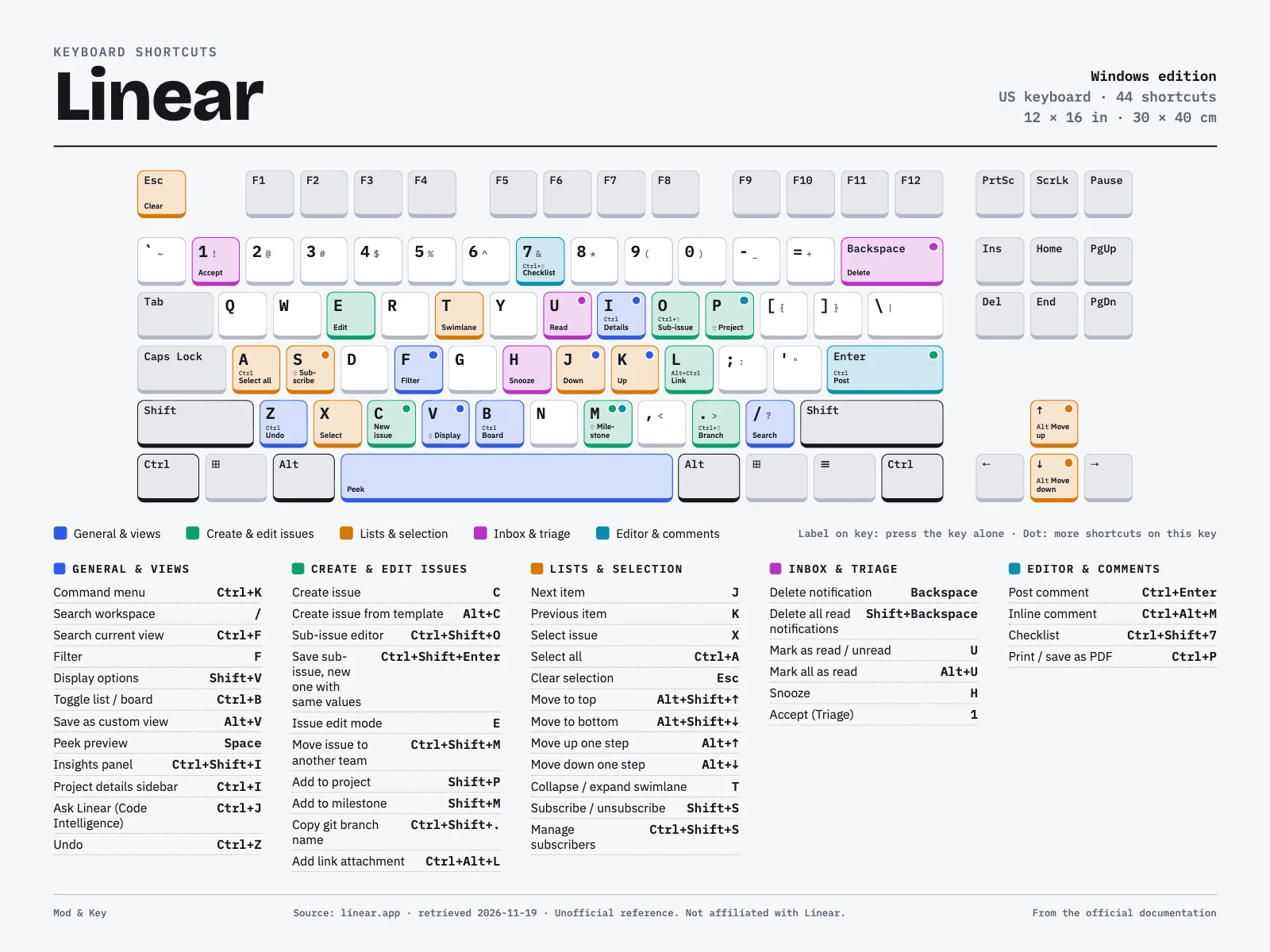
 Get it on your desk →
The most used Linear shortcuts on Windows: Command menu (Ctrl+K), Search workspace (/), Filter (F), Create issue (C), Select issue (X). This page lists all 44, from the official documentation.
44 Linear keyboard shortcuts for Windows, grouped into General & views, Create & edit issues, Lists & selection, Inbox & triage, Editor & comments. Every key is copied from linear.app (retrieved November 19, 2026) and shown on a real keyboard layout.
On Windows, 43 of these 44 shortcuts are the Mac ones with Ctrl in place of ⌘; 1 are different, for example Add link attachment (Ctrl+Alt+L; Mac: ⌃L).
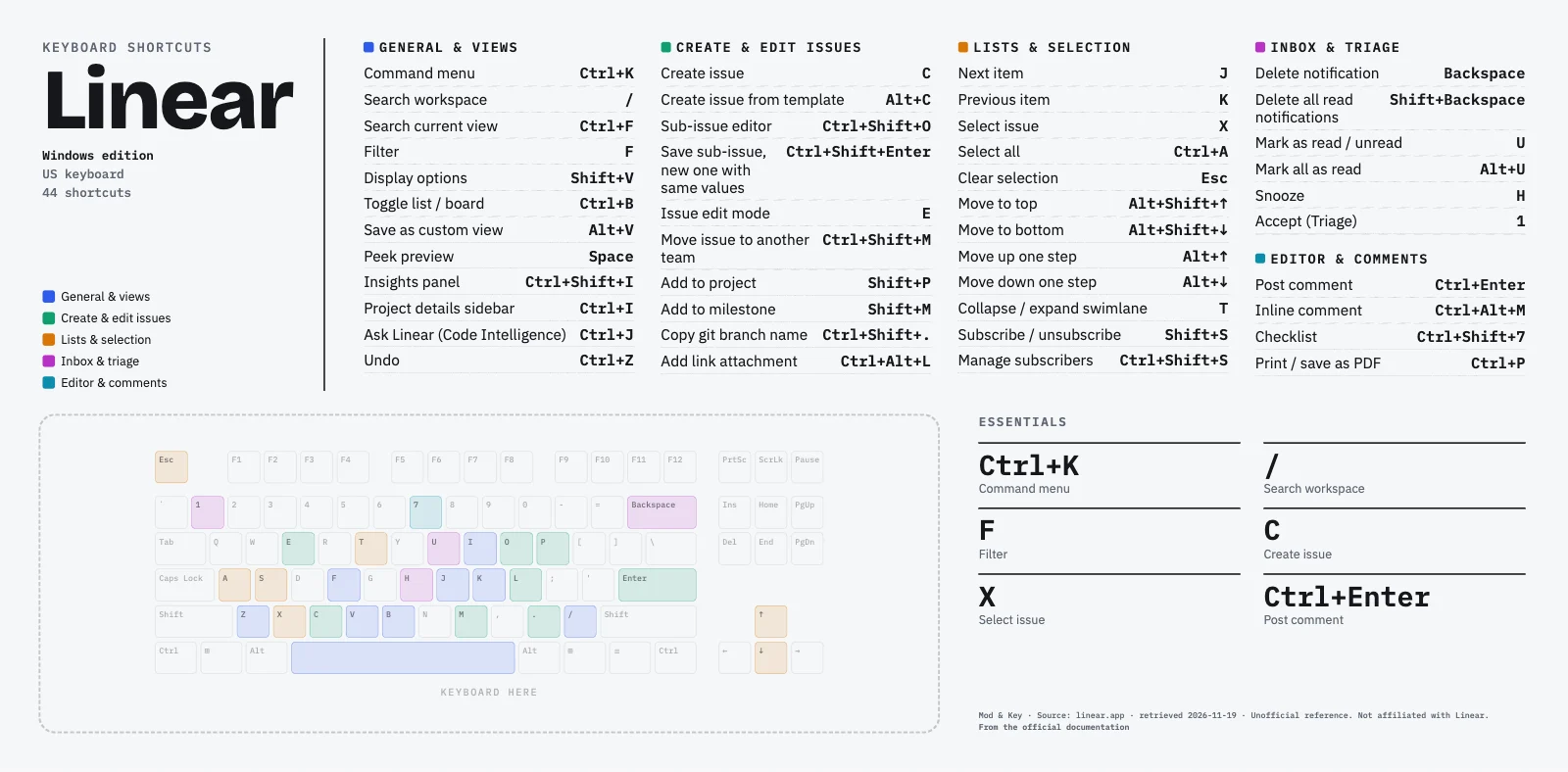
Linear keyboard map
Pick your keyboard and a modifier. Keys with a shortcut light up; point at or tap a key to see everything on it. Try it: hold Ctrl on your keyboard
More shortcuts on this key with other modifiers.
Key alone14 keys
All Linear keyboard shortcuts for Windows
No shortcut matches that search.
General & views12
| Command | Shortcut |
|---|---|
| Command menu | Ctrl+K |
| Search workspace | / |
| Search current view | Ctrl+F |
| Filter | F |
| Display options | Shift+V |
| Toggle list / board | Ctrl+B |
| Save as custom view | Alt+V |
| Peek preview | Space |
| Insights panel | Ctrl+Shift+I |
| Project details sidebar | Ctrl+I |
| Ask Linear (Code Intelligence) | Ctrl+J |
| Undo | Ctrl+Z |
Create & edit issues10
| Command | Shortcut |
|---|---|
| Create issue | C |
| Create issue from template | Alt+C |
| Sub-issue editor | Ctrl+Shift+O |
| Save sub-issue, new one with same values | Ctrl+Shift+Enter |
| Issue edit mode | E |
| Move issue to another team | Ctrl+Shift+M |
| Add to project | Shift+P |
| Add to milestone | Shift+M |
| Copy git branch name | Ctrl+Shift+. |
| Add link attachment | Ctrl+Alt+L |
Lists & selection12
| Command | Shortcut |
|---|---|
| Next item | J |
| Previous item | K |
| Select issue | X |
| Select all | Ctrl+A |
| Clear selection | Esc |
| Move to top | Alt+Shift+↑ |
| Move to bottom | Alt+Shift+↓ |
| Move up one step | Alt+↑ |
| Move down one step | Alt+↓ |
| Collapse / expand swimlane | T |
| Subscribe / unsubscribe | Shift+S |
| Manage subscribers | Ctrl+Shift+S |
Inbox & triage6
| Command | Shortcut |
|---|---|
| Delete notification | Backspace |
| Delete all read notifications | Shift+Backspace |
| Mark as read / unread | U |
| Mark all as read | Alt+U |
| Snooze | H |
| Accept (Triage) | 1 |
Editor & comments4
| Command | Shortcut |
|---|---|
| Post comment | Ctrl+Enter |
| Inline comment | Ctrl+Alt+M |
| Checklist | Ctrl+Shift+7 |
| Print / save as PDF | Ctrl+P |
Source: Linear · linear.app · retrieved . Unofficial reference. Not affiliated with Linear. How we source shortcuts →
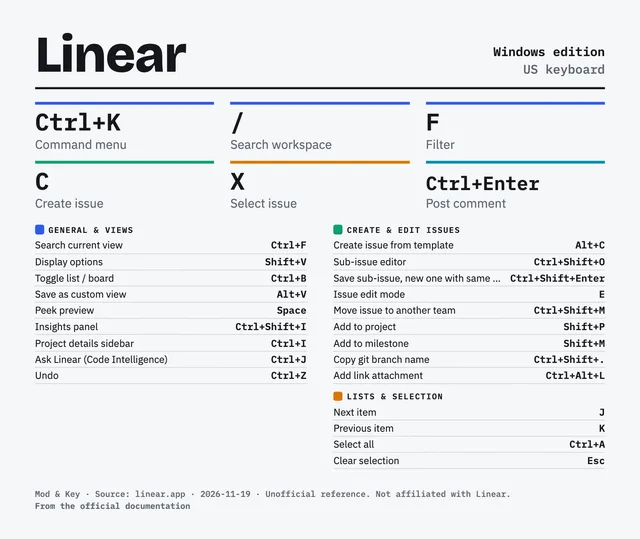
Free printable Linear cheat sheet
The essential shortcuts on one page (PDF, 24 × 20 cm), for your keyboard and language.
Linear shortcut questions
- What is the shortcut for “Command menu” in Linear on Windows?
- Press Ctrl+K. That is the shortcut for “Command menu” in Linear on Windows, as given in the official documentation.
- What is the shortcut for “Search workspace” in Linear on Windows?
- Press /. That is the shortcut for “Search workspace” in Linear on Windows, as given in the official documentation.
- What is the shortcut for “Filter” in Linear on Windows?
- Press F. That is the shortcut for “Filter” in Linear on Windows, as given in the official documentation.
- Where do these Linear shortcuts come from?
- From Linear’s official documentation at linear.app, retrieved November 19, 2026. Every key is copied from there, never from other websites.