 Get it on your desk →
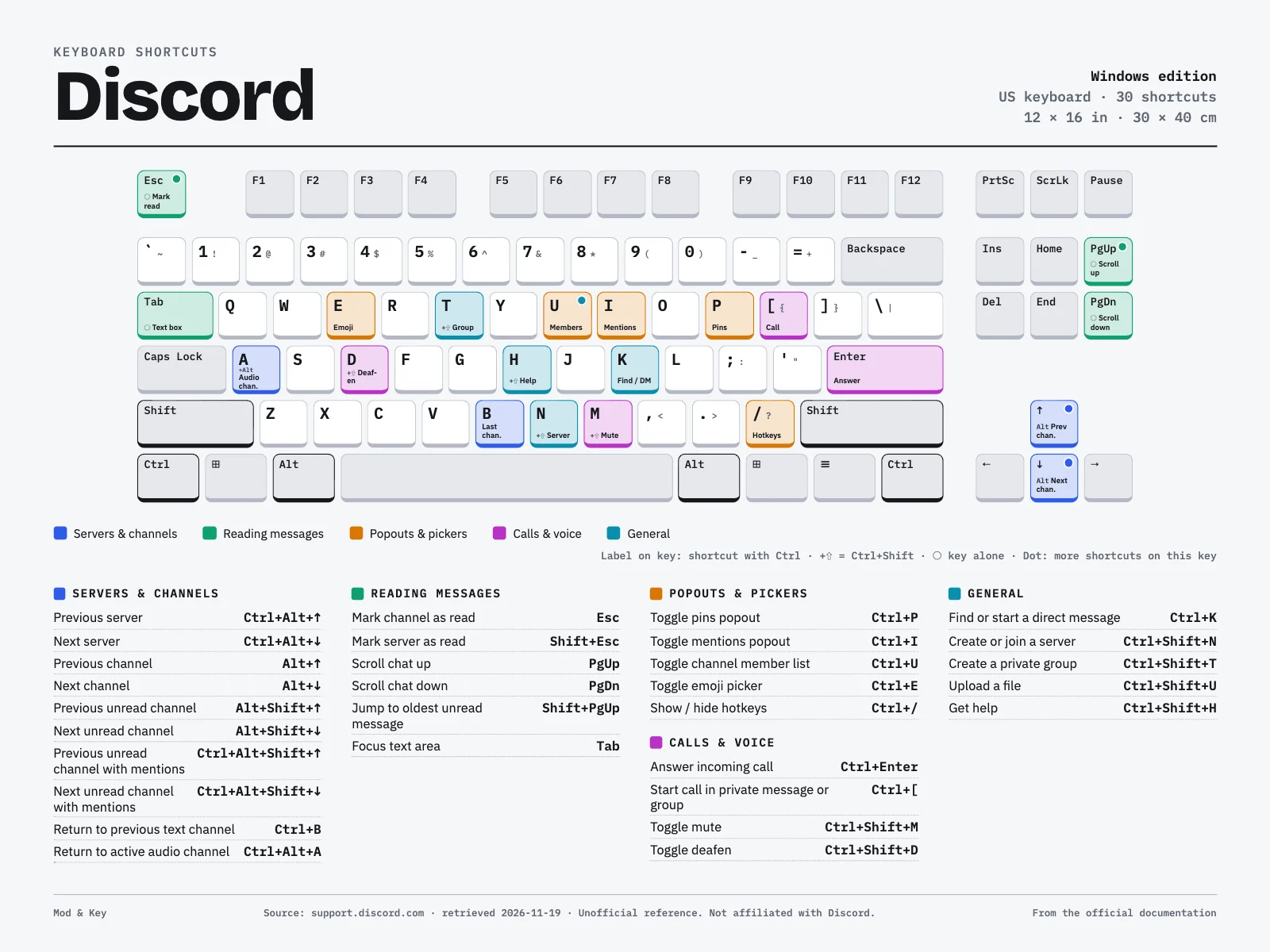
The most used Discord shortcuts on Windows: Mark channel as read (Esc), Toggle emoji picker (Ctrl+E), Toggle mute (Ctrl+Shift+M), Toggle deafen (Ctrl+Shift+D), Find or start a direct message (Ctrl+K). This page lists all 30, from the official documentation.
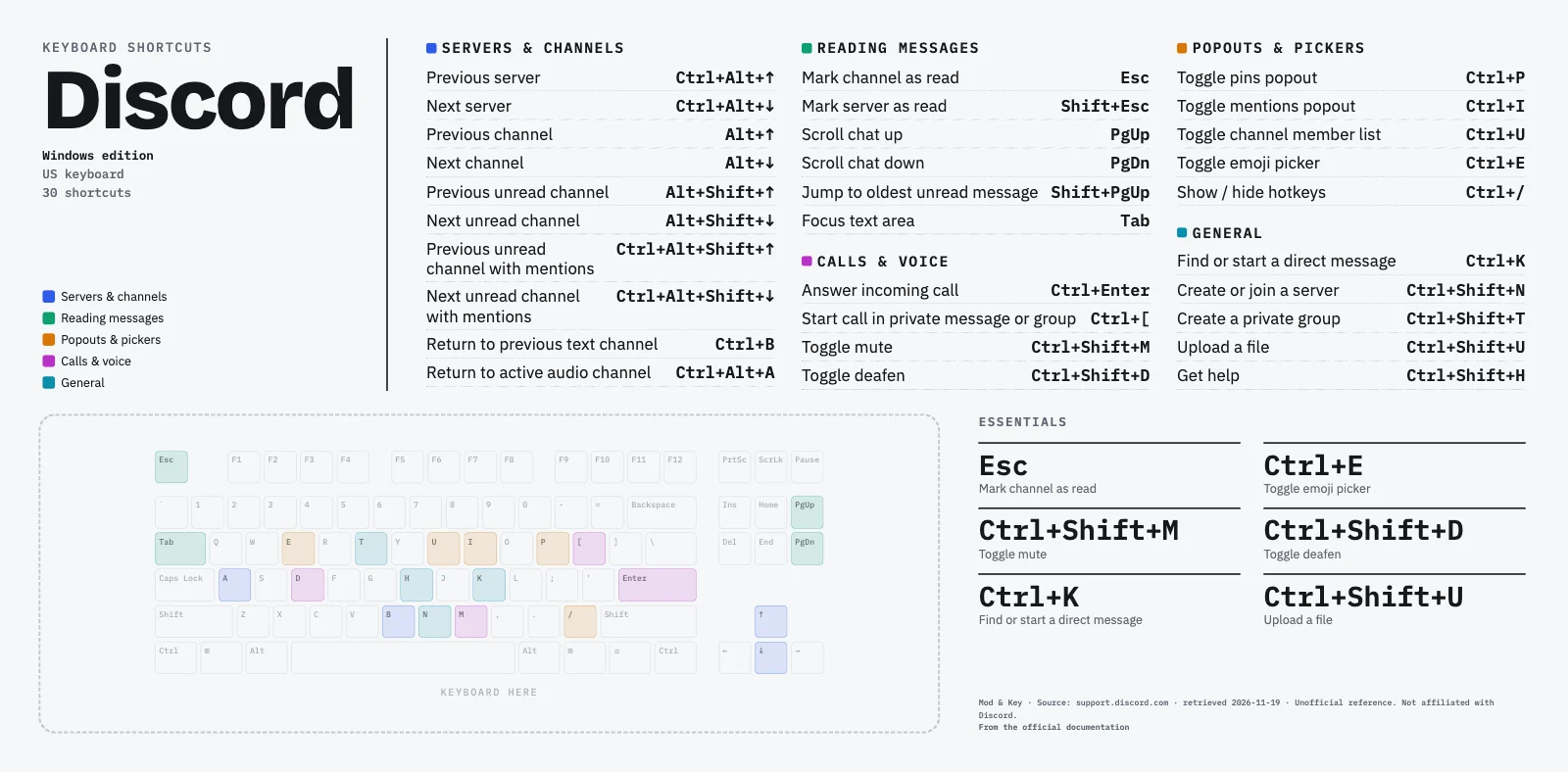
30 Discord keyboard shortcuts for Windows, grouped into Servers & channels, Reading messages, Popouts & pickers, Calls & voice, General. Every key is copied from support.discord.com (retrieved November 19, 2026) and shown on a real keyboard layout.
Discord keyboard map
Pick your keyboard and a modifier. Keys with a shortcut light up; point at or tap a key to see everything on it. Try it: hold Ctrl on your keyboard
More shortcuts on this key with other modifiers.
With Ctrl9 keys
All Discord keyboard shortcuts for Windows
No shortcut matches that search.
Servers & channels10
| Command | Shortcut |
|---|---|
| Previous server | Ctrl+Alt+↑ |
| Next server | Ctrl+Alt+↓ |
| Previous channel | Alt+↑ |
| Next channel | Alt+↓ |
| Previous unread channel | Alt+Shift+↑ |
| Next unread channel | Alt+Shift+↓ |
| Previous unread channel with mentions | Ctrl+Alt+Shift+↑ |
| Next unread channel with mentions | Ctrl+Alt+Shift+↓ |
| Return to previous text channel | Ctrl+B |
| Return to active audio channel | Ctrl+Alt+A |
Reading messages6
| Command | Shortcut |
|---|---|
| Mark channel as read | Esc |
| Mark server as read | Shift+Esc |
| Scroll chat up | PgUp |
| Scroll chat down | PgDn |
| Jump to oldest unread message | Shift+PgUp |
| Focus text area | Tab |
Popouts & pickers5
| Command | Shortcut |
|---|---|
| Toggle pins popout | Ctrl+P |
| Toggle mentions popout | Ctrl+I |
| Toggle channel member list | Ctrl+U |
| Toggle emoji picker | Ctrl+E |
| Show / hide hotkeys | Ctrl+/ |
Calls & voice4
| Command | Shortcut |
|---|---|
| Answer incoming call | Ctrl+Enter |
| Start call in private message or group | Ctrl+[ |
| Toggle mute | Ctrl+Shift+M |
| Toggle deafen | Ctrl+Shift+D |
General5
| Command | Shortcut |
|---|---|
| Find or start a direct message | Ctrl+K |
| Create or join a server | Ctrl+Shift+N |
| Create a private group | Ctrl+Shift+T |
| Upload a file | Ctrl+Shift+U |
| Get help | Ctrl+Shift+H |
Source: Discord · support.discord.com · retrieved . Unofficial reference. Not affiliated with Discord. How we source shortcuts →
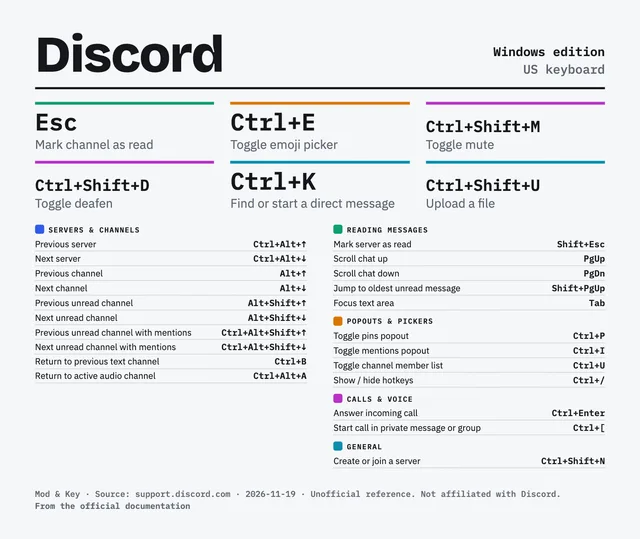
Free printable Discord cheat sheet
The essential shortcuts on one page (PDF, 24 × 20 cm), for your keyboard and language.
Discord shortcut questions
- What is the shortcut for “Mark channel as read” in Discord on Windows?
- Press Esc. That is the shortcut for “Mark channel as read” in Discord on Windows, as given in the official documentation.
- What is the shortcut for “Toggle emoji picker” in Discord on Windows?
- Press Ctrl+E. That is the shortcut for “Toggle emoji picker” in Discord on Windows, as given in the official documentation.
- What is the shortcut for “Toggle mute” in Discord on Windows?
- Press Ctrl+Shift+M. That is the shortcut for “Toggle mute” in Discord on Windows, as given in the official documentation.
- Where do these Discord shortcuts come from?
- From Discord’s official documentation at support.discord.com, retrieved November 19, 2026. Every key is copied from there, never from other websites.