 Get it on your desk →
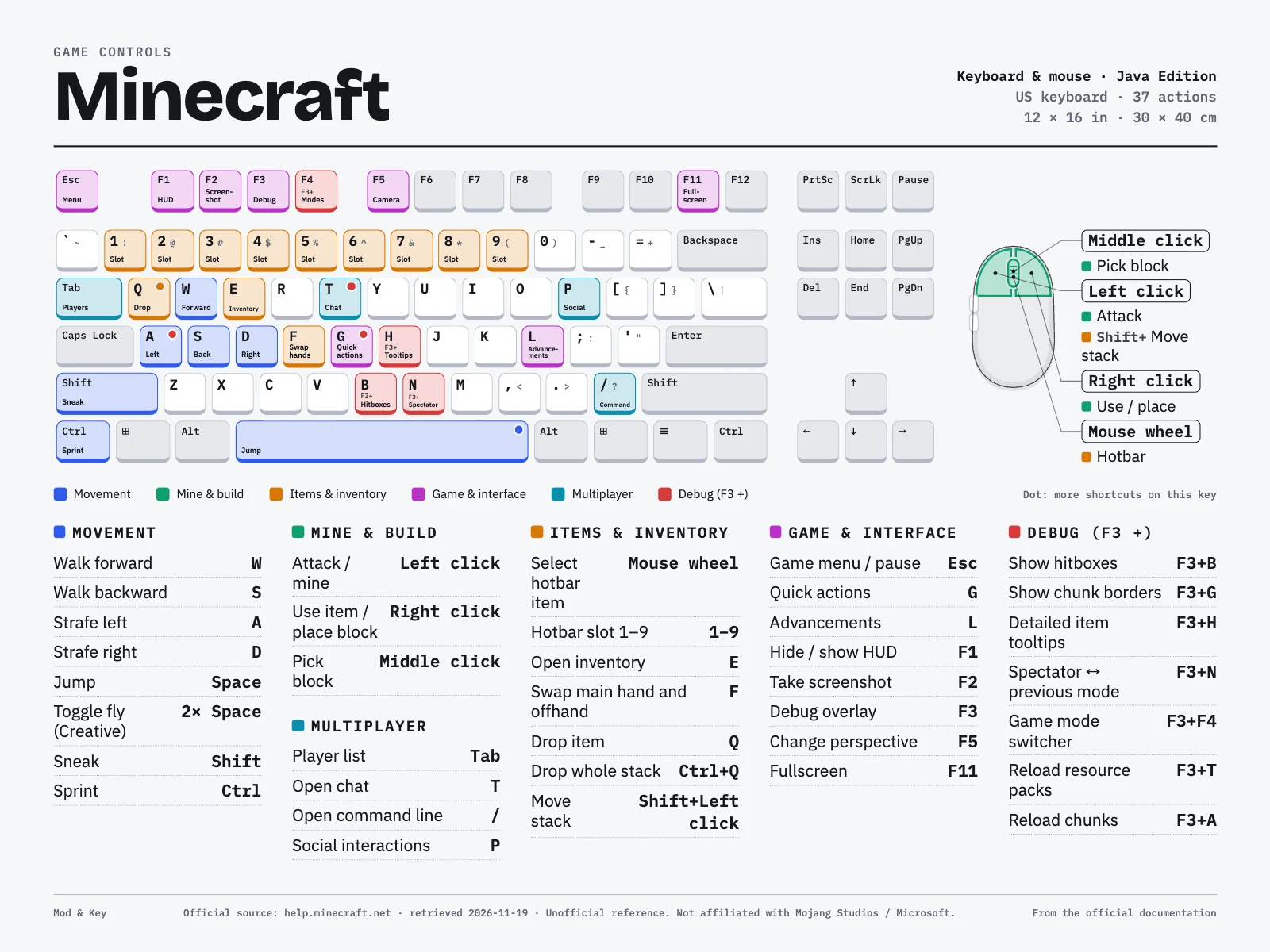
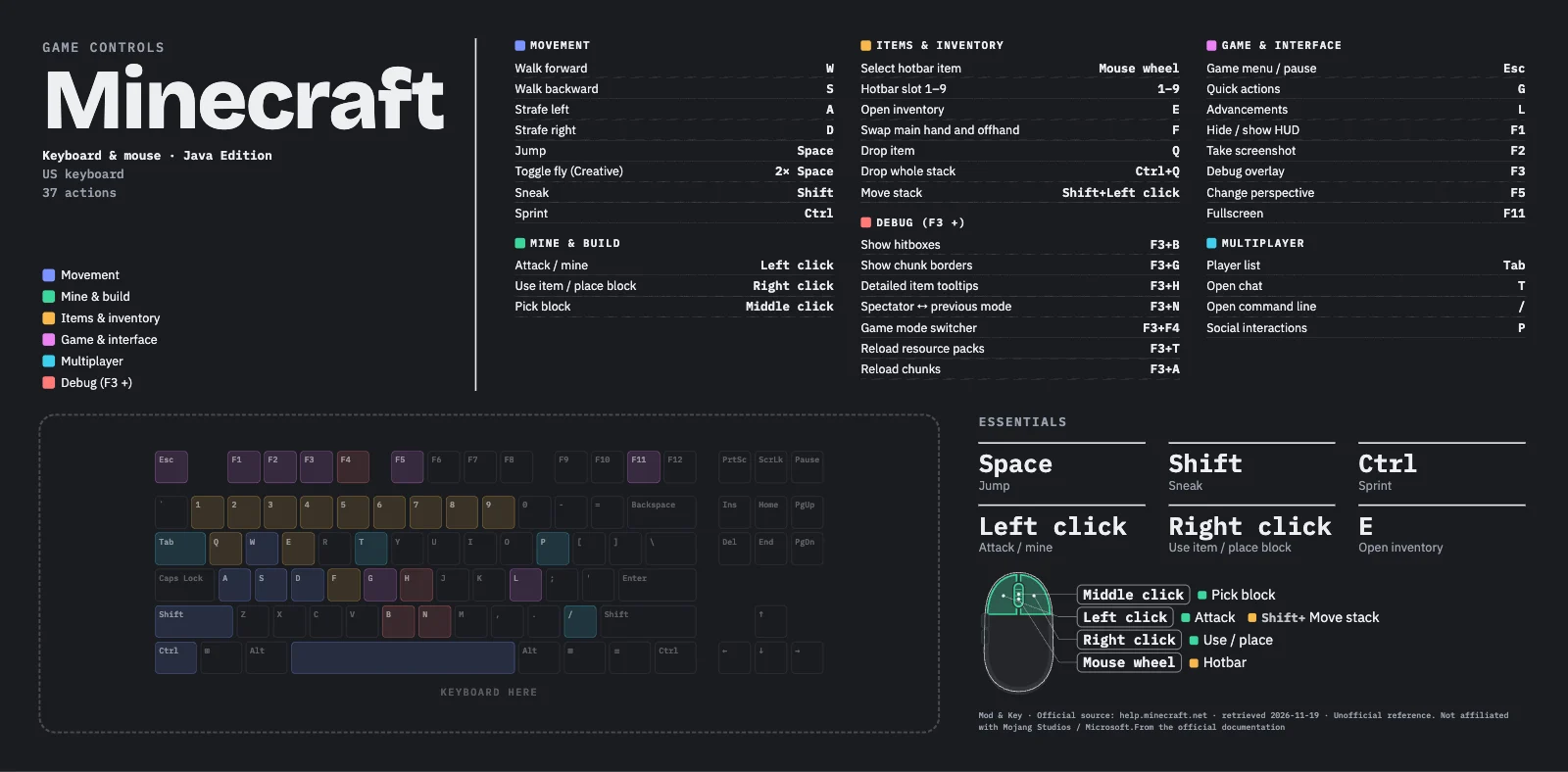
37 Minecraft (Java Edition) controls for Keyboard & mouse, grouped into Movement, Mine & build, Items & inventory, Game & interface, Multiplayer, Debug (F3 +).
Every key and button is copied from the official page on help.minecraft.net (dated November 14, 2026), read on November 19, 2026.
Essentials
SpaceJump
ShiftSneak
CtrlSprint
Left clickAttack / mine
Right clickUse item / place block
EOpen inventory
All Minecraft controls: Keyboard & mouse
37 controls
Movement8
Walk forwardW
Walk backwardS
Strafe leftA
Strafe rightD
JumpSpace
Toggle fly (Creative)2×Space
SneakShift
SprintCtrl
Mine & build3
Attack / mineLeft click
Use item / place blockRight click
Pick blockMiddle click
Items & inventory7
Select hotbar itemMouse wheel
Hotbar slot 1–91–9
Open inventoryE
Swap main hand and offhandF
Drop itemQ
Drop whole stackCtrlQ
Move stackShiftLeft click
Game & interface8
Game menu / pauseEsc
Quick actionsG
AdvancementsL
Hide / show HUDF1
Take screenshotF2
Debug overlayF3
Change perspectiveF5
FullscreenF11
Multiplayer4
Player listTab
Open chatT
Open command line/
Social interactionsP
Debug (F3 +)7
Show hitboxesF3B
Show chunk bordersF3G
Detailed item tooltipsF3H
Spectator ↔ previous modeF3N
Game mode switcherF3F4
Reload resource packsF3T
Reload chunksF3A
Official source: help.minecraft.net · November 14, 2026 · retrieved November 19, 2026. Unofficial reference. Not affiliated with Mojang Studios / Microsoft. Minecraft and the console names are trademarks of their owners, used here only to say which game and controller the poster covers. No game art or logos.