 Get it on your desk →
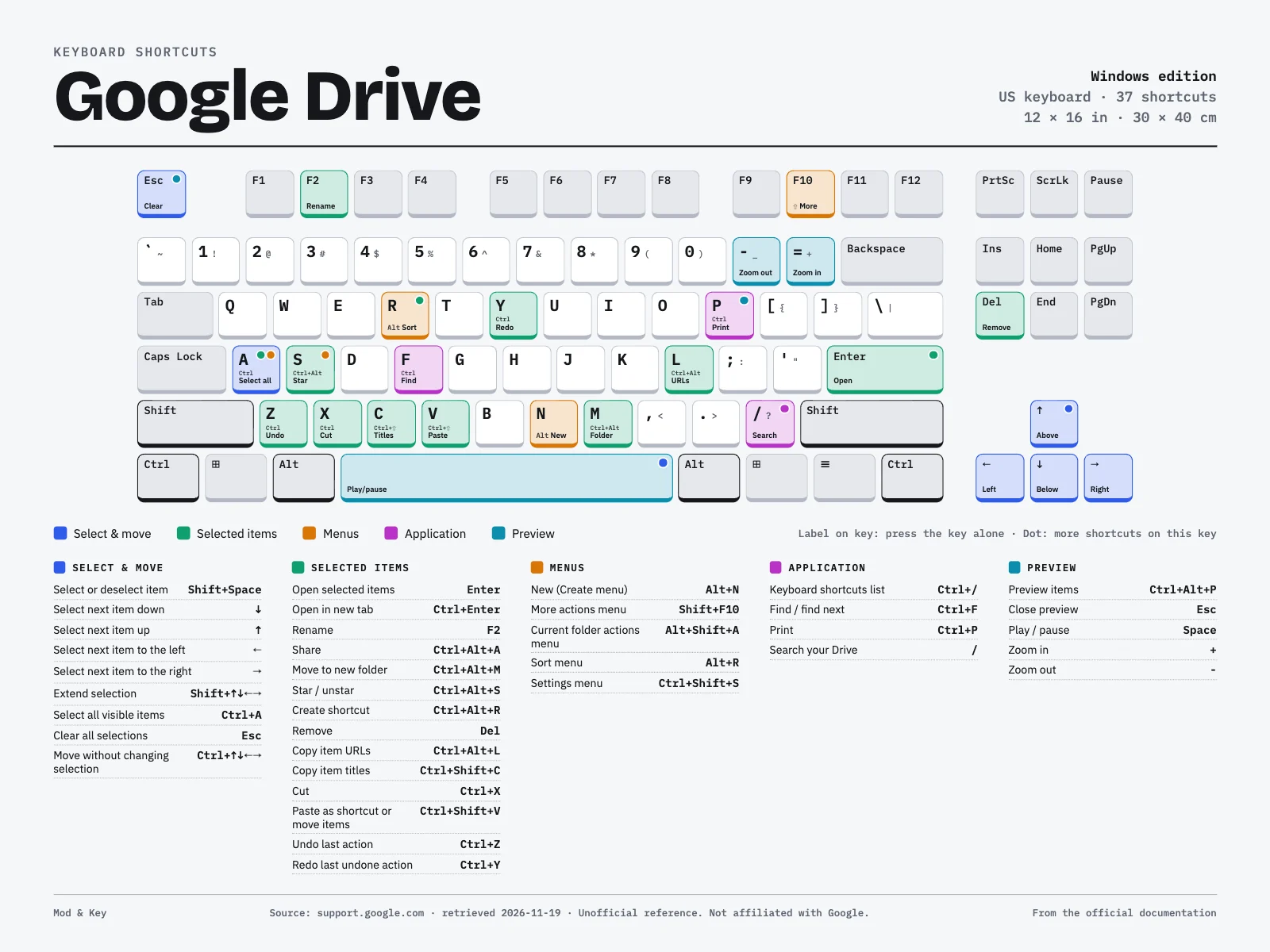
The most used Google Drive shortcuts on Windows: Open selected items (Enter), Rename (F2), Share (Ctrl+Alt+A), Remove (Del), New (Create menu) (Alt+N). This page lists all 37, from the official documentation.
37 Google Drive keyboard shortcuts for Windows, grouped into Select & move, Selected items, Menus, Application, Preview. Every key is copied from support.google.com (retrieved November 19, 2026) and shown on a real keyboard layout.
On Windows, 32 of these 36 shortcuts are the Mac ones with Ctrl in place of ⌘; 4 are different, for example Remove (Del; Mac: ⌫), New (Create menu) (Alt+N; Mac: ⌃N), Current folder actions menu (Alt+Shift+A; Mac: ⌃⇧A).
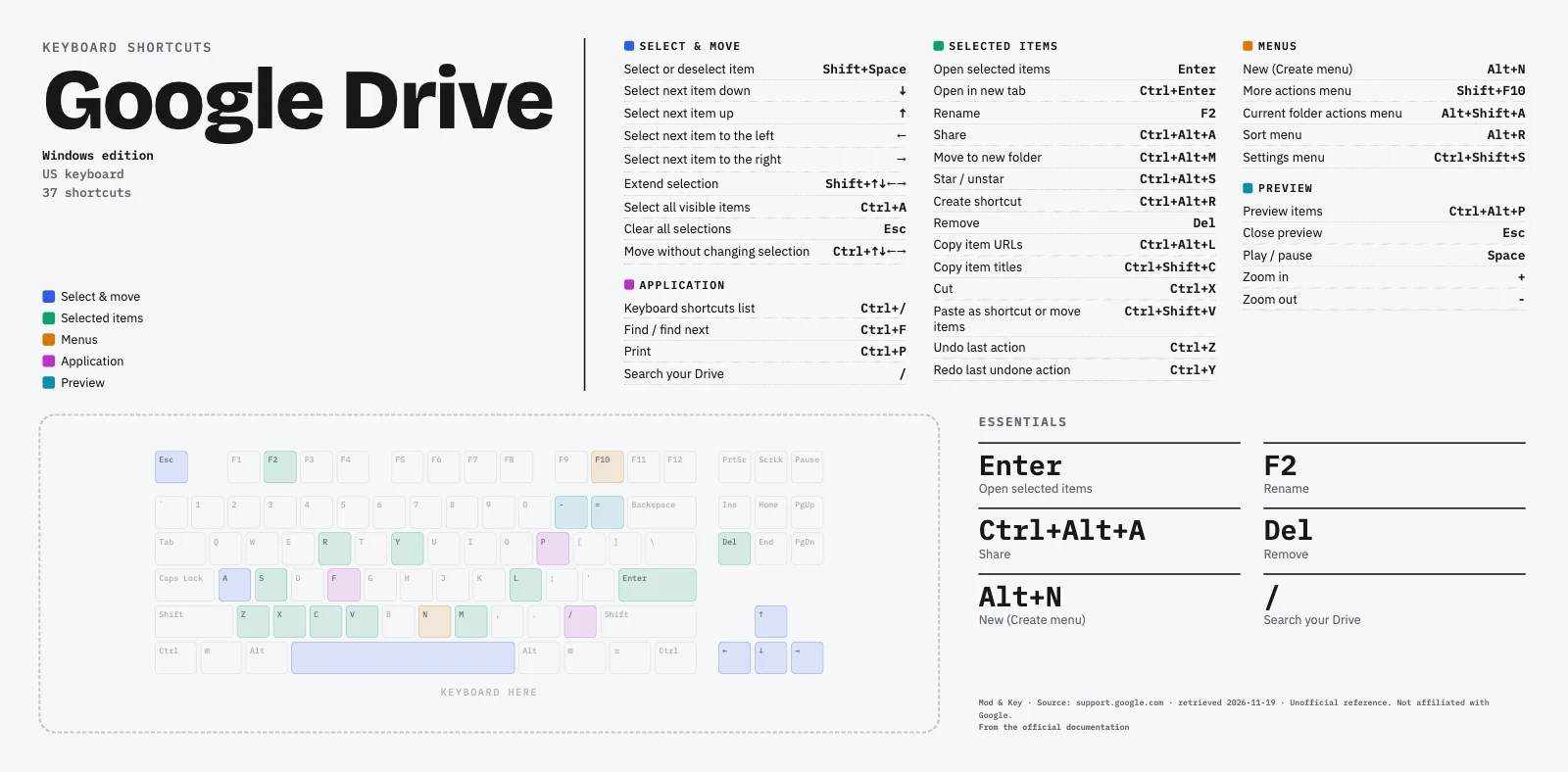
Google Drive keyboard map
Pick your keyboard and a modifier. Keys with a shortcut light up; point at or tap a key to see everything on it. Try it: hold Ctrl on your keyboard
More shortcuts on this key with other modifiers.
Key alone12 keys
All Google Drive keyboard shortcuts for Windows
No shortcut matches that search.
Select & move9
| Command | Shortcut |
|---|---|
| Select or deselect item | Shift+Space |
| Select next item down | ↓ |
| Select next item up | ↑ |
| Select next item to the left | ← |
| Select next item to the right | → |
| Extend selection | Shift+↑↓←→ |
| Select all visible items | Ctrl+A |
| Clear all selections | Esc |
| Move without changing selection | Ctrl+↑↓←→ |
Selected items14
| Command | Shortcut |
|---|---|
| Open selected items | Enter |
| Open in new tab | Ctrl+Enter |
| Rename | F2 |
| Share | Ctrl+Alt+A |
| Move to new folder | Ctrl+Alt+M |
| Star / unstar | Ctrl+Alt+S |
| Create shortcut | Ctrl+Alt+R |
| Remove | Del |
| Copy item URLs | Ctrl+Alt+L |
| Copy item titles | Ctrl+Shift+C |
| Cut | Ctrl+X |
| Paste as shortcut or move items | Ctrl+Shift+V |
| Undo last action | Ctrl+Z |
| Redo last undone action | Ctrl+Y |
Menus5
| Command | Shortcut |
|---|---|
| New (Create menu) | Alt+N |
| More actions menu | Shift+F10 |
| Current folder actions menu | Alt+Shift+A |
| Sort menu | Alt+R |
| Settings menu | Ctrl+Shift+S |
Application4
| Command | Shortcut |
|---|---|
| Keyboard shortcuts list | Ctrl+/ |
| Find / find next | Ctrl+F |
| Ctrl+P | |
| Search your Drive | / |
Preview5
| Command | Shortcut |
|---|---|
| Preview items | Ctrl+Alt+P |
| Close preview | Esc |
| Play / pause | Space |
| Zoom in | + |
| Zoom out | - |
Source: Google · support.google.com · retrieved . Unofficial reference. Not affiliated with Google. How we source shortcuts →
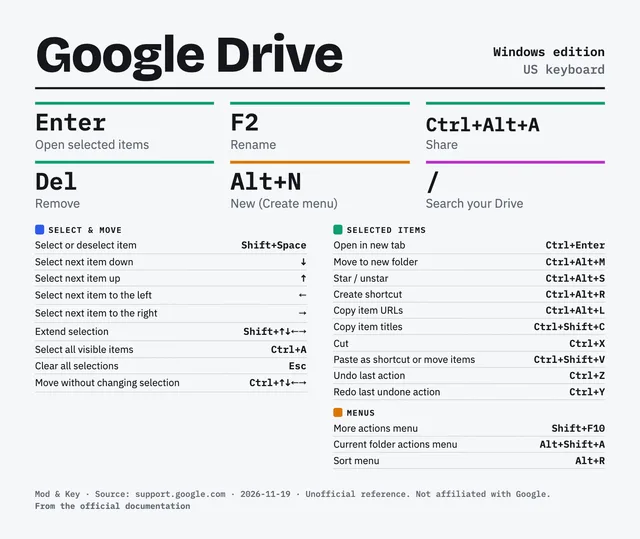
Free printable Google Drive cheat sheet
The essential shortcuts on one page (PDF, 24 × 20 cm), for your keyboard and language.
Google Drive shortcut questions
- What is the shortcut for “Open selected items” in Google Drive on Windows?
- Press Enter. That is the shortcut for “Open selected items” in Google Drive on Windows, as given in the official documentation.
- What is the shortcut for “Rename” in Google Drive on Windows?
- Press F2. That is the shortcut for “Rename” in Google Drive on Windows, as given in the official documentation.
- What is the shortcut for “Share” in Google Drive on Windows?
- Press Ctrl+Alt+A. That is the shortcut for “Share” in Google Drive on Windows, as given in the official documentation.
- Where do these Google Drive shortcuts come from?
- From Google’s official documentation at support.google.com, retrieved November 19, 2026. Every key is copied from there, never from other websites.