 Get it on your desk →
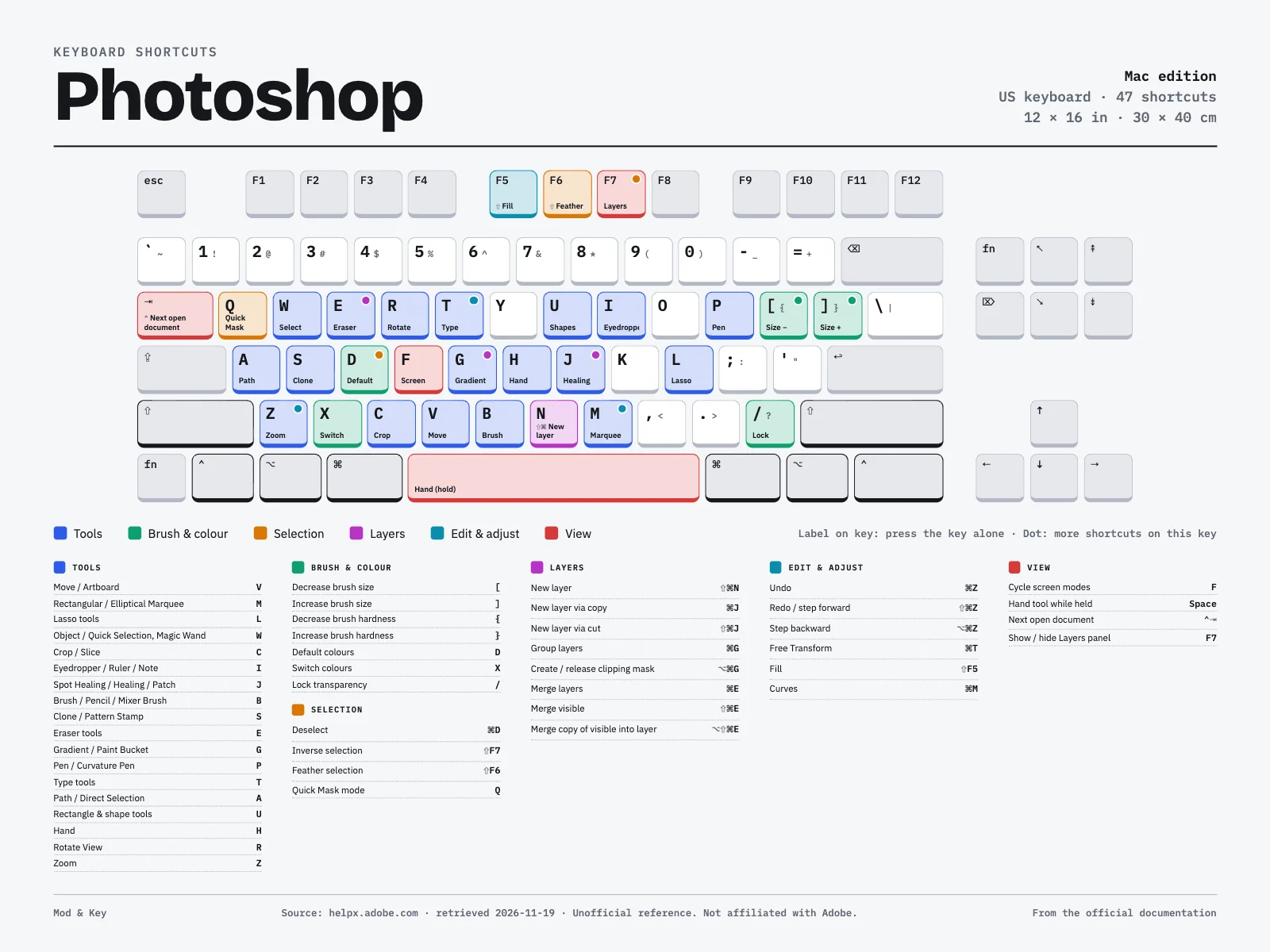
The most used Photoshop shortcuts on Mac: Deselect (⌘D), New layer (⇧⌘N), New layer via copy (⌘J), Undo (⌘Z), Redo / step forward (⇧⌘Z). This page lists all 47, from the official documentation.
47 Photoshop keyboard shortcuts for Mac, grouped into Tools, Brush & colour, Selection, Layers, Edit & adjust, View. Every key is copied from helpx.adobe.com (retrieved November 19, 2026) and shown on a real keyboard layout.
On Mac, 46 of these 47 shortcuts are the Windows ones with ⌘ in place of Ctrl; 1 are different, for example Next open document (⌃⇥; Windows: Ctrl+Tab).
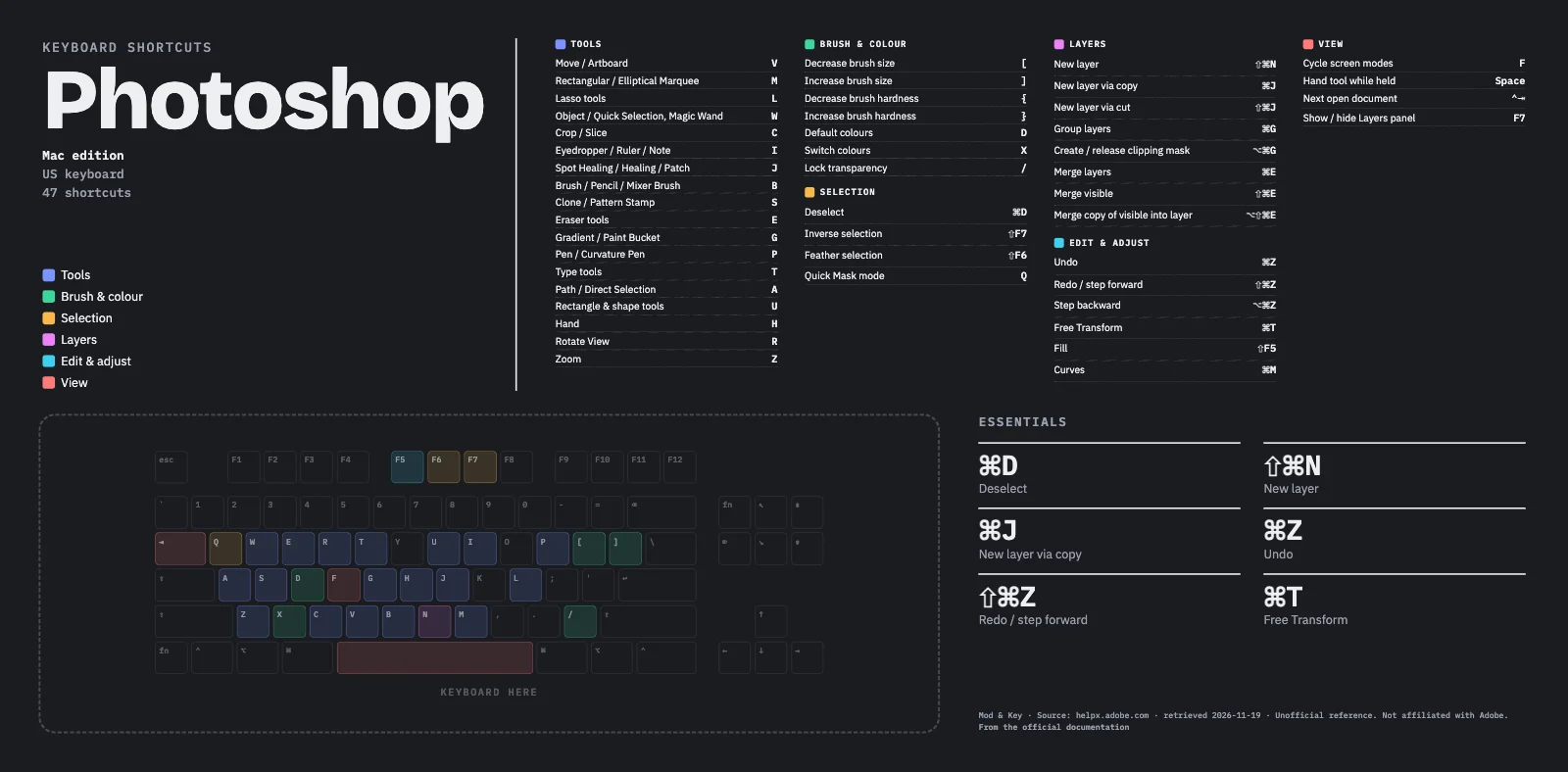
Photoshop keyboard map
Pick your keyboard and a modifier. Keys with a shortcut light up; point at or tap a key to see everything on it. Try it: hold ⌘ Cmd on your keyboard
More shortcuts on this key with other modifiers.
Key alone27 keys
All Photoshop keyboard shortcuts for Mac
No shortcut matches that search.
Tools18
| Command | Shortcut |
|---|---|
| Move / Artboard | V |
| Rectangular / Elliptical Marquee | M |
| Lasso tools | L |
| Object / Quick Selection, Magic Wand | W |
| Crop / Slice | C |
| Eyedropper / Ruler / Note | I |
| Spot Healing / Healing / Patch | J |
| Brush / Pencil / Mixer Brush | B |
| Clone / Pattern Stamp | S |
| Eraser tools | E |
| Gradient / Paint Bucket | G |
| Pen / Curvature Pen | P |
| Type tools | T |
| Path / Direct Selection | A |
| Rectangle & shape tools | U |
| Hand | H |
| Rotate View | R |
| Zoom | Z |
Brush & colour7
| Command | Shortcut |
|---|---|
| Decrease brush size | [ |
| Increase brush size | ] |
| Decrease brush hardness | { |
| Increase brush hardness | } |
| Default colours | D |
| Switch colours | X |
| Lock transparency | / |
Selection4
| Command | Shortcut |
|---|---|
| Deselect | ⌘D |
| Inverse selection | ⇧F7 |
| Feather selection | ⇧F6 |
| Quick Mask mode | Q |
Layers8
| Command | Shortcut |
|---|---|
| New layer | ⇧⌘N |
| New layer via copy | ⌘J |
| New layer via cut | ⇧⌘J |
| Group layers | ⌘G |
| Create / release clipping mask | ⌥⌘G |
| Merge layers | ⌘E |
| Merge visible | ⇧⌘E |
| Merge copy of visible into layer | ⌥⇧⌘E |
Edit & adjust6
| Command | Shortcut |
|---|---|
| Undo | ⌘Z |
| Redo / step forward | ⇧⌘Z |
| Step backward | ⌥⌘Z |
| Free Transform | ⌘T |
| Fill | ⇧F5 |
| Curves | ⌘M |
View4
| Command | Shortcut |
|---|---|
| Cycle screen modes | F |
| Hand tool while held | Space |
| Next open document | ⌃⇥ |
| Show / hide Layers panel | F7 |
Source: Adobe · helpx.adobe.com · retrieved . Unofficial reference. Not affiliated with Adobe. How we source shortcuts →
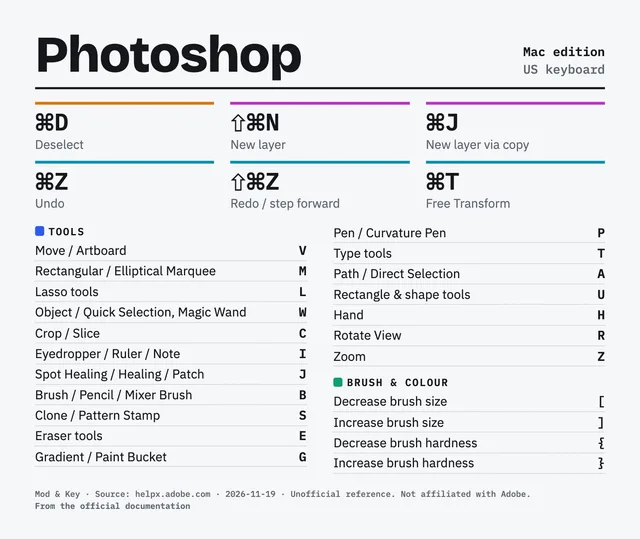
Free printable Photoshop cheat sheet
The essential shortcuts on one page (PDF, 24 × 20 cm), for your keyboard and language.
Photoshop shortcut questions
- What is the shortcut for “Deselect” in Photoshop on Mac?
- Press ⌘D. That is the shortcut for “Deselect” in Photoshop on Mac, as given in the official documentation.
- What is the shortcut for “New layer” in Photoshop on Mac?
- Press ⇧⌘N. That is the shortcut for “New layer” in Photoshop on Mac, as given in the official documentation.
- What is the shortcut for “New layer via copy” in Photoshop on Mac?
- Press ⌘J. That is the shortcut for “New layer via copy” in Photoshop on Mac, as given in the official documentation.
- Where do these Photoshop shortcuts come from?
- From Adobe’s official documentation at helpx.adobe.com, retrieved November 19, 2026. Every key is copied from there, never from other websites.