 Get it on your desk →
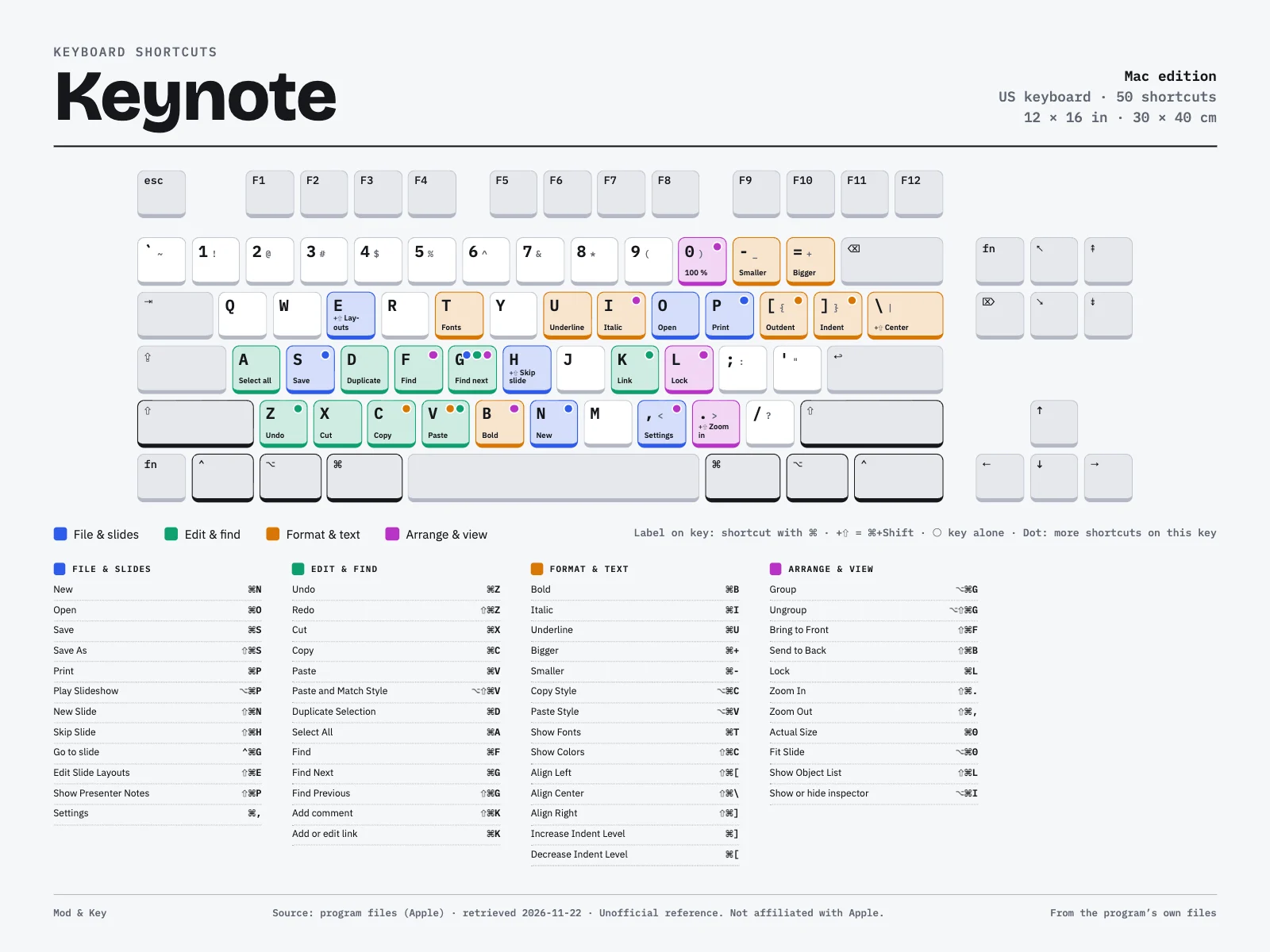
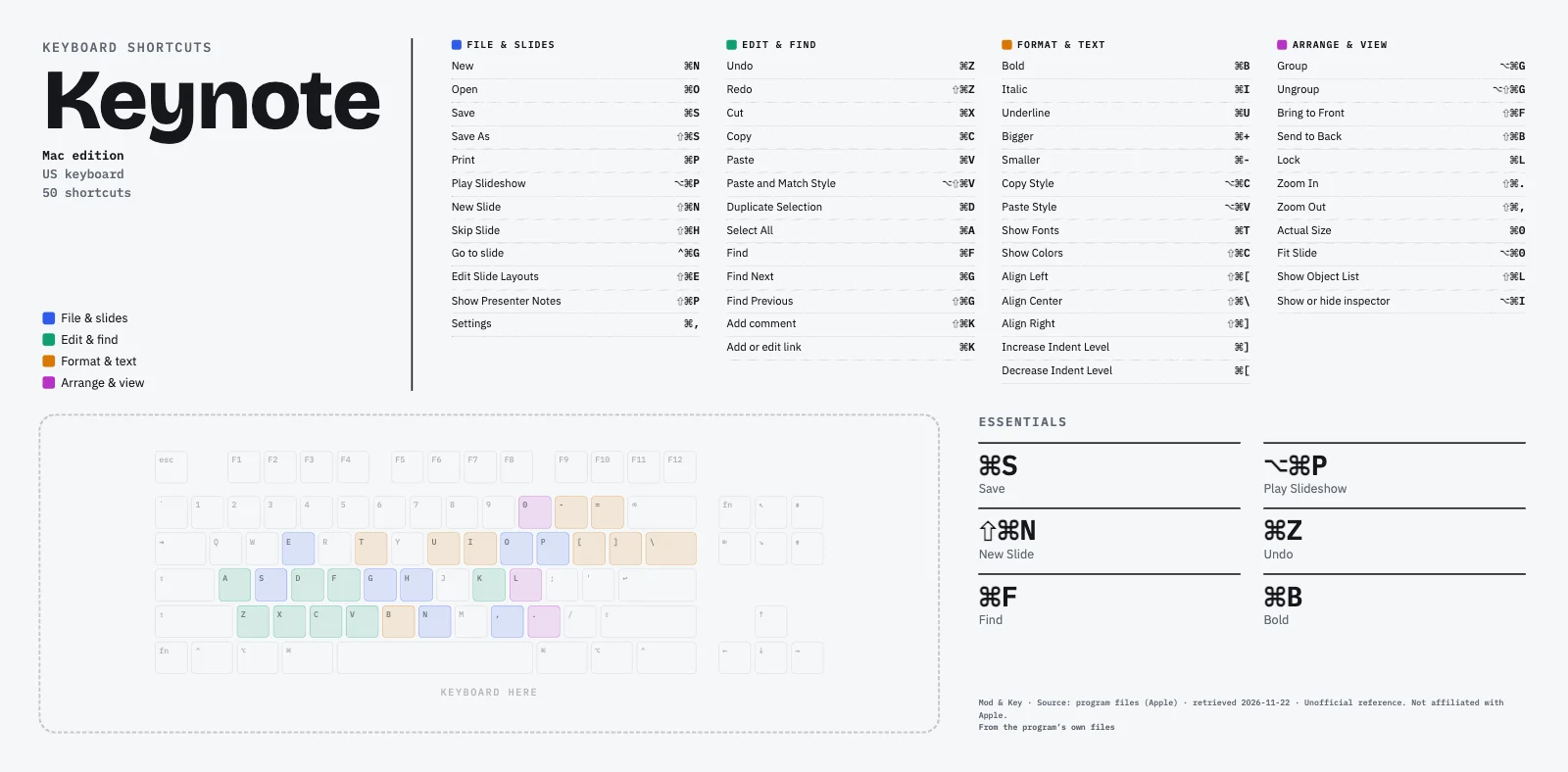
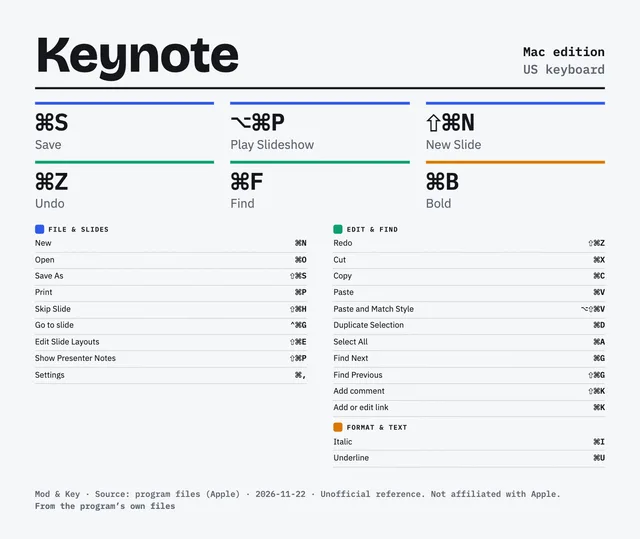
The most used Keynote shortcuts on Mac: Save (⌘S), Play Slideshow (⌥⌘P), New Slide (⇧⌘N), Undo (⌘Z), Find (⌘F). This page lists all 50, taken from the program’s own files and cross-checked between sources.
50 Keynote keyboard shortcuts for Mac, grouped into File & slides, Edit & find, Format & text, Arrange & view. Taken from the program’s own files (Apple) (retrieved November 22, 2026) and shown on a real keyboard layout.
Keynote keyboard map
Pick your keyboard and a modifier. Keys with a shortcut light up; point at or tap a key to see everything on it. Try it: hold ⌘ Cmd on your keyboard
More shortcuts on this key with other modifiers.
With ⌘24 keys
All Keynote keyboard shortcuts for Mac
No shortcut matches that search.
File & slides12
| Command | Shortcut |
|---|---|
| New | ⌘N |
| Open | ⌘O |
| Save | ⌘S |
| Save As | ⇧⌘S |
| ⌘P | |
| Play Slideshow | ⌥⌘P |
| New Slide | ⇧⌘N |
| Skip Slide | ⇧⌘H |
| Go to slide | ⌃⌘G |
| Edit Slide Layouts | ⇧⌘E |
| Show Presenter Notes | ⇧⌘P |
| Settings | ⌘, |
Edit & find13
| Command | Shortcut |
|---|---|
| Undo | ⌘Z |
| Redo | ⇧⌘Z |
| Cut | ⌘X |
| Copy | ⌘C |
| Paste | ⌘V |
| Paste and Match Style | ⌥⇧⌘V |
| Duplicate Selection | ⌘D |
| Select All | ⌘A |
| Find | ⌘F |
| Find Next | ⌘G |
| Find Previous | ⇧⌘G |
| Add comment | ⇧⌘K |
| Add or edit link | ⌘K |
Format & text14
| Command | Shortcut |
|---|---|
| Bold | ⌘B |
| Italic | ⌘I |
| Underline | ⌘U |
| Bigger | ⌘+ |
| Smaller | ⌘- |
| Copy Style | ⌥⌘C |
| Paste Style | ⌥⌘V |
| Show Fonts | ⌘T |
| Show Colors | ⇧⌘C |
| Align Left | ⇧⌘[ |
| Align Center | ⇧⌘\ |
| Align Right | ⇧⌘] |
| Increase Indent Level | ⌘] |
| Decrease Indent Level | ⌘[ |
Arrange & view11
| Command | Shortcut |
|---|---|
| Group | ⌥⌘G |
| Ungroup | ⌥⇧⌘G |
| Bring to Front | ⇧⌘F |
| Send to Back | ⇧⌘B |
| Lock | ⌘L |
| Zoom In | ⇧⌘. |
| Zoom Out | ⇧⌘, |
| Actual Size | ⌘0 |
| Fit Slide | ⌥⌘0 |
| Show Object List | ⇧⌘L |
| Show or hide inspector | ⌥⌘I |
Sources: Keynote for macOS: menu resources (MainMenu.nib, MainMenu.strings) (Apple) · retrieved . Unofficial reference. Not affiliated with Apple. How we source shortcuts →
Free printable Keynote cheat sheet
The essential shortcuts on one page (PDF, 24 × 20 cm), for your keyboard and language.
Keynote shortcut questions
- What is the shortcut for “Save” in Keynote on Mac?
- Press ⌘S. That is the shortcut for “Save” in Keynote on Mac.
- What is the shortcut for “Play Slideshow” in Keynote on Mac?
- Press ⌥⌘P. That is the shortcut for “Play Slideshow” in Keynote on Mac.
- What is the shortcut for “New Slide” in Keynote on Mac?
- Press ⇧⌘N. That is the shortcut for “New Slide” in Keynote on Mac.
- Where do these Keynote shortcuts come from?
- From the program’s own files: Keynote for macOS: menu resources (MainMenu.nib, MainMenu.strings), retrieved November 22, 2026. Where sources disagree, the maker’s own material wins.