Keyboard shortcuts for developers
Editors, terminals and IDEs: navigation, multi-cursor editing and refactoring shortcuts, sourced from the official documentation.
Apps in this guide
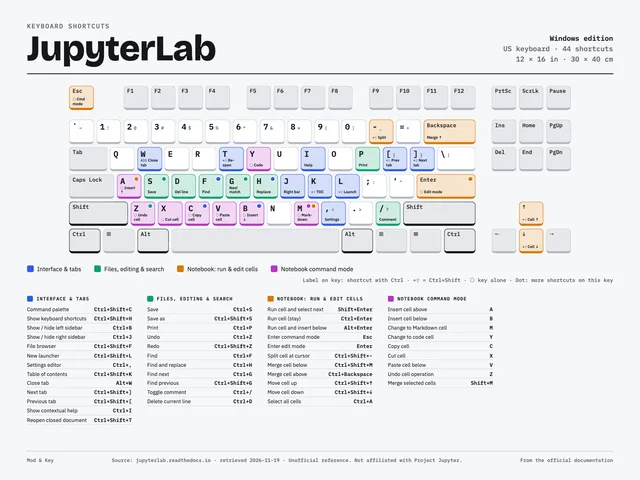
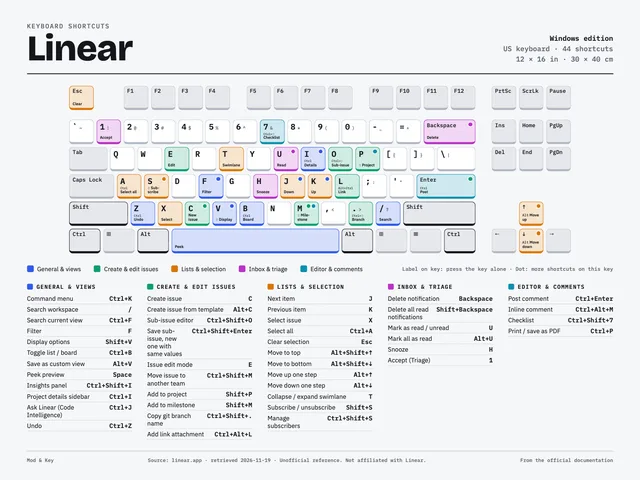
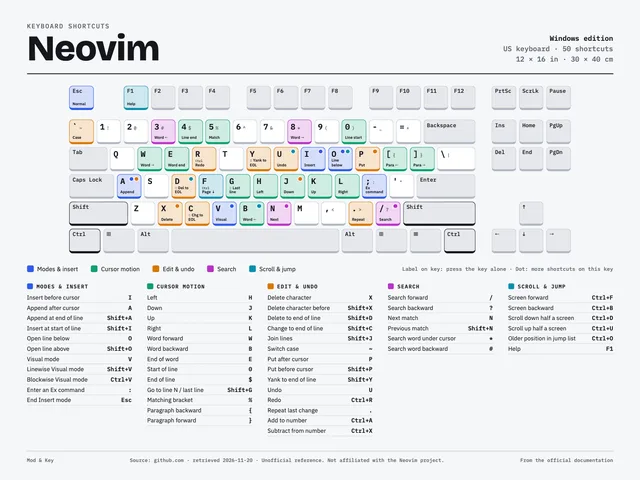
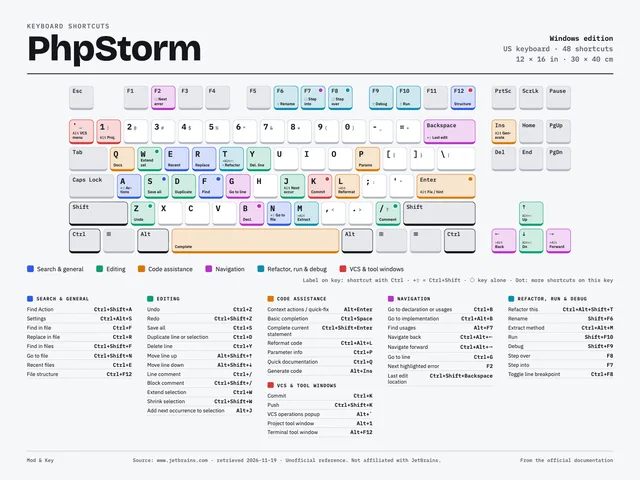
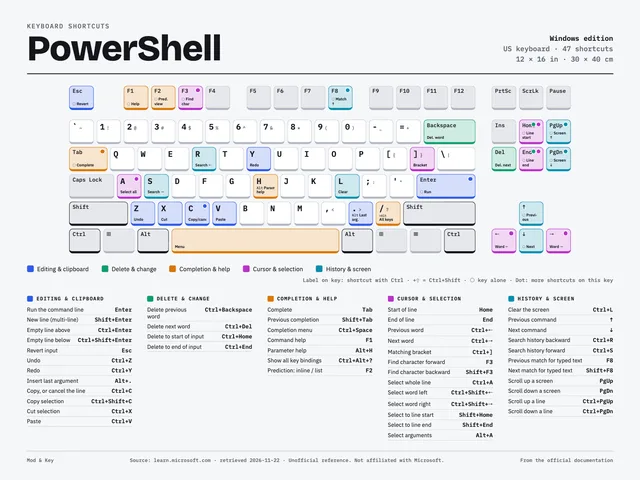
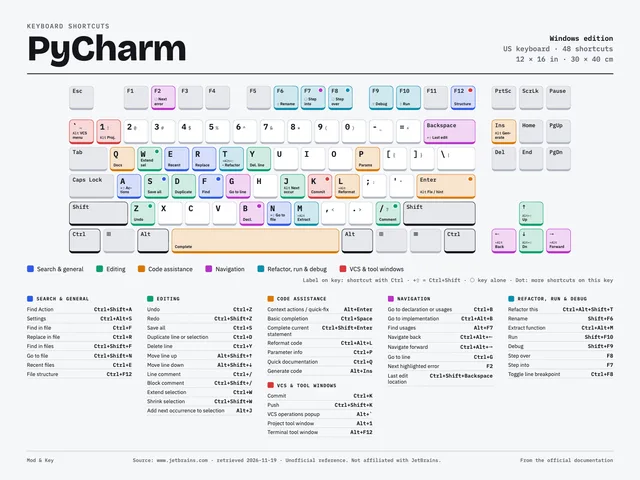
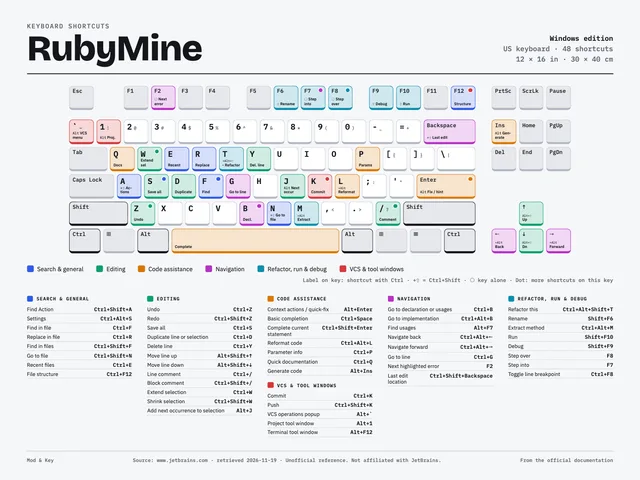
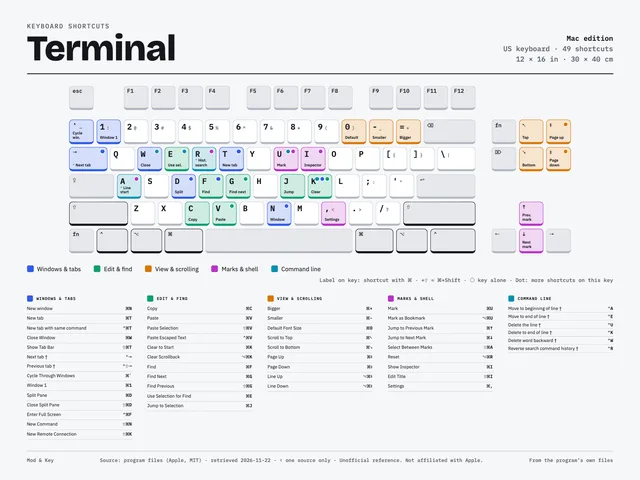
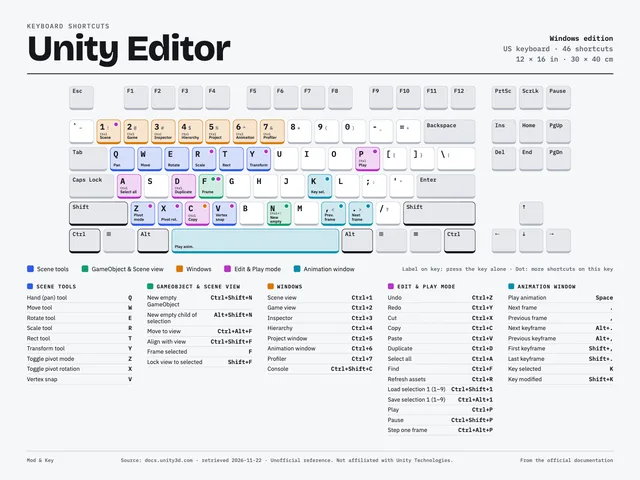
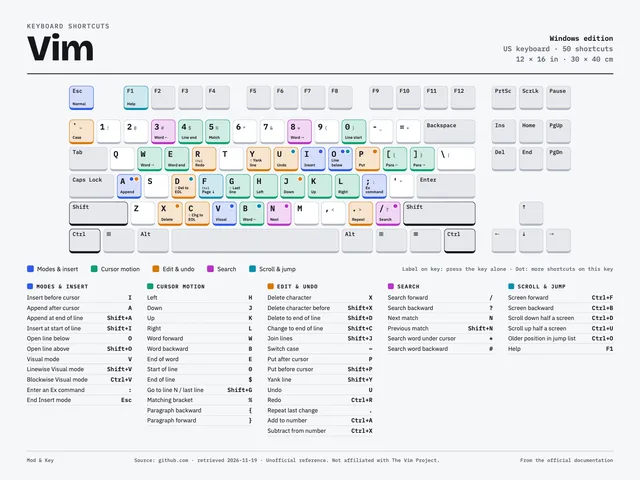
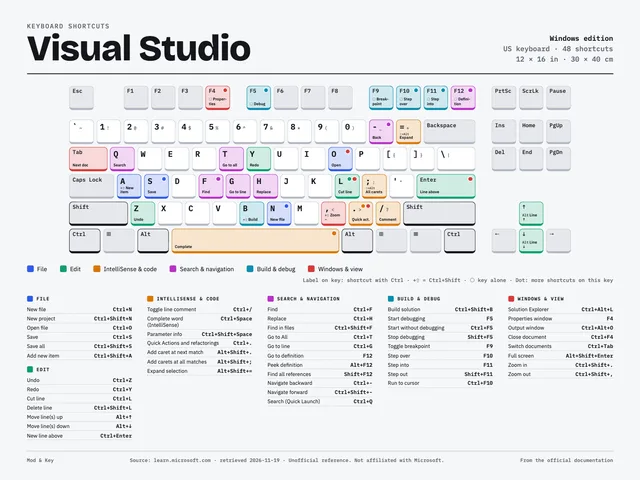
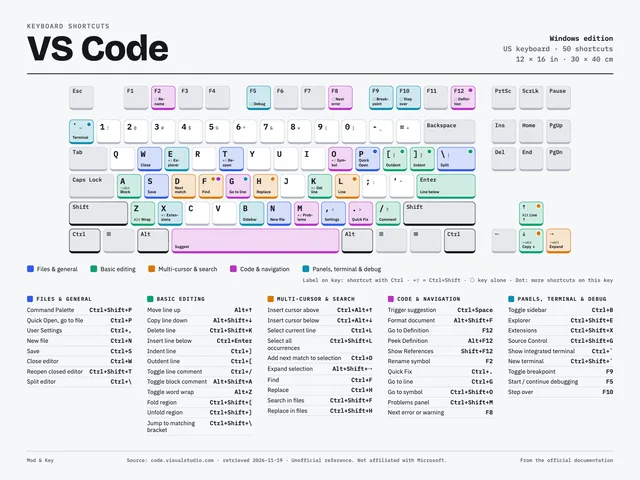
Where to start
The most-used shortcut of every category, from each app.
VS CodeWindows
Command Palette · Files & generalCtrl+Shift+P
Toggle line comment · Basic editingCtrl+/
Add next match to selection · Multi-cursor & searchCtrl+D
Trigger suggestion · Code & navigationCtrl+Space
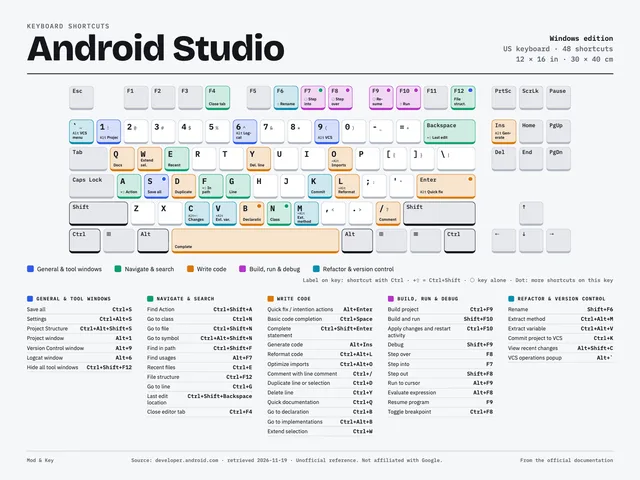
Android StudioWindows
Save all · General & tool windowsCtrl+S
Find Action · Navigate & searchCtrl+Shift+A
Quick fix / intention actions · Write codeAlt+Enter
Build and run · Build, run & debugShift+F10
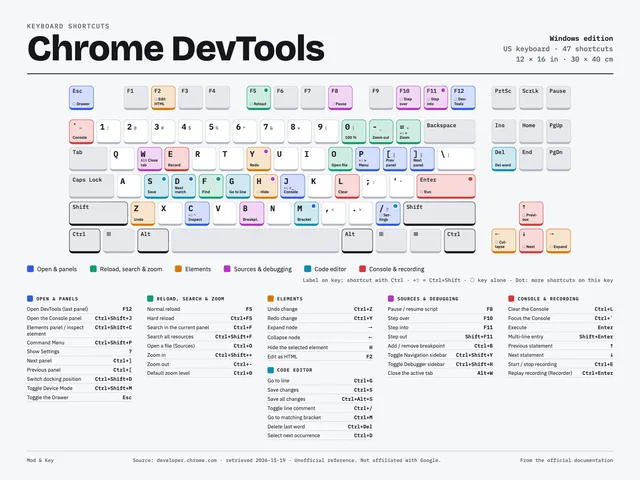
Chrome DevToolsWindows
Open DevTools (last panel) · Open & panelsF12
Open a file (Sources) · Reload, search & zoomCtrl+O
Undo change · ElementsCtrl+Z
Pause / resume script · Sources & debuggingF8
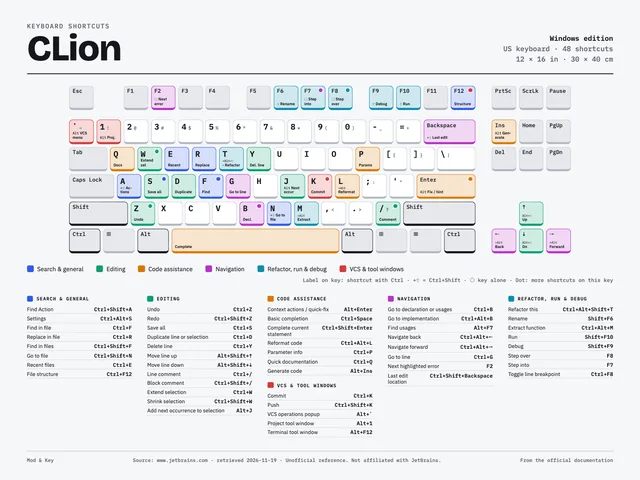
CLionWindows
Find Action · Search & generalCtrl+Shift+A
Line comment · EditingCtrl+/
Context actions / quick-fix · Code assistanceAlt+Enter
Go to declaration or usages · NavigationCtrl+B
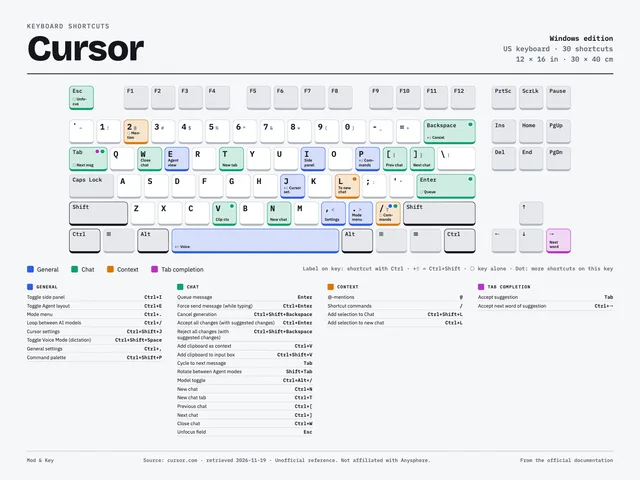
CursorWindows
Toggle side panel · GeneralCtrl+I
Force send message (while typing) · ChatCtrl+Enter
@-mentions · Context@
Accept suggestion · Tab completionTab
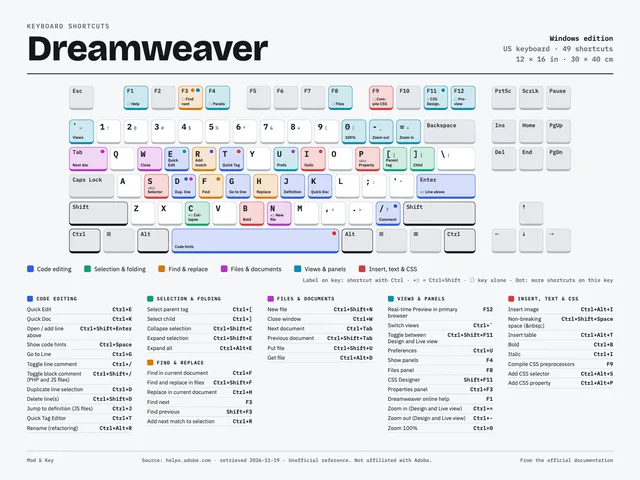
DreamweaverWindows
Quick Edit · Code editingCtrl+E
Select parent tag · Selection & foldingCtrl+[
Find in current document · Find & replaceCtrl+F
New file · Files & documentsCtrl+Shift+N
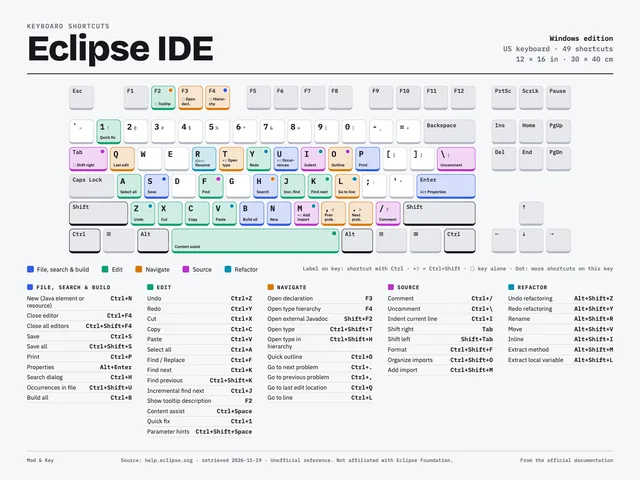
Eclipse IDEWindows
New (Java element or resource) · File, search & buildCtrl+N
Content assist · EditCtrl+Space
Open type · NavigateCtrl+Shift+T
Format · SourceCtrl+Shift+F
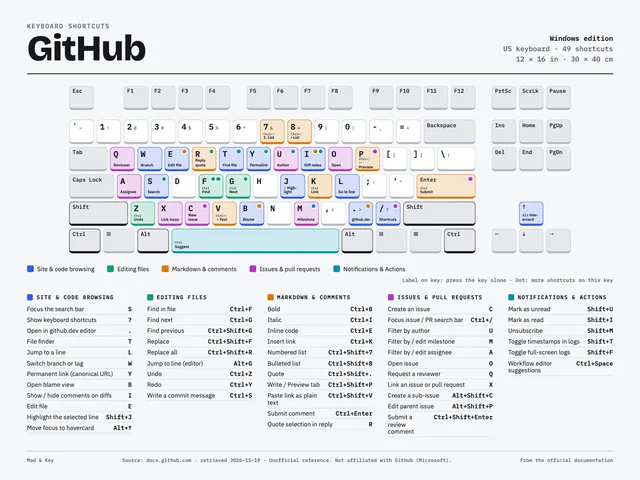
GitHubWindows
Focus the search bar · Site & code browsingS
Find in file · Editing filesCtrl+F
Submit comment · Markdown & commentsCtrl+Enter
Create an issue · Issues & pull requestsC
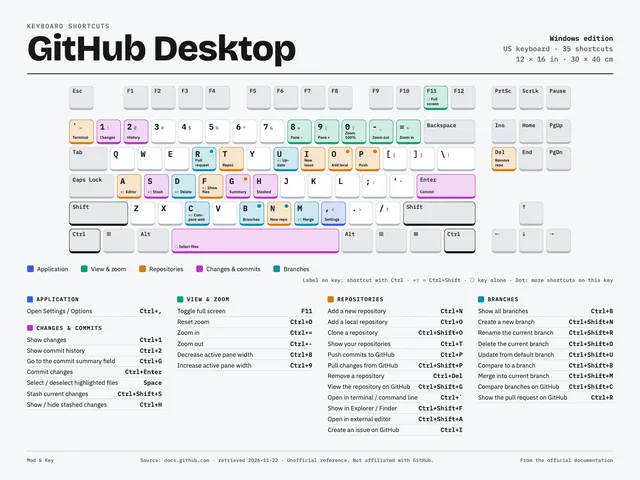
GitHub DesktopWindows
Open Settings / Options · ApplicationCtrl+,
Toggle full screen · View & zoomF11
Push commits to GitHub · RepositoriesCtrl+P
Show changes · Changes & commitsCtrl+1
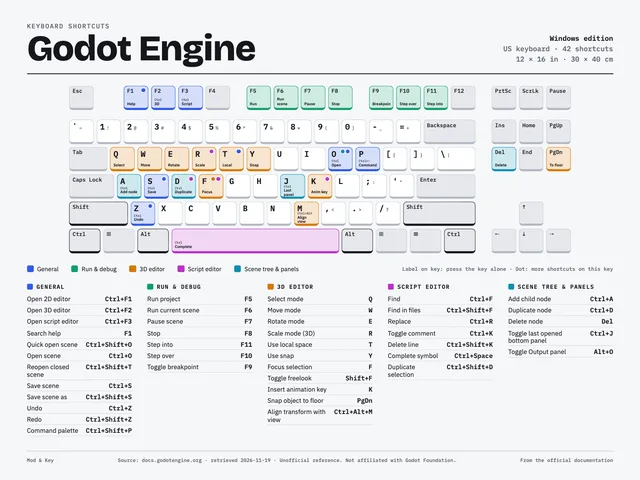
Godot EngineWindows
Quick open scene · GeneralCtrl+Shift+O
Run project · Run & debugF5
Move mode · 3D editorW
Find · Script editorCtrl+F
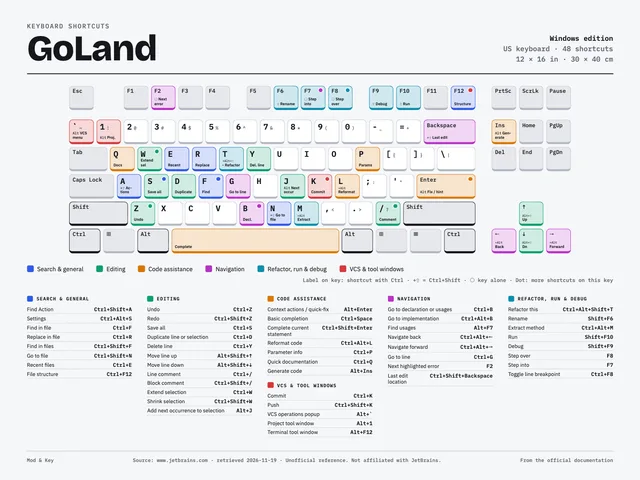
GoLandWindows
Find Action · Search & generalCtrl+Shift+A
Line comment · EditingCtrl+/
Context actions / quick-fix · Code assistanceAlt+Enter
Go to declaration or usages · NavigationCtrl+B
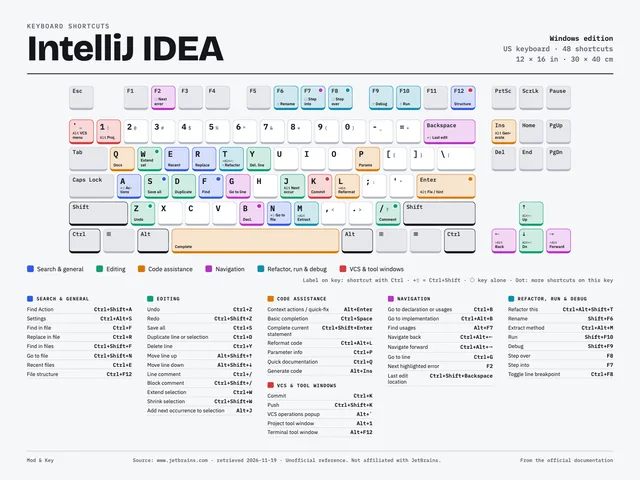
IntelliJ IDEAWindows
Find Action · Search & generalCtrl+Shift+A
Line comment · EditingCtrl+/
Context actions / quick-fix · Code assistanceAlt+Enter
Go to declaration or usages · NavigationCtrl+B
Tip
Learn navigation first (go to file, go to symbol, back). It saves more time than any editing trick.