 Get it on your desk →
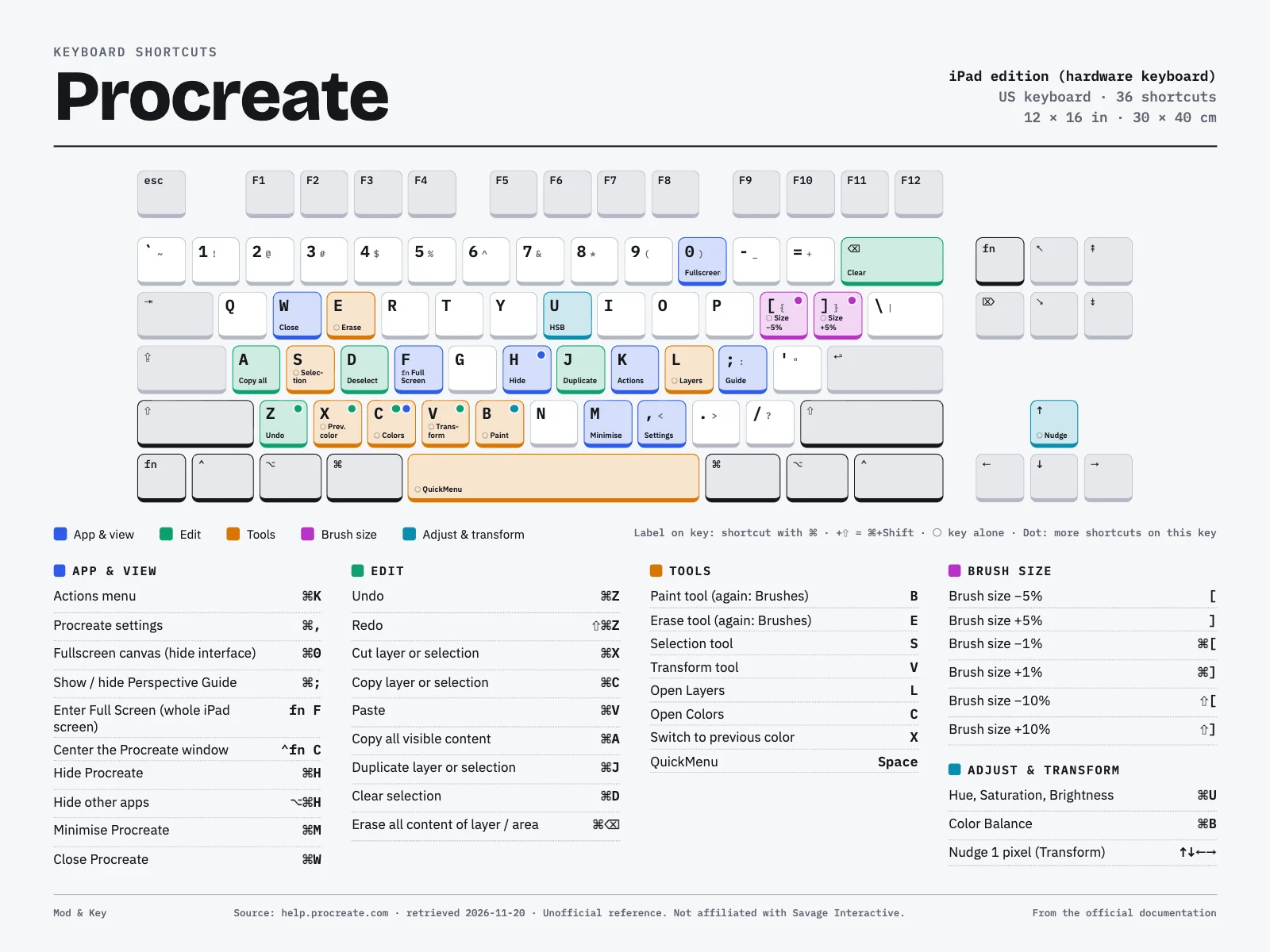
The most used Procreate shortcuts on iPad edition (hardware keyboard): Undo (⌘Z), Paint tool (again: Brushes) (B), Erase tool (again: Brushes) (E), Open Layers (L), Brush size −5% ([). This page lists all 36, from the official documentation.
36 Procreate keyboard shortcuts for iPad edition (hardware keyboard), grouped into App & view, Edit, Tools, Brush size, Adjust & transform. Every key is copied from help.procreate.com (retrieved November 20, 2026) and shown on a real keyboard layout.
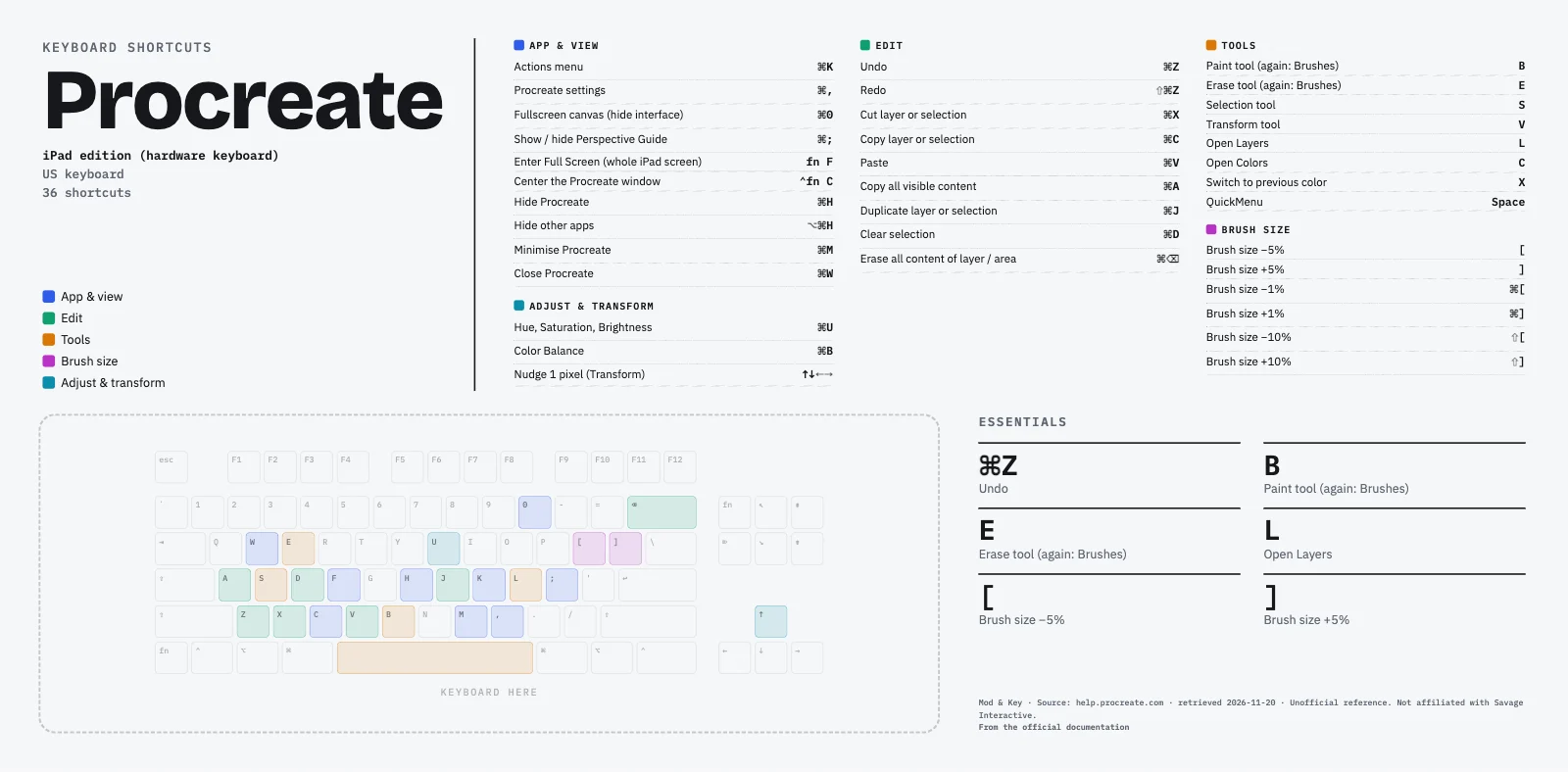
Procreate keyboard map
Pick your keyboard and a modifier. Keys with a shortcut light up; point at or tap a key to see everything on it. Try it: hold ⌘ Cmd on your keyboard
More shortcuts on this key with other modifiers.
With ⌘19 keys
All Procreate keyboard shortcuts for iPad edition (hardware keyboard)
No shortcut matches that search.
App & view10
| Command | Shortcut |
|---|---|
| Actions menu | ⌘K |
| Procreate settings | ⌘, |
| Fullscreen canvas (hide interface) | ⌘0 |
| Show / hide Perspective Guide | ⌘; |
| Enter Full Screen (whole iPad screen) | fn F |
| Center the Procreate window | ⌃fn C |
| Hide Procreate | ⌘H |
| Hide other apps | ⌥⌘H |
| Minimise Procreate | ⌘M |
| Close Procreate | ⌘W |
Edit9
| Command | Shortcut |
|---|---|
| Undo | ⌘Z |
| Redo | ⇧⌘Z |
| Cut layer or selection | ⌘X |
| Copy layer or selection | ⌘C |
| Paste | ⌘V |
| Copy all visible content | ⌘A |
| Duplicate layer or selection | ⌘J |
| Clear selection | ⌘D |
| Erase all content of layer / area | ⌘⌫ |
Tools8
| Command | Shortcut |
|---|---|
| Paint tool (again: Brushes) | B |
| Erase tool (again: Brushes) | E |
| Selection tool | S |
| Transform tool | V |
| Open Layers | L |
| Open Colors | C |
| Switch to previous color | X |
| QuickMenu | Space |
Brush size6
| Command | Shortcut |
|---|---|
| Brush size −5% | [ |
| Brush size +5% | ] |
| Brush size −1% | ⌘[ |
| Brush size +1% | ⌘] |
| Brush size −10% | ⇧[ |
| Brush size +10% | ⇧] |
Adjust & transform3
| Command | Shortcut |
|---|---|
| Hue, Saturation, Brightness | ⌘U |
| Color Balance | ⌘B |
| Nudge 1 pixel (Transform) | ↑↓←→ |
Source: Savage Interactive · help.procreate.com · retrieved . Unofficial reference. Not affiliated with Savage Interactive. How we source shortcuts →
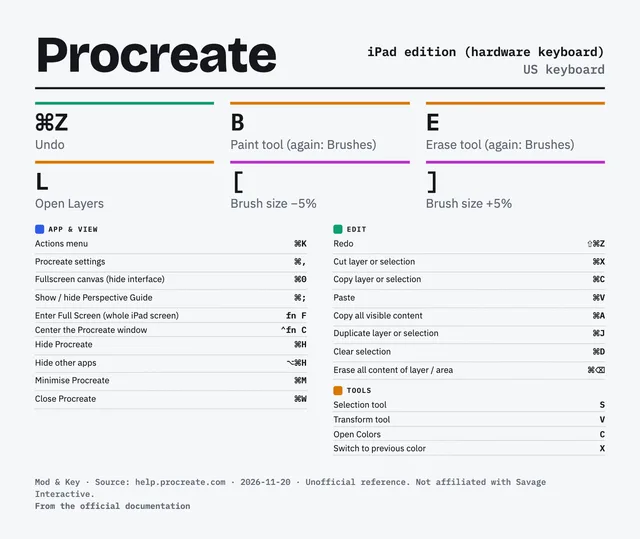
Free printable Procreate cheat sheet
The essential shortcuts on one page (PDF, 24 × 20 cm), for your keyboard and language.
Procreate shortcut questions
- What is the shortcut for “Undo” in Procreate on iPad edition (hardware keyboard)?
- Press ⌘Z. That is the shortcut for “Undo” in Procreate on iPad edition (hardware keyboard), as given in the official documentation.
- What is the shortcut for “Paint tool (again: Brushes)” in Procreate on iPad edition (hardware keyboard)?
- Press B. That is the shortcut for “Paint tool (again: Brushes)” in Procreate on iPad edition (hardware keyboard), as given in the official documentation.
- What is the shortcut for “Erase tool (again: Brushes)” in Procreate on iPad edition (hardware keyboard)?
- Press E. That is the shortcut for “Erase tool (again: Brushes)” in Procreate on iPad edition (hardware keyboard), as given in the official documentation.
- Where do these Procreate shortcuts come from?
- From Savage Interactive’s official documentation at help.procreate.com, retrieved November 20, 2026. Every key is copied from there, never from other websites.