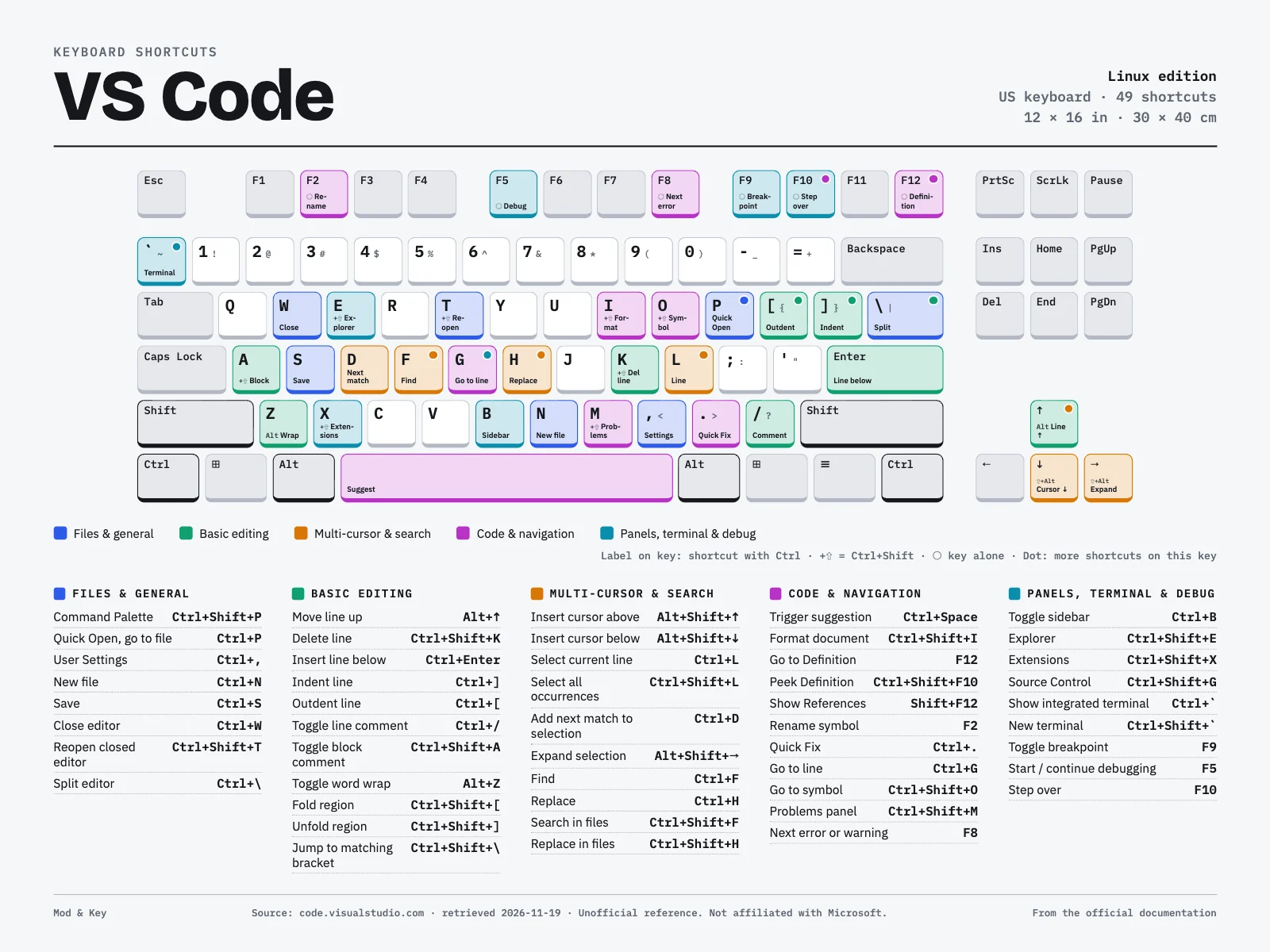
 Get it on your desk →
The most used VS Code shortcuts on Linux: Command Palette (Ctrl+Shift+P), Quick Open, go to file (Ctrl+P), Save (Ctrl+S), Toggle line comment (Ctrl+/), Add next match to selection (Ctrl+D). This page lists all 49, from the official documentation.
49 VS Code keyboard shortcuts for Linux, grouped into Files & general, Basic editing, Multi-cursor & search, Code & navigation, Panels, terminal & debug. Every key is copied from code.visualstudio.com (retrieved November 19, 2026) and shown on a real keyboard layout.
On Linux, 35 of these 49 shortcuts are the Mac ones with Ctrl in place of ⌘; 14 are different, for example Toggle block comment (Ctrl+Shift+A; Mac: ⌥⇧A), Fold region (Ctrl+Shift+[; Mac: ⌥⌘[), Unfold region (Ctrl+Shift+]; Mac: ⌥⌘]).
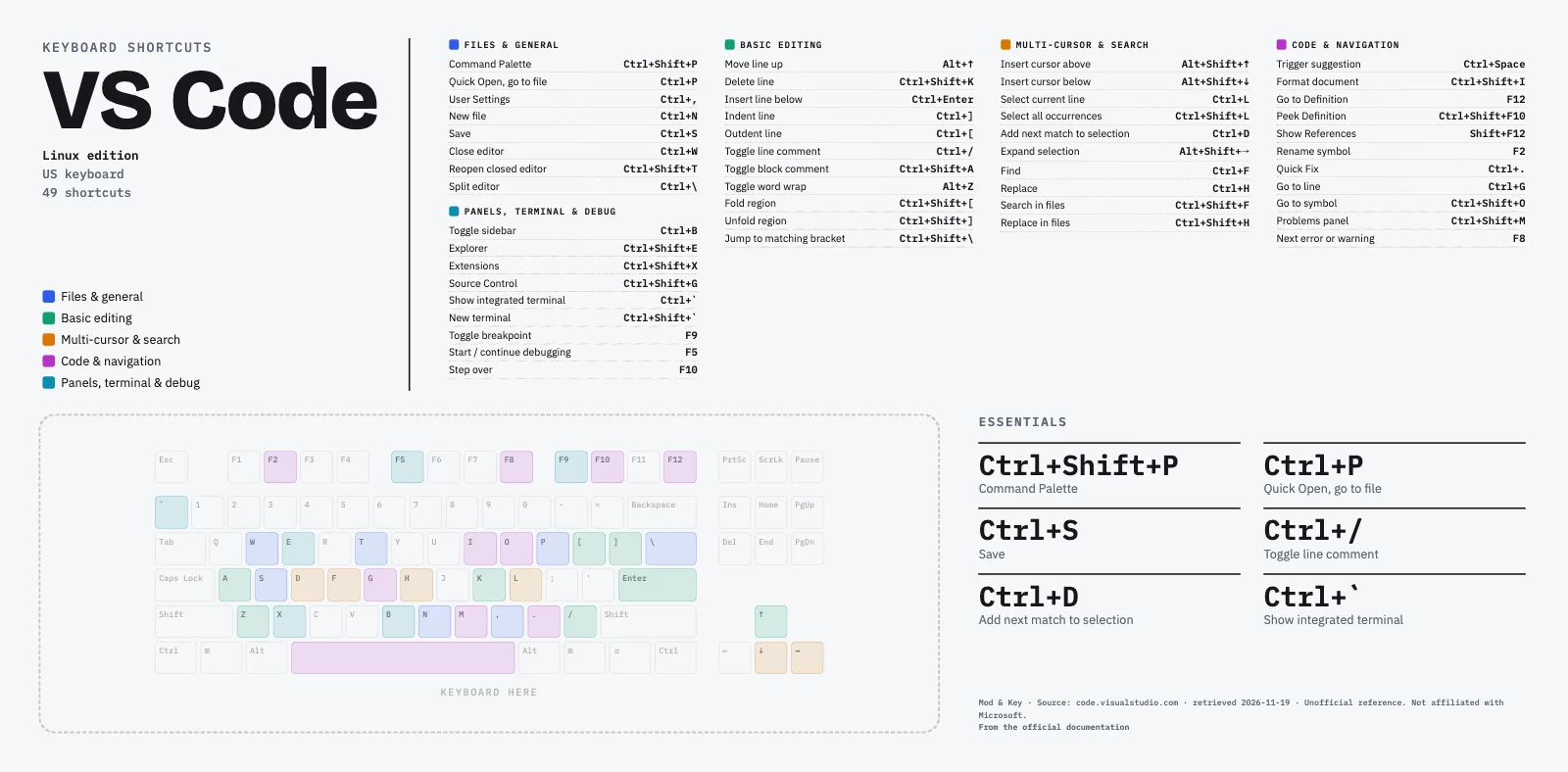
VS Code keyboard map
Pick your keyboard and a modifier. Keys with a shortcut light up; point at or tap a key to see everything on it. Try it: hold Ctrl on your keyboard
More shortcuts on this key with other modifiers.
With Ctrl19 keys
All VS Code keyboard shortcuts for Linux
No shortcut matches that search.
Files & general8
| Command | Shortcut |
|---|---|
| Command Palette | Ctrl+Shift+P |
| Quick Open, go to file | Ctrl+P |
| User Settings | Ctrl+, |
| New file | Ctrl+N |
| Save | Ctrl+S |
| Close editor | Ctrl+W |
| Reopen closed editor | Ctrl+Shift+T |
| Split editor | Ctrl+\ |
Basic editing11
| Command | Shortcut |
|---|---|
| Move line up | Alt+↑ |
| Delete line | Ctrl+Shift+K |
| Insert line below | Ctrl+Enter |
| Indent line | Ctrl+] |
| Outdent line | Ctrl+[ |
| Toggle line comment | Ctrl+/ |
| Toggle block comment | Ctrl+Shift+A |
| Toggle word wrap | Alt+Z |
| Fold region | Ctrl+Shift+[ |
| Unfold region | Ctrl+Shift+] |
| Jump to matching bracket | Ctrl+Shift+\ |
Multi-cursor & search10
| Command | Shortcut |
|---|---|
| Insert cursor above | Alt+Shift+↑ |
| Insert cursor below | Alt+Shift+↓ |
| Select current line | Ctrl+L |
| Select all occurrences | Ctrl+Shift+L |
| Add next match to selection | Ctrl+D |
| Expand selection | Alt+Shift+→ |
| Find | Ctrl+F |
| Replace | Ctrl+H |
| Search in files | Ctrl+Shift+F |
| Replace in files | Ctrl+Shift+H |
Code & navigation11
| Command | Shortcut |
|---|---|
| Trigger suggestion | Ctrl+Space |
| Format document | Ctrl+Shift+I |
| Go to Definition | F12 |
| Peek Definition | Ctrl+Shift+F10 |
| Show References | Shift+F12 |
| Rename symbol | F2 |
| Quick Fix | Ctrl+. |
| Go to line | Ctrl+G |
| Go to symbol | Ctrl+Shift+O |
| Problems panel | Ctrl+Shift+M |
| Next error or warning | F8 |
Panels, terminal & debug9
| Command | Shortcut |
|---|---|
| Toggle sidebar | Ctrl+B |
| Explorer | Ctrl+Shift+E |
| Extensions | Ctrl+Shift+X |
| Source Control | Ctrl+Shift+G |
| Show integrated terminal | Ctrl+` |
| New terminal | Ctrl+Shift+` |
| Toggle breakpoint | F9 |
| Start / continue debugging | F5 |
| Step over | F10 |
Source: Microsoft · code.visualstudio.com · retrieved . Unofficial reference. Not affiliated with Microsoft. How we source shortcuts →
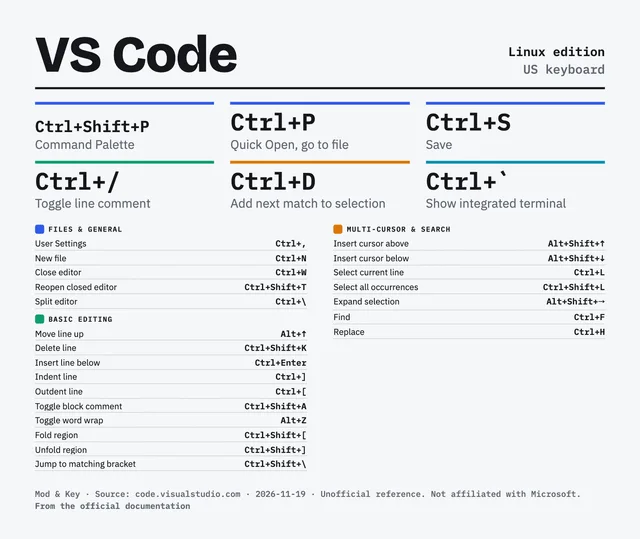
Free printable VS Code cheat sheet
The essential shortcuts on one page (PDF, 24 × 20 cm), for your keyboard and language.
VS Code shortcut questions
- What is the shortcut for “Command Palette” in VS Code on Linux?
- Press Ctrl+Shift+P. That is the shortcut for “Command Palette” in VS Code on Linux, as given in the official documentation.
- What is the shortcut for “Quick Open, go to file” in VS Code on Linux?
- Press Ctrl+P. That is the shortcut for “Quick Open, go to file” in VS Code on Linux, as given in the official documentation.
- What is the shortcut for “Save” in VS Code on Linux?
- Press Ctrl+S. That is the shortcut for “Save” in VS Code on Linux, as given in the official documentation.
- Where do these VS Code shortcuts come from?
- From Microsoft’s official documentation at code.visualstudio.com, retrieved November 19, 2026. Every key is copied from there, never from other websites.