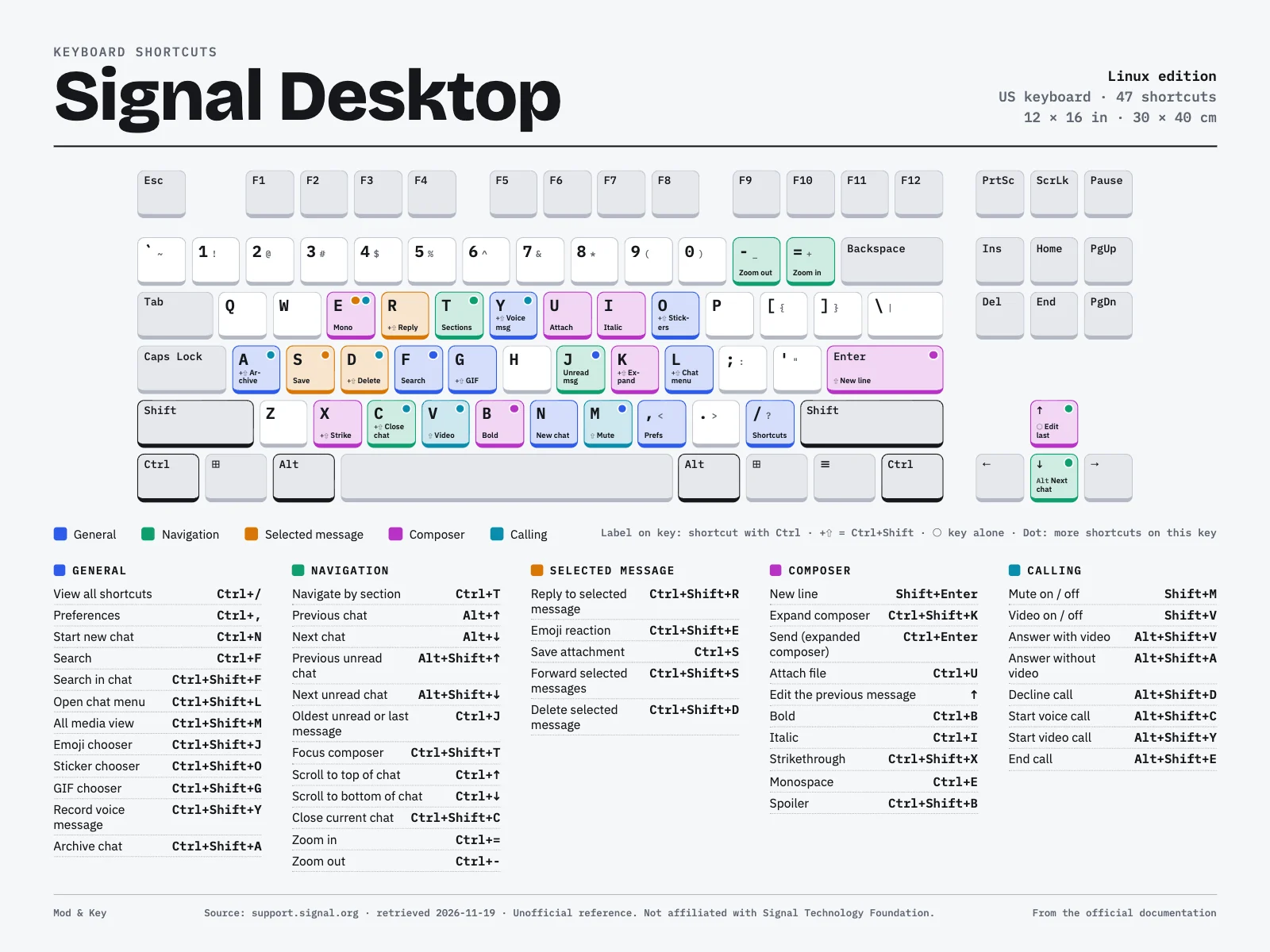
 Get it on your desk →
The most used Signal Desktop shortcuts on Linux: Start new chat (Ctrl+N), Search (Ctrl+F), Emoji chooser (Ctrl+Shift+J), Reply to selected message (Ctrl+Shift+R), Attach file (Ctrl+U). This page lists all 47, from the official documentation.
47 Signal Desktop keyboard shortcuts for Linux, grouped into General, Navigation, Selected message, Composer, Calling. Every key is copied from support.signal.org (retrieved November 19, 2026) and shown on a real keyboard layout.
On Linux, 41 of these 47 shortcuts are the Mac ones with Ctrl in place of ⌘; 6 are different, for example Answer with video (Alt+Shift+V; Mac: ⌃⇧V), Answer without video (Alt+Shift+A; Mac: ⌃⇧A), Decline call (Alt+Shift+D; Mac: ⌃⇧D).
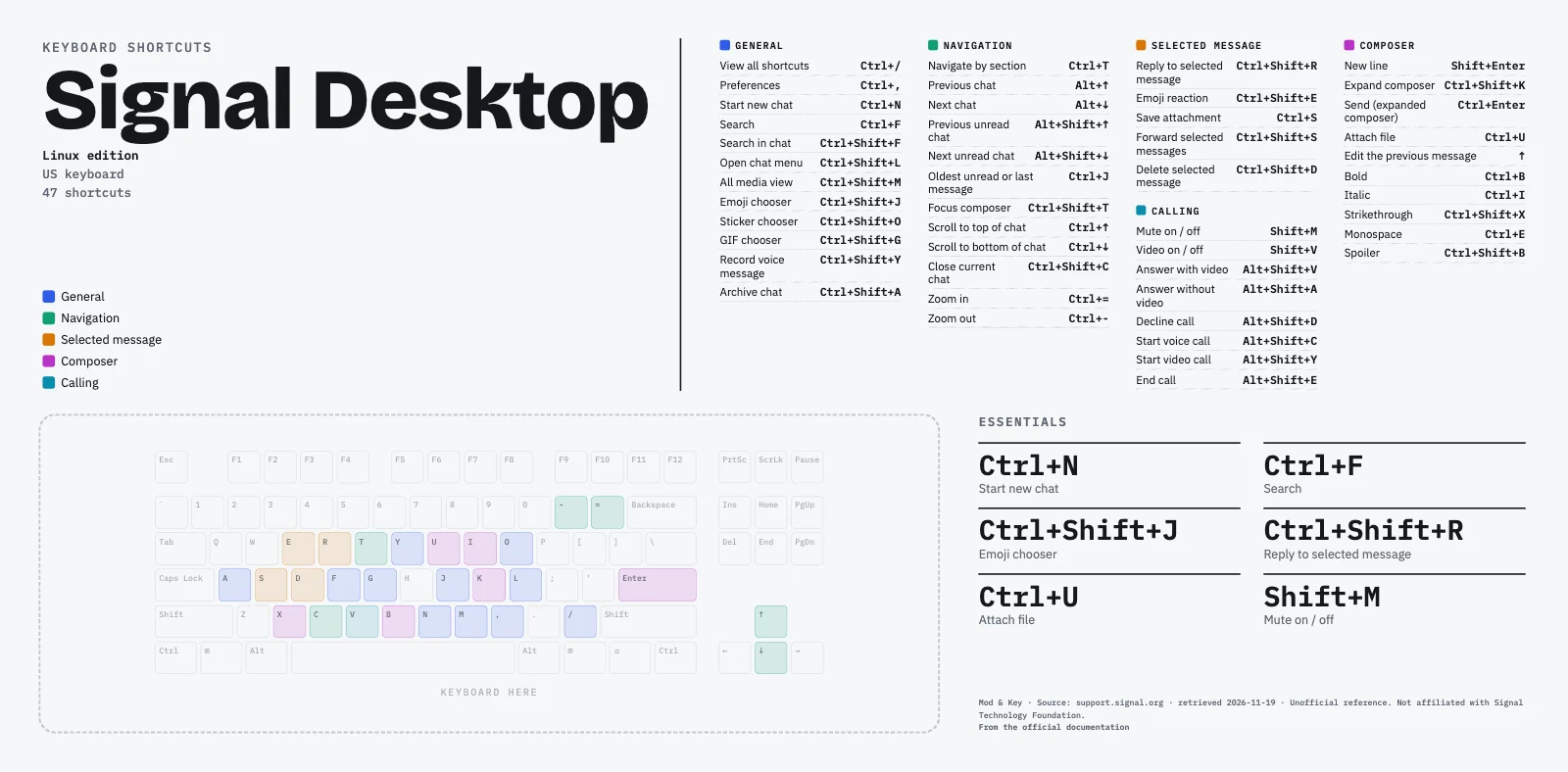
Signal Desktop keyboard map
Pick your keyboard and a modifier. Keys with a shortcut light up; point at or tap a key to see everything on it. Try it: hold Ctrl on your keyboard
More shortcuts on this key with other modifiers.
With Ctrl+Shift17 keys
All Signal Desktop keyboard shortcuts for Linux
No shortcut matches that search.
General12
| Command | Shortcut |
|---|---|
| View all shortcuts | Ctrl+/ |
| Preferences | Ctrl+, |
| Start new chat | Ctrl+N |
| Search | Ctrl+F |
| Search in chat | Ctrl+Shift+F |
| Open chat menu | Ctrl+Shift+L |
| All media view | Ctrl+Shift+M |
| Emoji chooser | Ctrl+Shift+J |
| Sticker chooser | Ctrl+Shift+O |
| GIF chooser | Ctrl+Shift+G |
| Record voice message | Ctrl+Shift+Y |
| Archive chat | Ctrl+Shift+A |
Navigation12
| Command | Shortcut |
|---|---|
| Navigate by section | Ctrl+T |
| Previous chat | Alt+↑ |
| Next chat | Alt+↓ |
| Previous unread chat | Alt+Shift+↑ |
| Next unread chat | Alt+Shift+↓ |
| Oldest unread or last message | Ctrl+J |
| Focus composer | Ctrl+Shift+T |
| Scroll to top of chat | Ctrl+↑ |
| Scroll to bottom of chat | Ctrl+↓ |
| Close current chat | Ctrl+Shift+C |
| Zoom in | Ctrl+= |
| Zoom out | Ctrl+- |
Selected message5
| Command | Shortcut |
|---|---|
| Reply to selected message | Ctrl+Shift+R |
| Emoji reaction | Ctrl+Shift+E |
| Save attachment | Ctrl+S |
| Forward selected messages | Ctrl+Shift+S |
| Delete selected message | Ctrl+Shift+D |
Composer10
| Command | Shortcut |
|---|---|
| New line | Shift+Enter |
| Expand composer | Ctrl+Shift+K |
| Send (expanded composer) | Ctrl+Enter |
| Attach file | Ctrl+U |
| Edit the previous message | ↑ |
| Bold | Ctrl+B |
| Italic | Ctrl+I |
| Strikethrough | Ctrl+Shift+X |
| Monospace | Ctrl+E |
| Spoiler | Ctrl+Shift+B |
Calling8
| Command | Shortcut |
|---|---|
| Mute on / off | Shift+M |
| Video on / off | Shift+V |
| Answer with video | Alt+Shift+V |
| Answer without video | Alt+Shift+A |
| Decline call | Alt+Shift+D |
| Start voice call | Alt+Shift+C |
| Start video call | Alt+Shift+Y |
| End call | Alt+Shift+E |
Source: Signal Technology Foundation · support.signal.org · retrieved . Unofficial reference. Not affiliated with Signal Technology Foundation. How we source shortcuts →
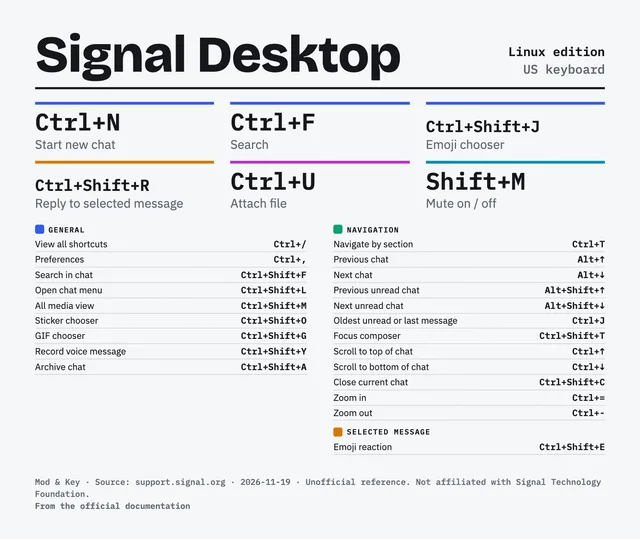
Free printable Signal Desktop cheat sheet
The essential shortcuts on one page (PDF, 24 × 20 cm), for your keyboard and language.
Signal Desktop shortcut questions
- What is the shortcut for “Start new chat” in Signal Desktop on Linux?
- Press Ctrl+N. That is the shortcut for “Start new chat” in Signal Desktop on Linux, as given in the official documentation.
- What is the shortcut for “Search” in Signal Desktop on Linux?
- Press Ctrl+F. That is the shortcut for “Search” in Signal Desktop on Linux, as given in the official documentation.
- What is the shortcut for “Emoji chooser” in Signal Desktop on Linux?
- Press Ctrl+Shift+J. That is the shortcut for “Emoji chooser” in Signal Desktop on Linux, as given in the official documentation.
- Where do these Signal Desktop shortcuts come from?
- From Signal Technology Foundation’s official documentation at support.signal.org, retrieved November 19, 2026. Every key is copied from there, never from other websites.