 Get it on your desk →
The most used Serato DJ Pro shortcuts on Mac: Load selected track, left deck (⇧←), Load selected track, right deck (⇧→), Play / pause, right deck (S), Temporary cue point, left deck (I), Temporary cue point, right deck (K). This page lists all 47, from the official documentation.
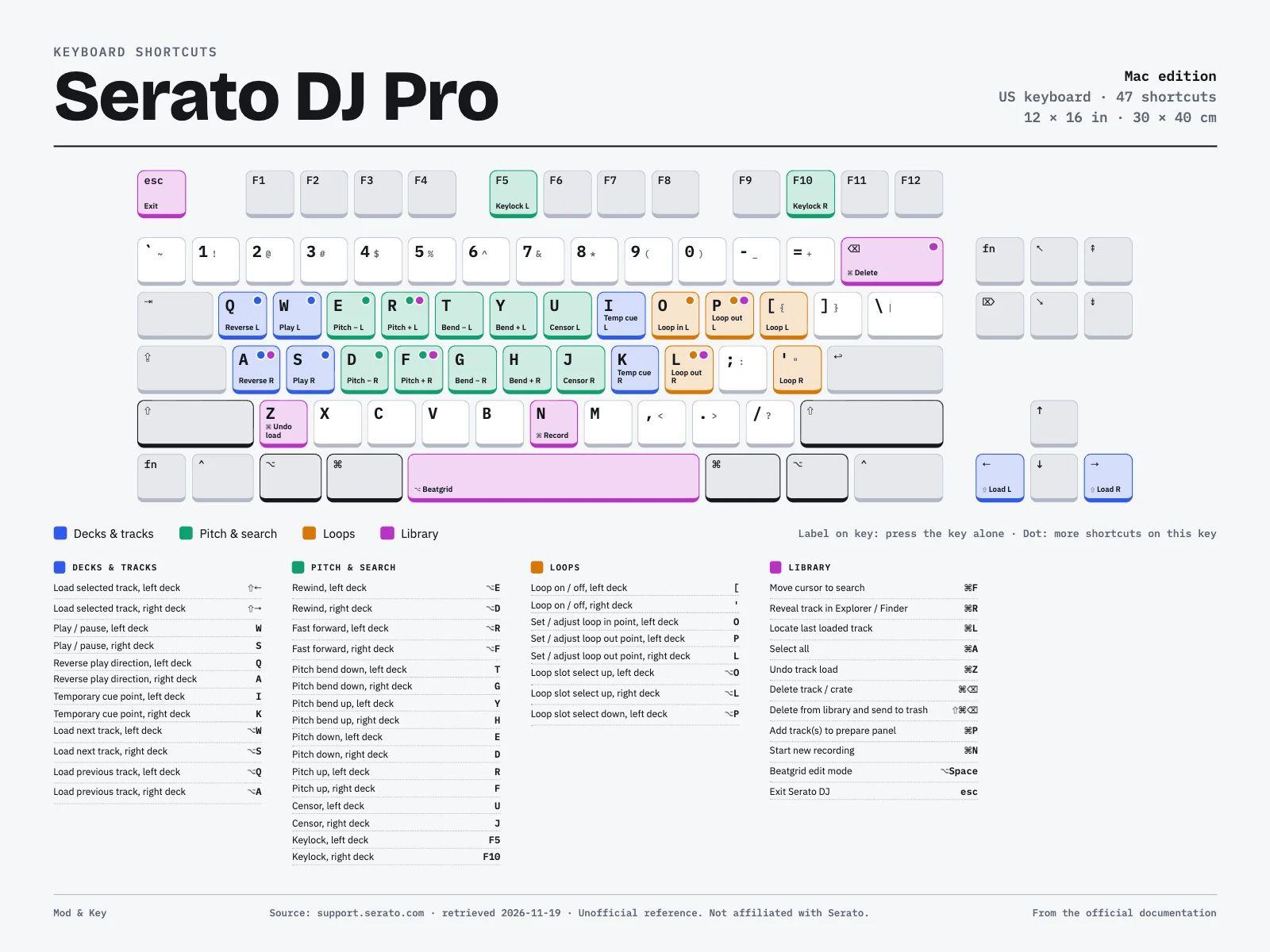
47 Serato DJ Pro keyboard shortcuts for Mac, grouped into Decks & tracks, Pitch & search, Loops, Library. Every key is copied from support.serato.com (retrieved November 19, 2026) and shown on a real keyboard layout.
On Mac, 45 of these 47 shortcuts are the Windows ones with ⌘ in place of Ctrl; 2 are different, for example Delete track / crate (⌘⌫; Windows: Ctrl+Del), Delete from library and send to trash (⇧⌘⌫; Windows: Ctrl+Shift+Del).
Serato DJ Pro keyboard map
Pick your keyboard and a modifier. Keys with a shortcut light up; point at or tap a key to see everything on it. Try it: hold ⌘ Cmd on your keyboard
More shortcuts on this key with other modifiers.
Key alone24 keys
All Serato DJ Pro keyboard shortcuts for Mac
No shortcut matches that search.
Decks & tracks12
| Command | Shortcut |
|---|---|
| Load selected track, left deck | ⇧← |
| Load selected track, right deck | ⇧→ |
| Play / pause, left deck | W |
| Play / pause, right deck | S |
| Reverse play direction, left deck | Q |
| Reverse play direction, right deck | A |
| Temporary cue point, left deck | I |
| Temporary cue point, right deck | K |
| Load next track, left deck | ⌥W |
| Load next track, right deck | ⌥S |
| Load previous track, left deck | ⌥Q |
| Load previous track, right deck | ⌥A |
Pitch & search16
| Command | Shortcut |
|---|---|
| Rewind, left deck | ⌥E |
| Rewind, right deck | ⌥D |
| Fast forward, left deck | ⌥R |
| Fast forward, right deck | ⌥F |
| Pitch bend down, left deck | T |
| Pitch bend down, right deck | G |
| Pitch bend up, left deck | Y |
| Pitch bend up, right deck | H |
| Pitch down, left deck | E |
| Pitch down, right deck | D |
| Pitch up, left deck | R |
| Pitch up, right deck | F |
| Censor, left deck | U |
| Censor, right deck | J |
| Keylock, left deck | F5 |
| Keylock, right deck | F10 |
Loops8
| Command | Shortcut |
|---|---|
| Loop on / off, left deck | [ |
| Loop on / off, right deck | ' |
| Set / adjust loop in point, left deck | O |
| Set / adjust loop out point, left deck | P |
| Set / adjust loop out point, right deck | L |
| Loop slot select up, left deck | ⌥O |
| Loop slot select up, right deck | ⌥L |
| Loop slot select down, left deck | ⌥P |
Library11
| Command | Shortcut |
|---|---|
| Move cursor to search | ⌘F |
| Reveal track in Explorer / Finder | ⌘R |
| Locate last loaded track | ⌘L |
| Select all | ⌘A |
| Undo track load | ⌘Z |
| Delete track / crate | ⌘⌫ |
| Delete from library and send to trash | ⇧⌘⌫ |
| Add track(s) to prepare panel | ⌘P |
| Start new recording | ⌘N |
| Beatgrid edit mode | ⌥Space |
| Exit Serato DJ | esc |
Source: Serato · support.serato.com · retrieved . Unofficial reference. Not affiliated with Serato. How we source shortcuts →
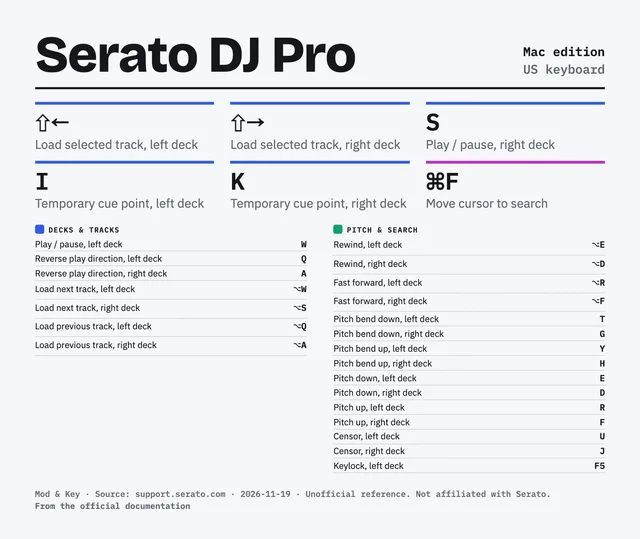
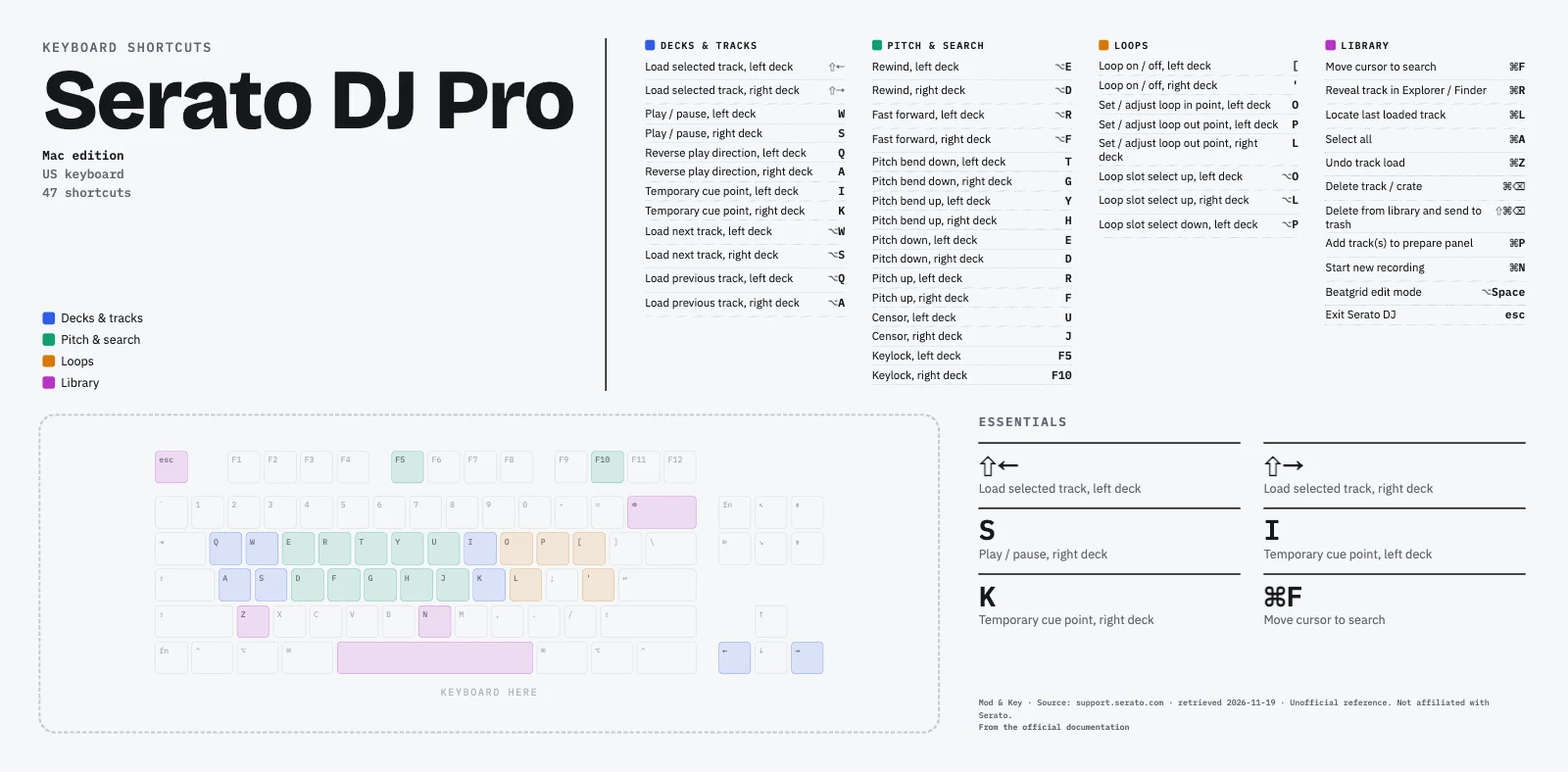
Free printable Serato DJ Pro cheat sheet
The essential shortcuts on one page (PDF, 24 × 20 cm), for your keyboard and language.
Serato DJ Pro shortcut questions
- What is the shortcut for “Load selected track, left deck” in Serato DJ Pro on Mac?
- Press ⇧←. That is the shortcut for “Load selected track, left deck” in Serato DJ Pro on Mac, as given in the official documentation.
- What is the shortcut for “Load selected track, right deck” in Serato DJ Pro on Mac?
- Press ⇧→. That is the shortcut for “Load selected track, right deck” in Serato DJ Pro on Mac, as given in the official documentation.
- What is the shortcut for “Play / pause, right deck” in Serato DJ Pro on Mac?
- Press S. That is the shortcut for “Play / pause, right deck” in Serato DJ Pro on Mac, as given in the official documentation.
- Where do these Serato DJ Pro shortcuts come from?
- From Serato’s official documentation at support.serato.com, retrieved November 19, 2026. Every key is copied from there, never from other websites.