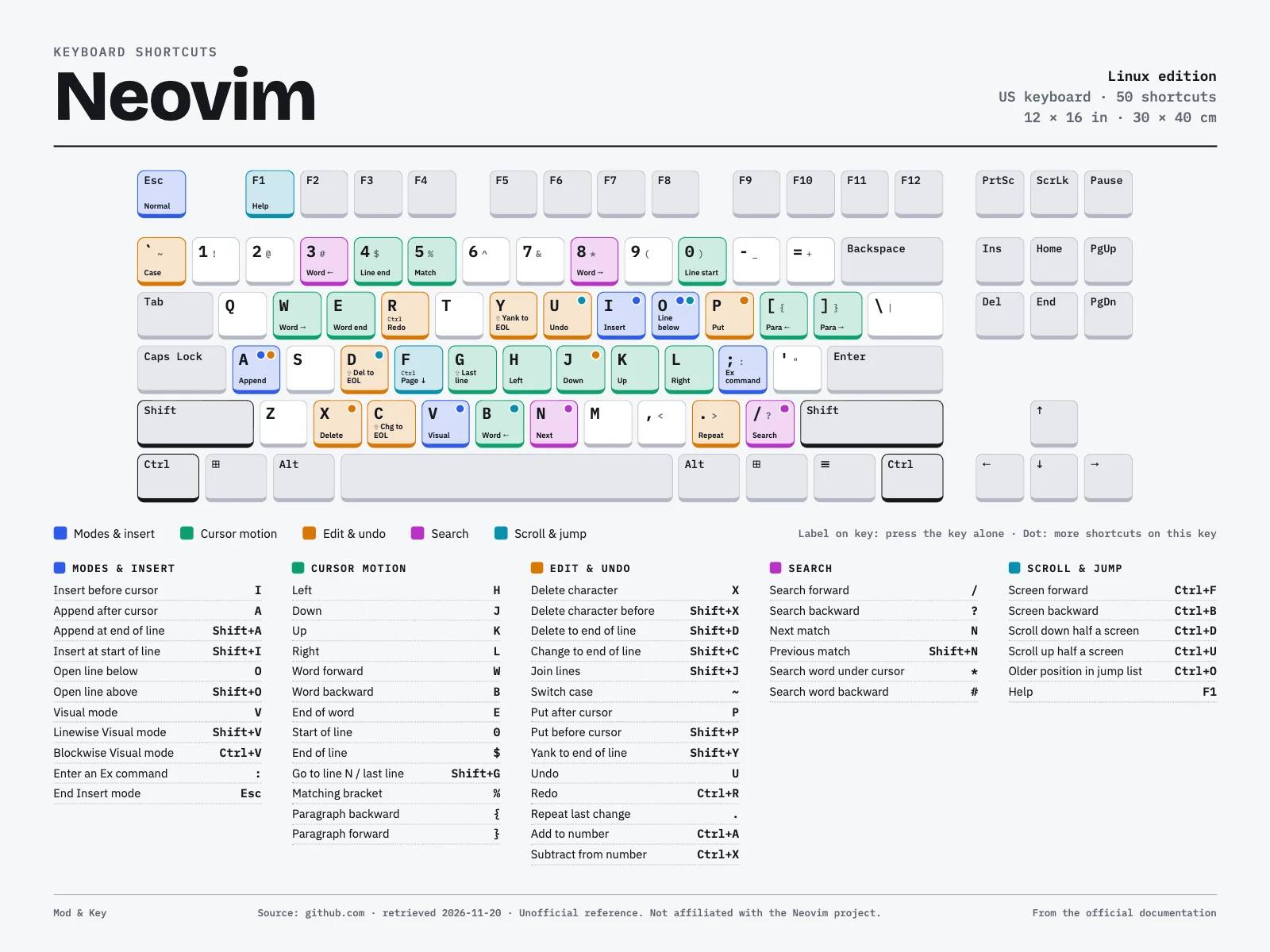
 Get it on your desk →
The most used Neovim shortcuts on Linux: Insert before cursor (I), Enter an Ex command (:), End Insert mode (Esc), Put after cursor (P), Undo (U). This page lists all 50, from the official documentation.
50 Neovim keyboard shortcuts for Linux, grouped into Modes & insert, Cursor motion, Edit & undo, Search, Scroll & jump. Every key is copied from github.com (retrieved November 20, 2026) and shown on a real keyboard layout.
On Linux, 41 of these 50 shortcuts are the Mac ones with Ctrl in place of ⌘; 9 are different, for example Blockwise Visual mode (Ctrl+V; Mac: ⌃V), Redo (Ctrl+R; Mac: ⌃R), Add to number (Ctrl+A; Mac: ⌃A).
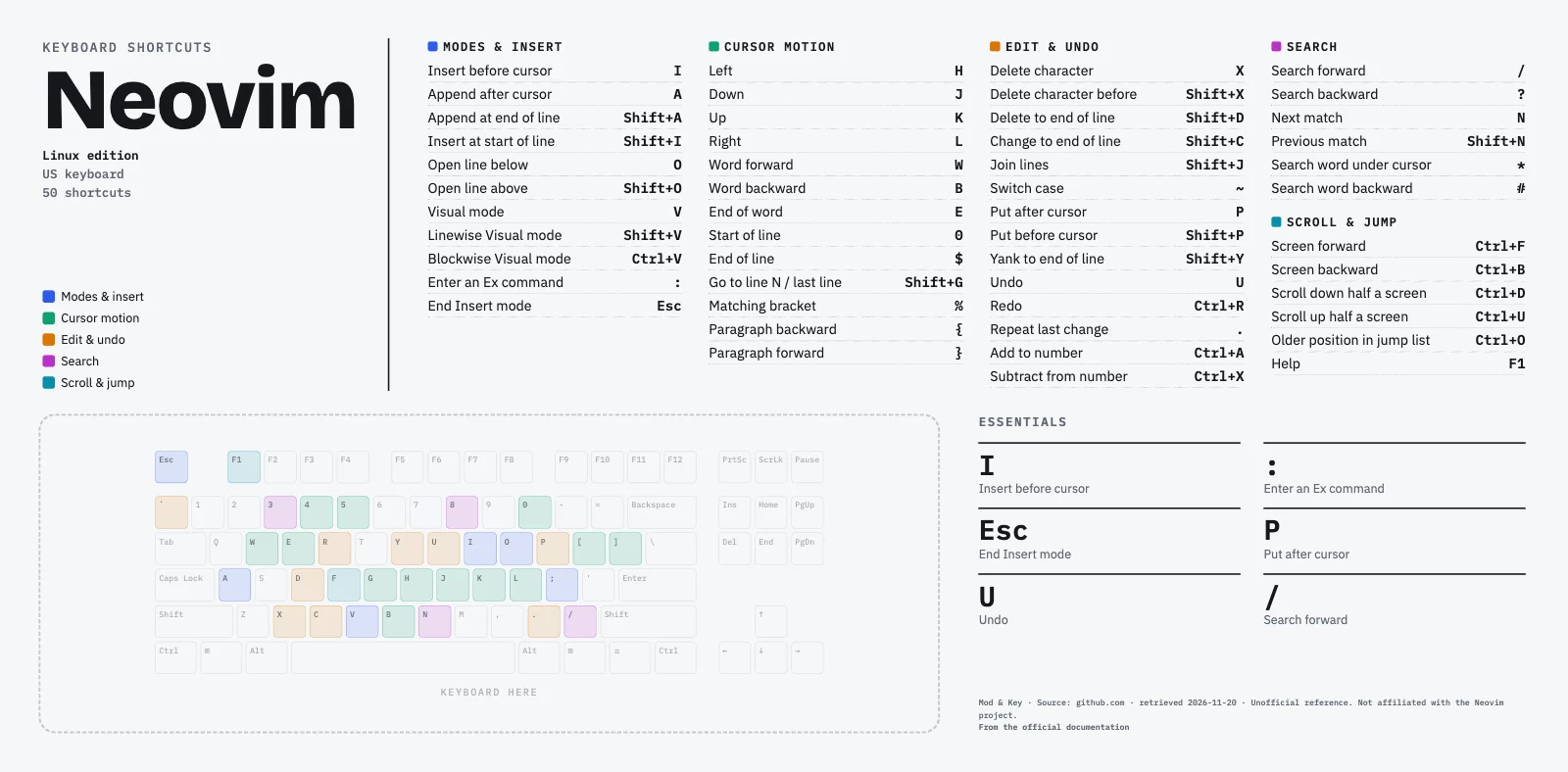
Neovim keyboard map
Pick your keyboard and a modifier. Keys with a shortcut light up; point at or tap a key to see everything on it. Try it: hold Ctrl on your keyboard
More shortcuts on this key with other modifiers.
Key alone28 keys
All Neovim keyboard shortcuts for Linux
No shortcut matches that search.
Modes & insert11
| Command | Shortcut |
|---|---|
| Insert before cursor | I |
| Append after cursor | A |
| Append at end of line | Shift+A |
| Insert at start of line | Shift+I |
| Open line below | O |
| Open line above | Shift+O |
| Visual mode | V |
| Linewise Visual mode | Shift+V |
| Blockwise Visual mode | Ctrl+V |
| Enter an Ex command | : |
| End Insert mode | Esc |
Cursor motion13
| Command | Shortcut |
|---|---|
| Left | H |
| Down | J |
| Up | K |
| Right | L |
| Word forward | W |
| Word backward | B |
| End of word | E |
| Start of line | 0 |
| End of line | $ |
| Go to line N / last line | Shift+G |
| Matching bracket | % |
| Paragraph backward | { |
| Paragraph forward | } |
Edit & undo14
| Command | Shortcut |
|---|---|
| Delete character | X |
| Delete character before | Shift+X |
| Delete to end of line | Shift+D |
| Change to end of line | Shift+C |
| Join lines | Shift+J |
| Switch case | ~ |
| Put after cursor | P |
| Put before cursor | Shift+P |
| Yank to end of line | Shift+Y |
| Undo | U |
| Redo | Ctrl+R |
| Repeat last change | . |
| Add to number | Ctrl+A |
| Subtract from number | Ctrl+X |
Search6
| Command | Shortcut |
|---|---|
| Search forward | / |
| Search backward | ? |
| Next match | N |
| Previous match | Shift+N |
| Search word under cursor | * |
| Search word backward | # |
Scroll & jump6
| Command | Shortcut |
|---|---|
| Screen forward | Ctrl+F |
| Screen backward | Ctrl+B |
| Scroll down half a screen | Ctrl+D |
| Scroll up half a screen | Ctrl+U |
| Older position in jump list | Ctrl+O |
| Help | F1 |
Source: the Neovim project · github.com · retrieved . Unofficial reference. Not affiliated with the Neovim project. How we source shortcuts →
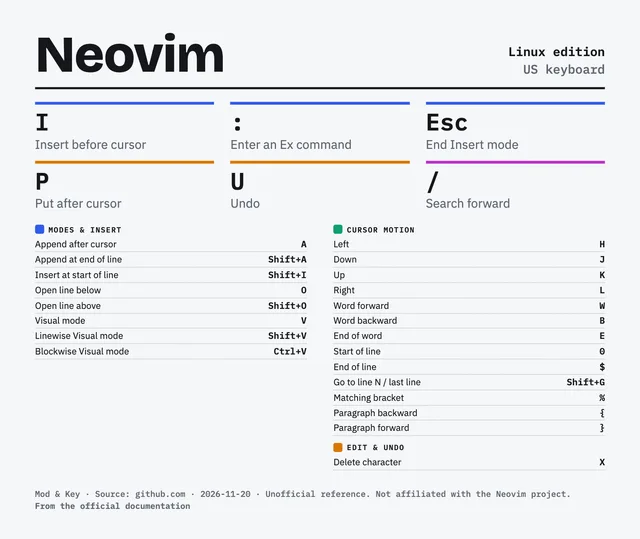
Free printable Neovim cheat sheet
The essential shortcuts on one page (PDF, 24 × 20 cm), for your keyboard and language.
Neovim shortcut questions
- What is the shortcut for “Insert before cursor” in Neovim on Linux?
- Press I. That is the shortcut for “Insert before cursor” in Neovim on Linux, as given in the official documentation.
- What is the shortcut for “Enter an Ex command” in Neovim on Linux?
- Press :. That is the shortcut for “Enter an Ex command” in Neovim on Linux, as given in the official documentation.
- What is the shortcut for “End Insert mode” in Neovim on Linux?
- Press Esc. That is the shortcut for “End Insert mode” in Neovim on Linux, as given in the official documentation.
- Where do these Neovim shortcuts come from?
- From the Neovim project’s official documentation at github.com, retrieved November 20, 2026. Every key is copied from there, never from other websites.