 Get it on your desk →
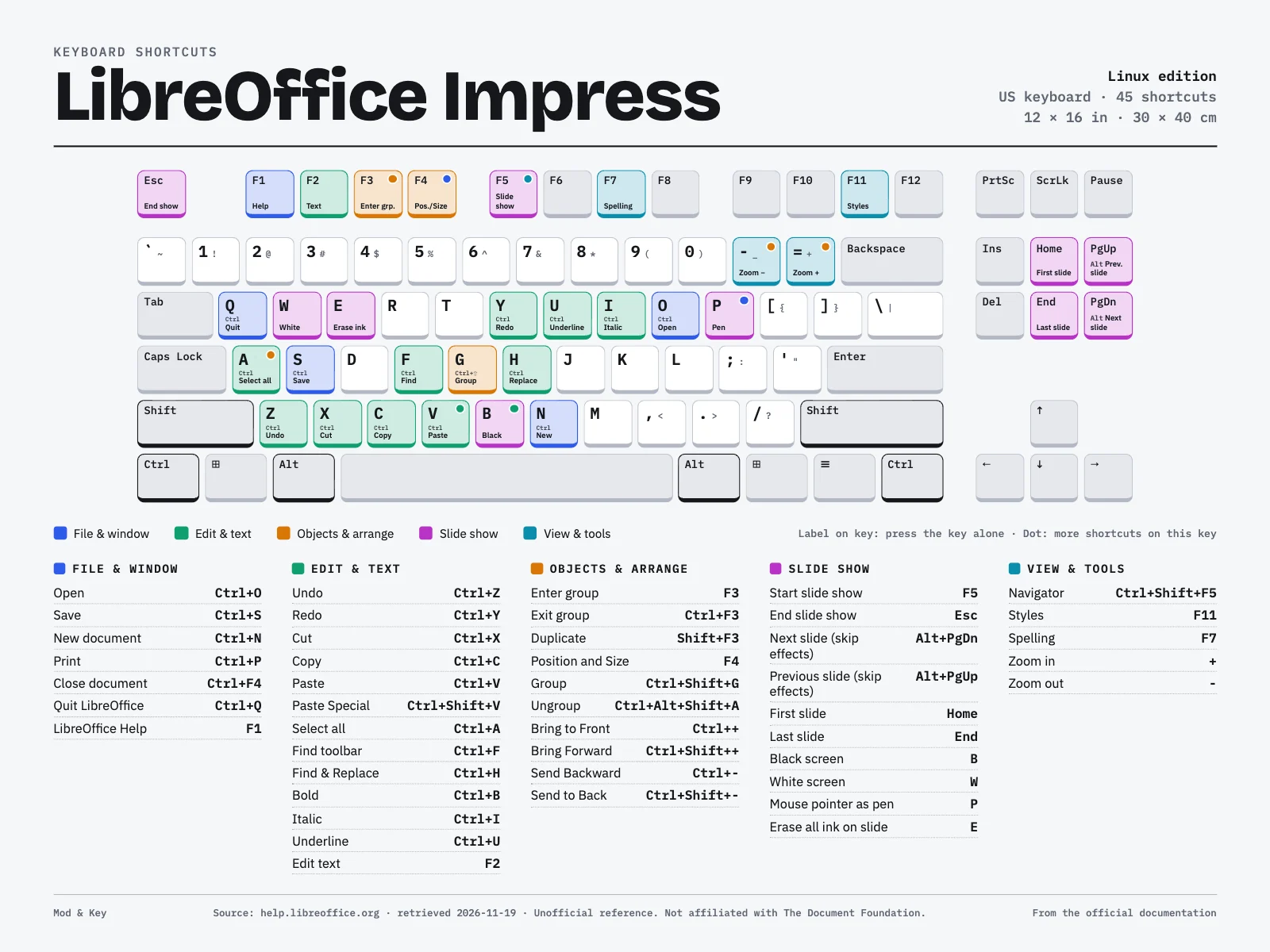
The most used LibreOffice Impress shortcuts on Linux: Save (Ctrl+S), Undo (Ctrl+Z), Duplicate (Shift+F3), Group (Ctrl+Shift+G), Start slide show (F5). This page lists all 45, from the official documentation.
45 LibreOffice Impress keyboard shortcuts for Linux, grouped into File & window, Edit & text, Objects & arrange, Slide show, View & tools. Every key is copied from help.libreoffice.org (retrieved November 19, 2026) and shown on a real keyboard layout.
On Linux, 41 of these 44 shortcuts are the Mac ones with Ctrl in place of ⌘; 3 are different, for example Redo (Ctrl+Y; Mac: ⇧⌘Z), Find & Replace (Ctrl+H; Mac: ⌥⌘F), Styles (F11; Mac: ⌘T).
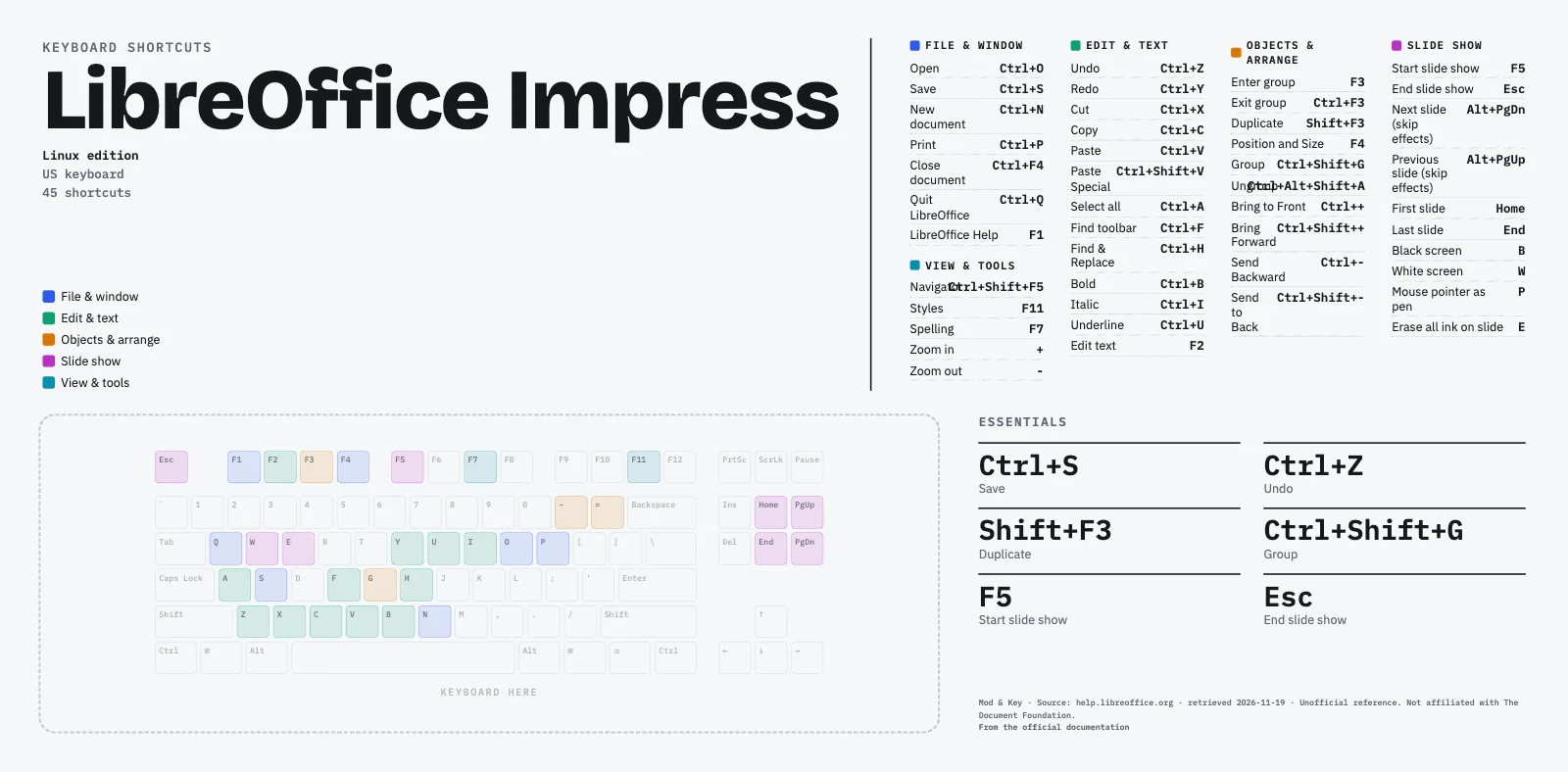
LibreOffice Impress keyboard map
Pick your keyboard and a modifier. Keys with a shortcut light up; point at or tap a key to see everything on it. Try it: hold Ctrl on your keyboard
More shortcuts on this key with other modifiers.
With Ctrl20 keys
All LibreOffice Impress keyboard shortcuts for Linux
No shortcut matches that search.
File & window7
| Command | Shortcut |
|---|---|
| Open | Ctrl+O |
| Save | Ctrl+S |
| New document | Ctrl+N |
| Ctrl+P | |
| Close document | Ctrl+F4 |
| Quit LibreOffice | Ctrl+Q |
| LibreOffice Help | F1 |
Edit & text13
| Command | Shortcut |
|---|---|
| Undo | Ctrl+Z |
| Redo | Ctrl+Y |
| Cut | Ctrl+X |
| Copy | Ctrl+C |
| Paste | Ctrl+V |
| Paste Special | Ctrl+Shift+V |
| Select all | Ctrl+A |
| Find toolbar | Ctrl+F |
| Find & Replace | Ctrl+H |
| Bold | Ctrl+B |
| Italic | Ctrl+I |
| Underline | Ctrl+U |
| Edit text | F2 |
Objects & arrange10
| Command | Shortcut |
|---|---|
| Enter group | F3 |
| Exit group | Ctrl+F3 |
| Duplicate | Shift+F3 |
| Position and Size | F4 |
| Group | Ctrl+Shift+G |
| Ungroup | Ctrl+Alt+Shift+A |
| Bring to Front | Ctrl++ |
| Bring Forward | Ctrl+Shift++ |
| Send Backward | Ctrl+- |
| Send to Back | Ctrl+Shift+- |
Slide show10
| Command | Shortcut |
|---|---|
| Start slide show | F5 |
| End slide show | Esc |
| Next slide (skip effects) | Alt+PgDn |
| Previous slide (skip effects) | Alt+PgUp |
| First slide | Home |
| Last slide | End |
| Black screen | B |
| White screen | W |
| Mouse pointer as pen | P |
| Erase all ink on slide | E |
View & tools5
| Command | Shortcut |
|---|---|
| Navigator | Ctrl+Shift+F5 |
| Styles | F11 |
| Spelling | F7 |
| Zoom in | + |
| Zoom out | - |
Source: The Document Foundation · help.libreoffice.org · retrieved . Unofficial reference. Not affiliated with The Document Foundation. How we source shortcuts →
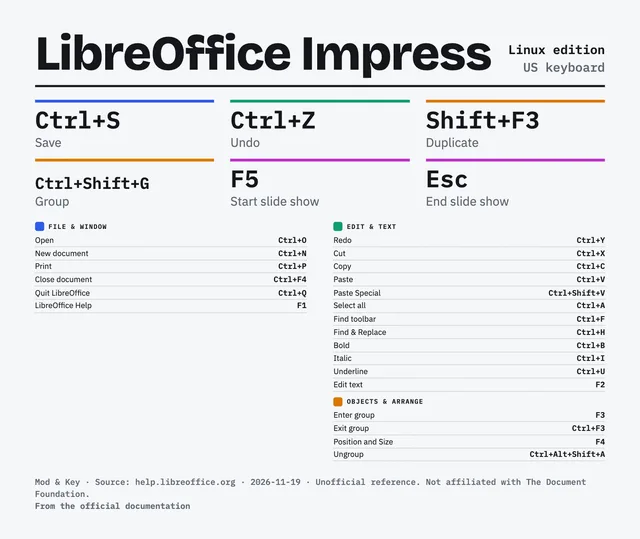
Free printable LibreOffice Impress cheat sheet
The essential shortcuts on one page (PDF, 24 × 20 cm), for your keyboard and language.
LibreOffice Impress shortcut questions
- What is the shortcut for “Save” in LibreOffice Impress on Linux?
- Press Ctrl+S. That is the shortcut for “Save” in LibreOffice Impress on Linux, as given in the official documentation.
- What is the shortcut for “Undo” in LibreOffice Impress on Linux?
- Press Ctrl+Z. That is the shortcut for “Undo” in LibreOffice Impress on Linux, as given in the official documentation.
- What is the shortcut for “Duplicate” in LibreOffice Impress on Linux?
- Press Shift+F3. That is the shortcut for “Duplicate” in LibreOffice Impress on Linux, as given in the official documentation.
- Where do these LibreOffice Impress shortcuts come from?
- From The Document Foundation’s official documentation at help.libreoffice.org, retrieved November 19, 2026. Every key is copied from there, never from other websites.