 Get it on your desk →
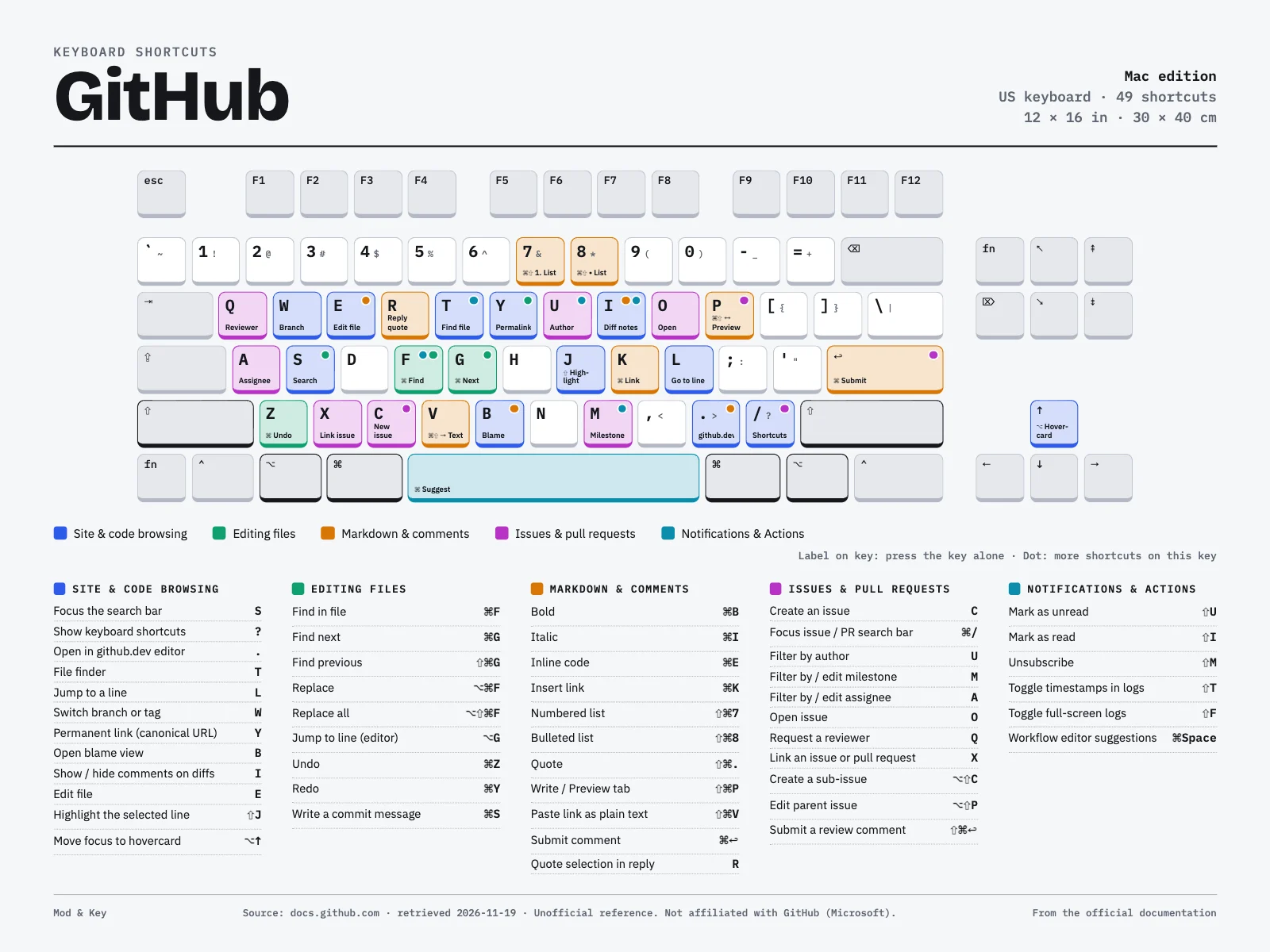
The most used GitHub shortcuts on Mac: Focus the search bar (S), Show keyboard shortcuts (?), Open in github.dev editor (.), File finder (T), Submit comment (⌘↩). This page lists all 49, from the official documentation.
49 GitHub keyboard shortcuts for Mac, grouped into Site & code browsing, Editing files, Markdown & comments, Issues & pull requests, Notifications & Actions. Every key is copied from docs.github.com (retrieved November 19, 2026) and shown on a real keyboard layout.
On Mac, 47 of these 49 shortcuts are the Windows ones with ⌘ in place of Ctrl; 2 are different, for example Replace (⌥⌘F; Windows: Ctrl+Shift+F), Replace all (⌥⇧⌘F; Windows: Ctrl+Shift+R).
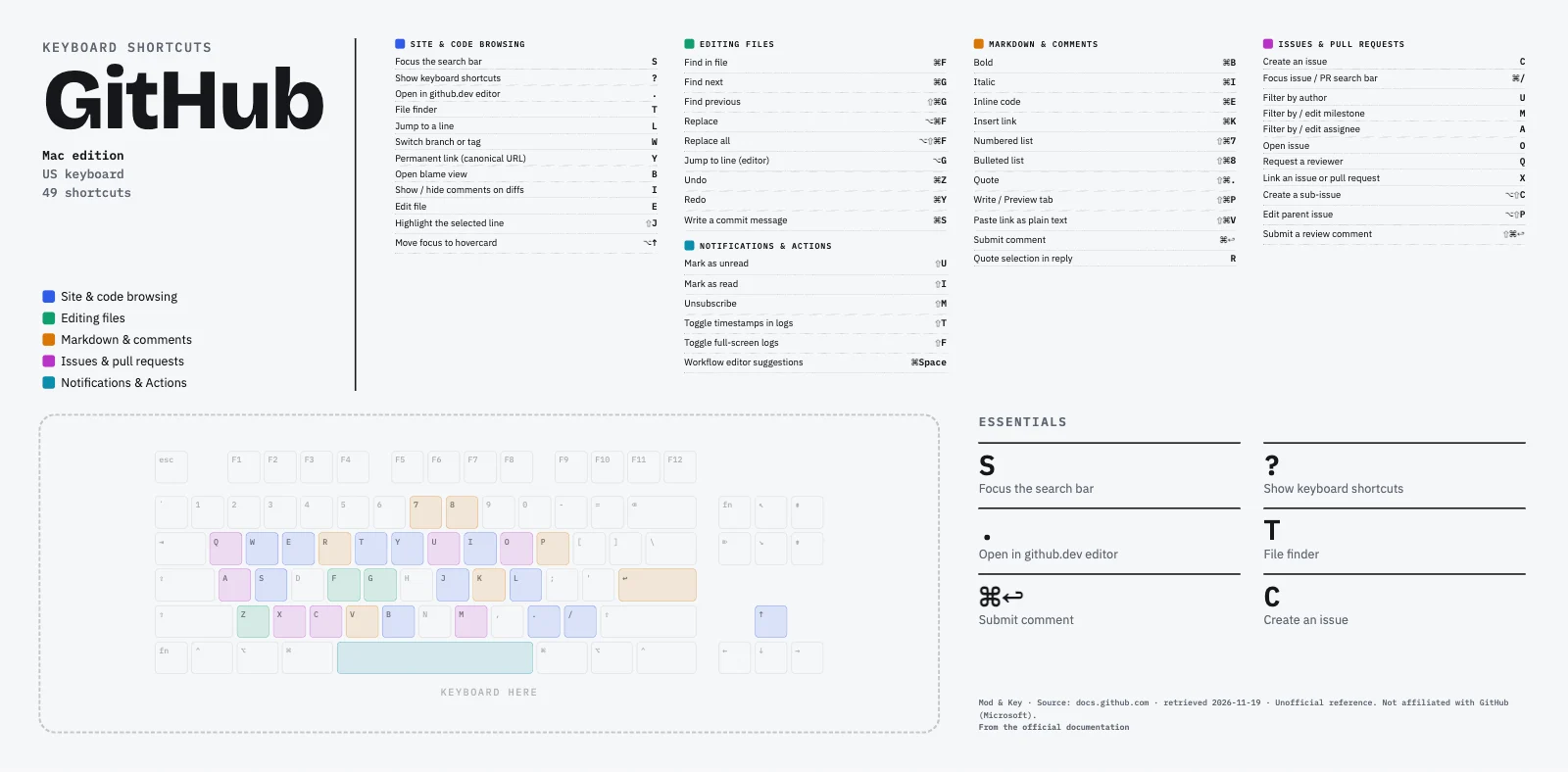
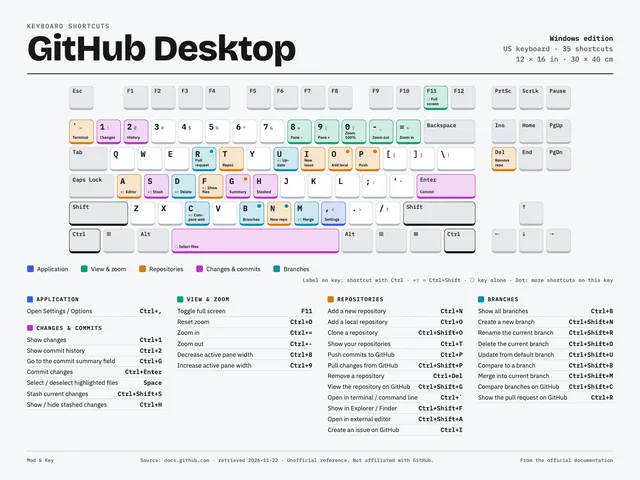
GitHub keyboard map
Pick your keyboard and a modifier. Keys with a shortcut light up; point at or tap a key to see everything on it. Try it: hold ⌘ Cmd on your keyboard
More shortcuts on this key with other modifiers.
Key alone18 keys
All GitHub keyboard shortcuts for Mac
No shortcut matches that search.
Site & code browsing12
| Command | Shortcut |
|---|---|
| Focus the search bar | S |
| Show keyboard shortcuts | ? |
| Open in github.dev editor | . |
| File finder | T |
| Jump to a line | L |
| Switch branch or tag | W |
| Permanent link (canonical URL) | Y |
| Open blame view | B |
| Show / hide comments on diffs | I |
| Edit file | E |
| Highlight the selected line | ⇧J |
| Move focus to hovercard | ⌥↑ |
Editing files9
| Command | Shortcut |
|---|---|
| Find in file | ⌘F |
| Find next | ⌘G |
| Find previous | ⇧⌘G |
| Replace | ⌥⌘F |
| Replace all | ⌥⇧⌘F |
| Jump to line (editor) | ⌥G |
| Undo | ⌘Z |
| Redo | ⌘Y |
| Write a commit message | ⌘S |
Markdown & comments11
| Command | Shortcut |
|---|---|
| Bold | ⌘B |
| Italic | ⌘I |
| Inline code | ⌘E |
| Insert link | ⌘K |
| Numbered list | ⇧⌘7 |
| Bulleted list | ⇧⌘8 |
| Quote | ⇧⌘. |
| Write / Preview tab | ⇧⌘P |
| Paste link as plain text | ⇧⌘V |
| Submit comment | ⌘↩ |
| Quote selection in reply | R |
Issues & pull requests11
| Command | Shortcut |
|---|---|
| Create an issue | C |
| Focus issue / PR search bar | ⌘/ |
| Filter by author | U |
| Filter by / edit milestone | M |
| Filter by / edit assignee | A |
| Open issue | O |
| Request a reviewer | Q |
| Link an issue or pull request | X |
| Create a sub-issue | ⌥⇧C |
| Edit parent issue | ⌥⇧P |
| Submit a review comment | ⇧⌘↩ |
Notifications & Actions6
| Command | Shortcut |
|---|---|
| Mark as unread | ⇧U |
| Mark as read | ⇧I |
| Unsubscribe | ⇧M |
| Toggle timestamps in logs | ⇧T |
| Toggle full-screen logs | ⇧F |
| Workflow editor suggestions | ⌘Space |
Source: GitHub (Microsoft) · docs.github.com · retrieved . Unofficial reference. Not affiliated with GitHub (Microsoft). How we source shortcuts →
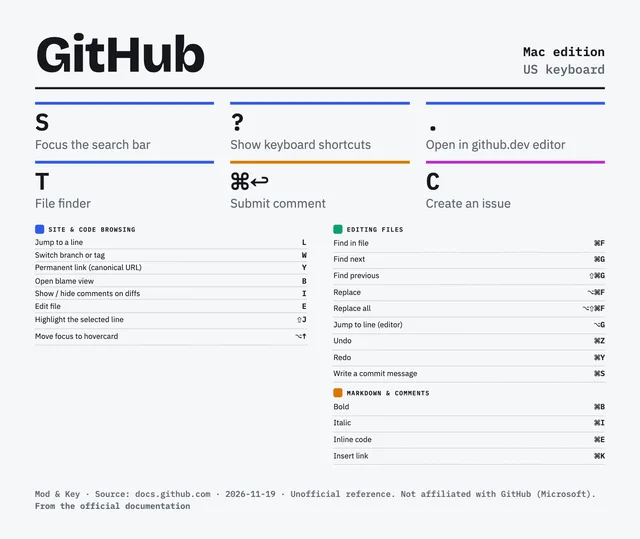
Free printable GitHub cheat sheet
The essential shortcuts on one page (PDF, 24 × 20 cm), for your keyboard and language.
GitHub shortcut questions
- What is the shortcut for “Focus the search bar” in GitHub on Mac?
- Press S. That is the shortcut for “Focus the search bar” in GitHub on Mac, as given in the official documentation.
- What is the shortcut for “Show keyboard shortcuts” in GitHub on Mac?
- Press ?. That is the shortcut for “Show keyboard shortcuts” in GitHub on Mac, as given in the official documentation.
- What is the shortcut for “Open in github.dev editor” in GitHub on Mac?
- Press .. That is the shortcut for “Open in github.dev editor” in GitHub on Mac, as given in the official documentation.
- Where do these GitHub shortcuts come from?
- From GitHub (Microsoft)’s official documentation at docs.github.com, retrieved November 19, 2026. Every key is copied from there, never from other websites.