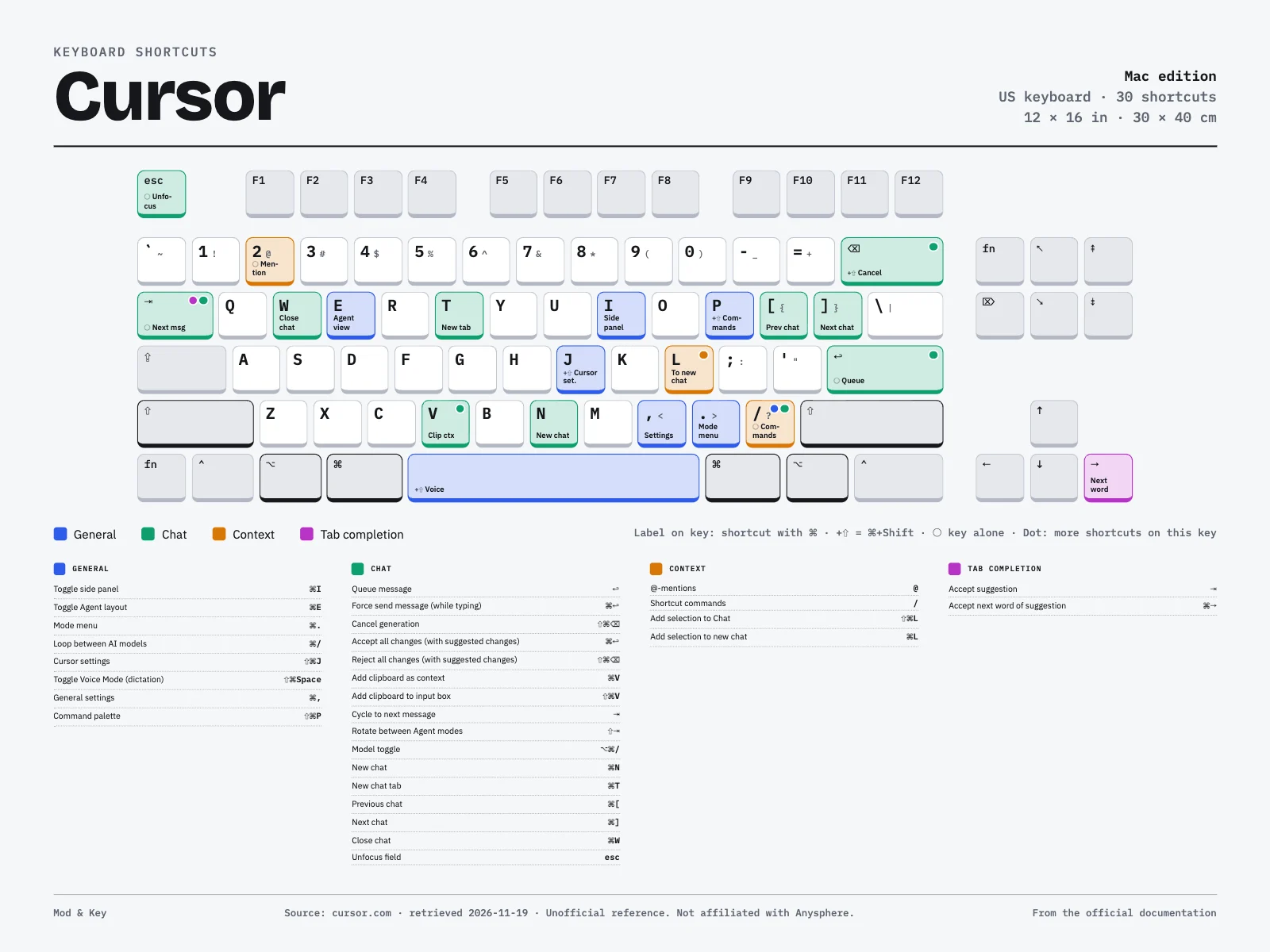
 Get it on your desk →
The most used Cursor shortcuts on Mac: Toggle side panel (⌘I), Command palette (⇧⌘P), Force send message (while typing) (⌘↩), Accept all changes (with suggested changes) (⌘↩), New chat (⌘N). This page lists all 30, from the official documentation.
30 Cursor keyboard shortcuts for Mac, grouped into General, Chat, Context, Tab completion. Every key is copied from cursor.com (retrieved November 19, 2026) and shown on a real keyboard layout.
All 30 shortcuts here are the Windows ones with ⌘ in place of Ctrl.
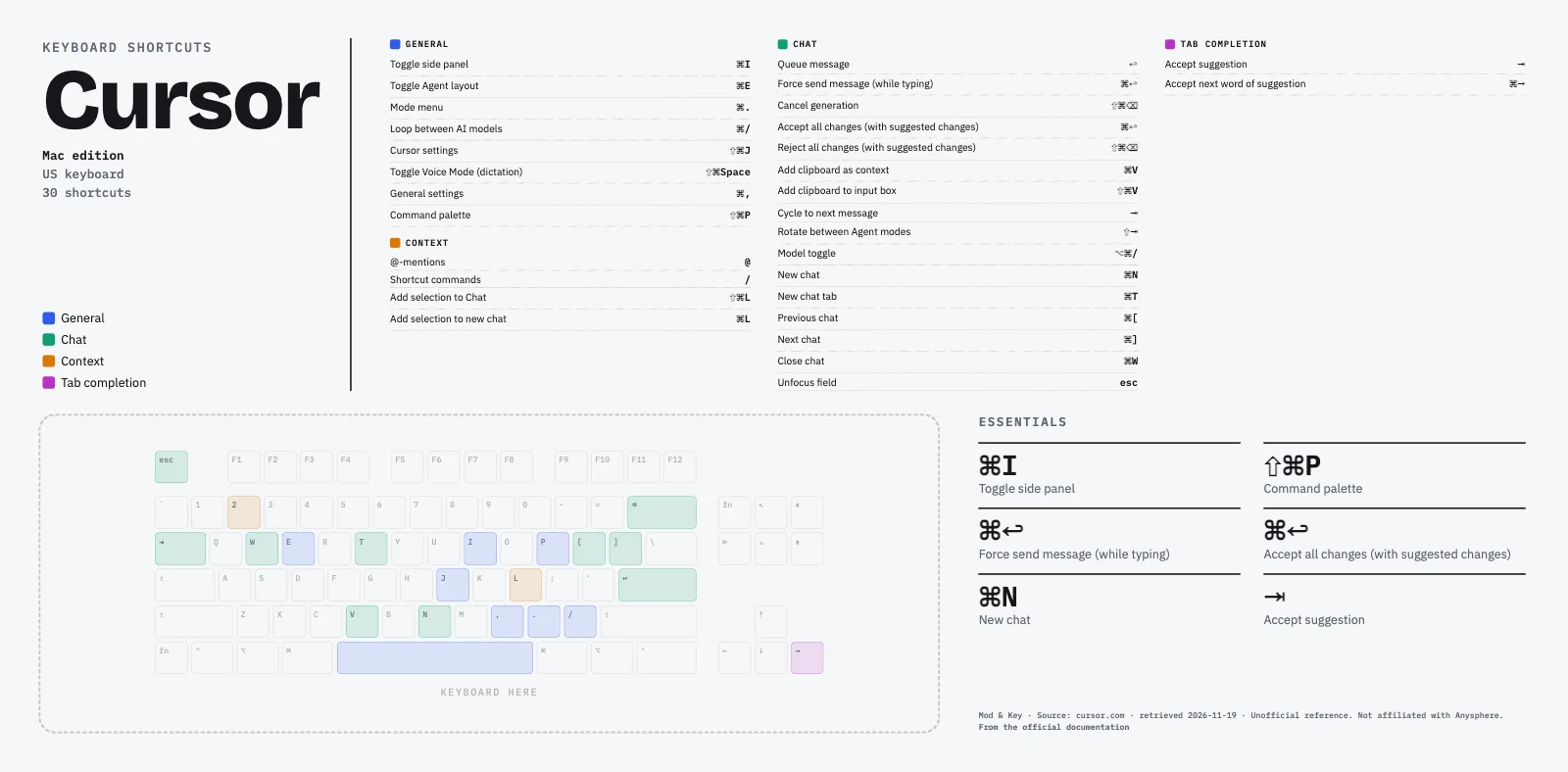
Cursor keyboard map
Pick your keyboard and a modifier. Keys with a shortcut light up; point at or tap a key to see everything on it. Try it: hold ⌘ Cmd on your keyboard
More shortcuts on this key with other modifiers.
With ⌘14 keys
All Cursor keyboard shortcuts for Mac
No shortcut matches that search.
General8
| Command | Shortcut |
|---|---|
| Toggle side panel | ⌘I |
| Toggle Agent layout | ⌘E |
| Mode menu | ⌘. |
| Loop between AI models | ⌘/ |
| Cursor settings | ⇧⌘J |
| Toggle Voice Mode (dictation) | ⇧⌘Space |
| General settings | ⌘, |
| Command palette | ⇧⌘P |
Chat16
| Command | Shortcut |
|---|---|
| Queue message | ↩ |
| Force send message (while typing) | ⌘↩ |
| Cancel generation | ⇧⌘⌫ |
| Accept all changes (with suggested changes) | ⌘↩ |
| Reject all changes (with suggested changes) | ⇧⌘⌫ |
| Add clipboard as context | ⌘V |
| Add clipboard to input box | ⇧⌘V |
| Cycle to next message | ⇥ |
| Rotate between Agent modes | ⇧⇥ |
| Model toggle | ⌥⌘/ |
| New chat | ⌘N |
| New chat tab | ⌘T |
| Previous chat | ⌘[ |
| Next chat | ⌘] |
| Close chat | ⌘W |
| Unfocus field | esc |
Context4
| Command | Shortcut |
|---|---|
| @-mentions | @ |
| Shortcut commands | / |
| Add selection to Chat | ⇧⌘L |
| Add selection to new chat | ⌘L |
Tab completion2
| Command | Shortcut |
|---|---|
| Accept suggestion | ⇥ |
| Accept next word of suggestion | ⌘→ |
Source: Anysphere · cursor.com · retrieved . Unofficial reference. Not affiliated with Anysphere. How we source shortcuts →
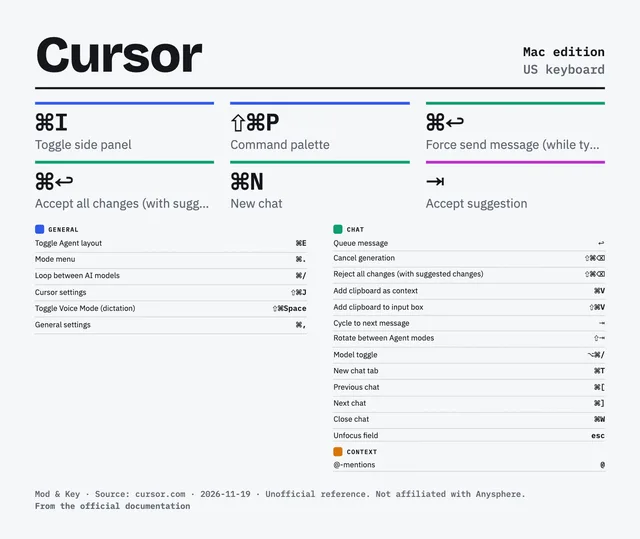
Free printable Cursor cheat sheet
The essential shortcuts on one page (PDF, 24 × 20 cm), for your keyboard and language.
Cursor shortcut questions
- What is the shortcut for “Toggle side panel” in Cursor on Mac?
- Press ⌘I. That is the shortcut for “Toggle side panel” in Cursor on Mac, as given in the official documentation.
- What is the shortcut for “Command palette” in Cursor on Mac?
- Press ⇧⌘P. That is the shortcut for “Command palette” in Cursor on Mac, as given in the official documentation.
- What is the shortcut for “Force send message (while typing)” in Cursor on Mac?
- Press ⌘↩. That is the shortcut for “Force send message (while typing)” in Cursor on Mac, as given in the official documentation.
- Where do these Cursor shortcuts come from?
- From Anysphere’s official documentation at cursor.com, retrieved November 19, 2026. Every key is copied from there, never from other websites.