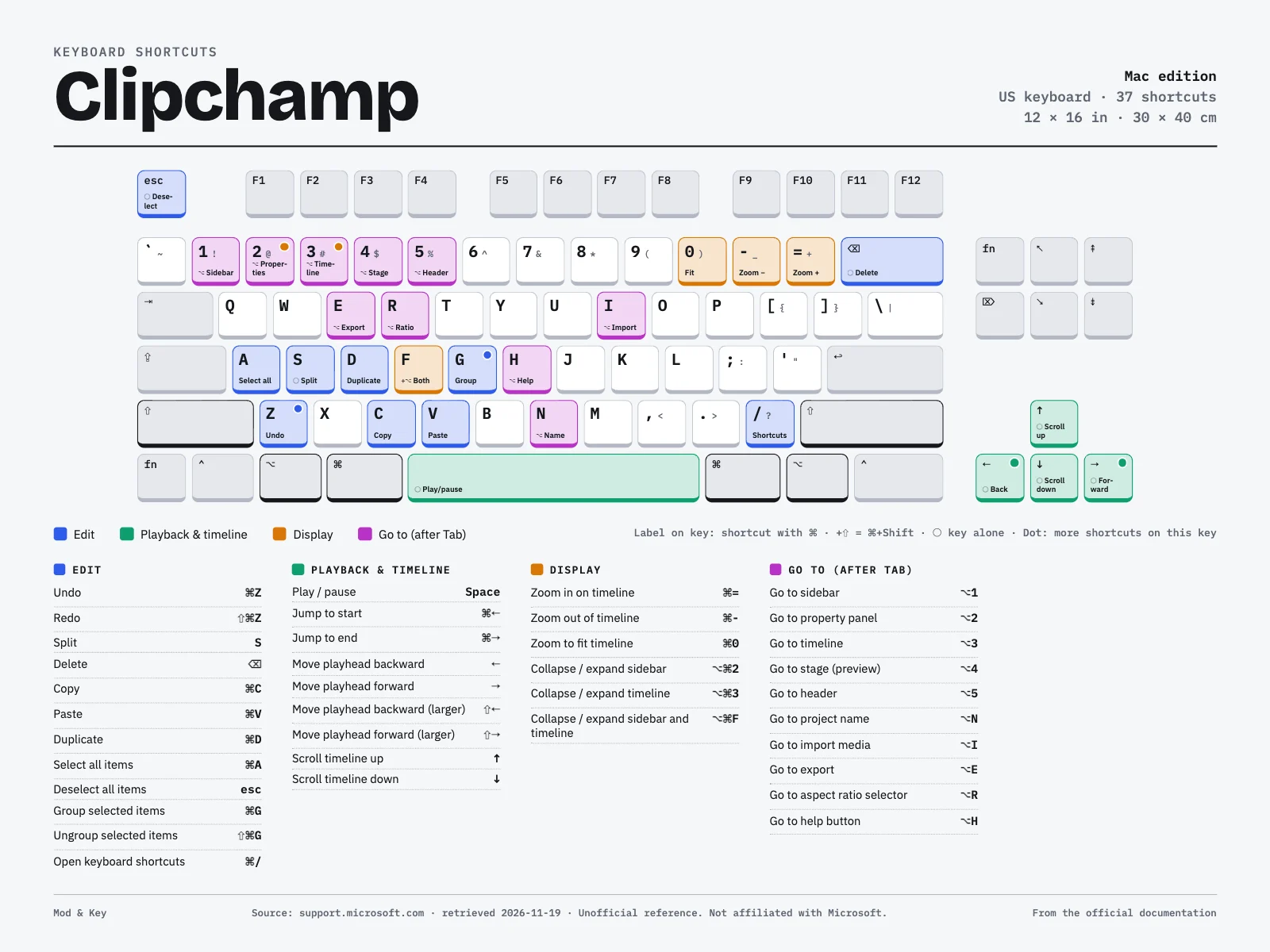
 Get it on your desk →
The most used Clipchamp shortcuts on Mac: Undo (⌘Z), Split (S), Delete (⌫), Paste (⌘V), Duplicate (⌘D). This page lists all 37, from the official documentation.
37 Clipchamp keyboard shortcuts for Mac, grouped into Edit, Playback & timeline, Display, Go to (after Tab). Every key is copied from support.microsoft.com (retrieved November 19, 2026) and shown on a real keyboard layout.
On Mac, 35 of these 37 shortcuts are the Windows ones with ⌘ in place of Ctrl; 2 are different, for example Redo (⇧⌘Z; Windows: Ctrl+Y), Delete (⌫; Windows: Del).
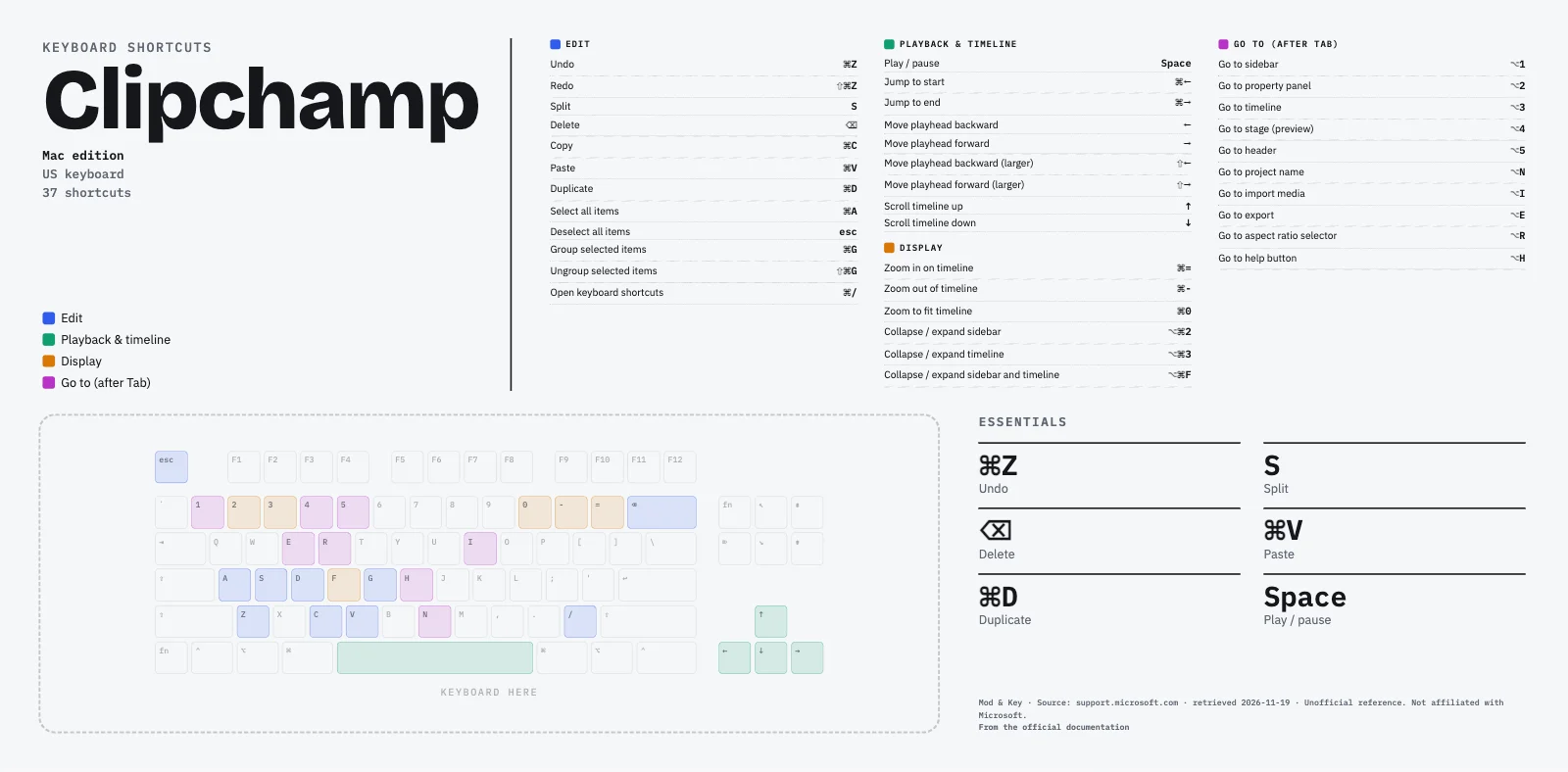
Clipchamp keyboard map
Pick your keyboard and a modifier. Keys with a shortcut light up; point at or tap a key to see everything on it. Try it: hold ⌘ Cmd on your keyboard
More shortcuts on this key with other modifiers.
With ⌘12 keys
All Clipchamp keyboard shortcuts for Mac
No shortcut matches that search.
Edit12
| Command | Shortcut |
|---|---|
| Undo | ⌘Z |
| Redo | ⇧⌘Z |
| Split | S |
| Delete | ⌫ |
| Copy | ⌘C |
| Paste | ⌘V |
| Duplicate | ⌘D |
| Select all items | ⌘A |
| Deselect all items | esc |
| Group selected items | ⌘G |
| Ungroup selected items | ⇧⌘G |
| Open keyboard shortcuts | ⌘/ |
Playback & timeline9
| Command | Shortcut |
|---|---|
| Play / pause | Space |
| Jump to start | ⌘← |
| Jump to end | ⌘→ |
| Move playhead backward | ← |
| Move playhead forward | → |
| Move playhead backward (larger) | ⇧← |
| Move playhead forward (larger) | ⇧→ |
| Scroll timeline up | ↑ |
| Scroll timeline down | ↓ |
Display6
| Command | Shortcut |
|---|---|
| Zoom in on timeline | ⌘= |
| Zoom out of timeline | ⌘- |
| Zoom to fit timeline | ⌘0 |
| Collapse / expand sidebar | ⌥⌘2 |
| Collapse / expand timeline | ⌥⌘3 |
| Collapse / expand sidebar and timeline | ⌥⌘F |
Go to (after Tab)10
| Command | Shortcut |
|---|---|
| Go to sidebar | ⌥1 |
| Go to property panel | ⌥2 |
| Go to timeline | ⌥3 |
| Go to stage (preview) | ⌥4 |
| Go to header | ⌥5 |
| Go to project name | ⌥N |
| Go to import media | ⌥I |
| Go to export | ⌥E |
| Go to aspect ratio selector | ⌥R |
| Go to help button | ⌥H |
Source: Microsoft · support.microsoft.com · retrieved . Unofficial reference. Not affiliated with Microsoft. How we source shortcuts →
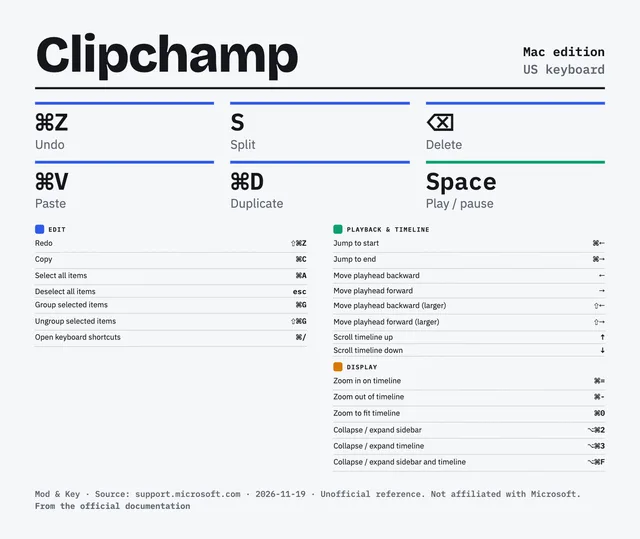
Free printable Clipchamp cheat sheet
The essential shortcuts on one page (PDF, 24 × 20 cm), for your keyboard and language.
Clipchamp shortcut questions
- What is the shortcut for “Undo” in Clipchamp on Mac?
- Press ⌘Z. That is the shortcut for “Undo” in Clipchamp on Mac, as given in the official documentation.
- What is the shortcut for “Split” in Clipchamp on Mac?
- Press S. That is the shortcut for “Split” in Clipchamp on Mac, as given in the official documentation.
- What is the shortcut for “Delete” in Clipchamp on Mac?
- Press ⌫. That is the shortcut for “Delete” in Clipchamp on Mac, as given in the official documentation.
- Where do these Clipchamp shortcuts come from?
- From Microsoft’s official documentation at support.microsoft.com, retrieved November 19, 2026. Every key is copied from there, never from other websites.