 Get it on your desk →
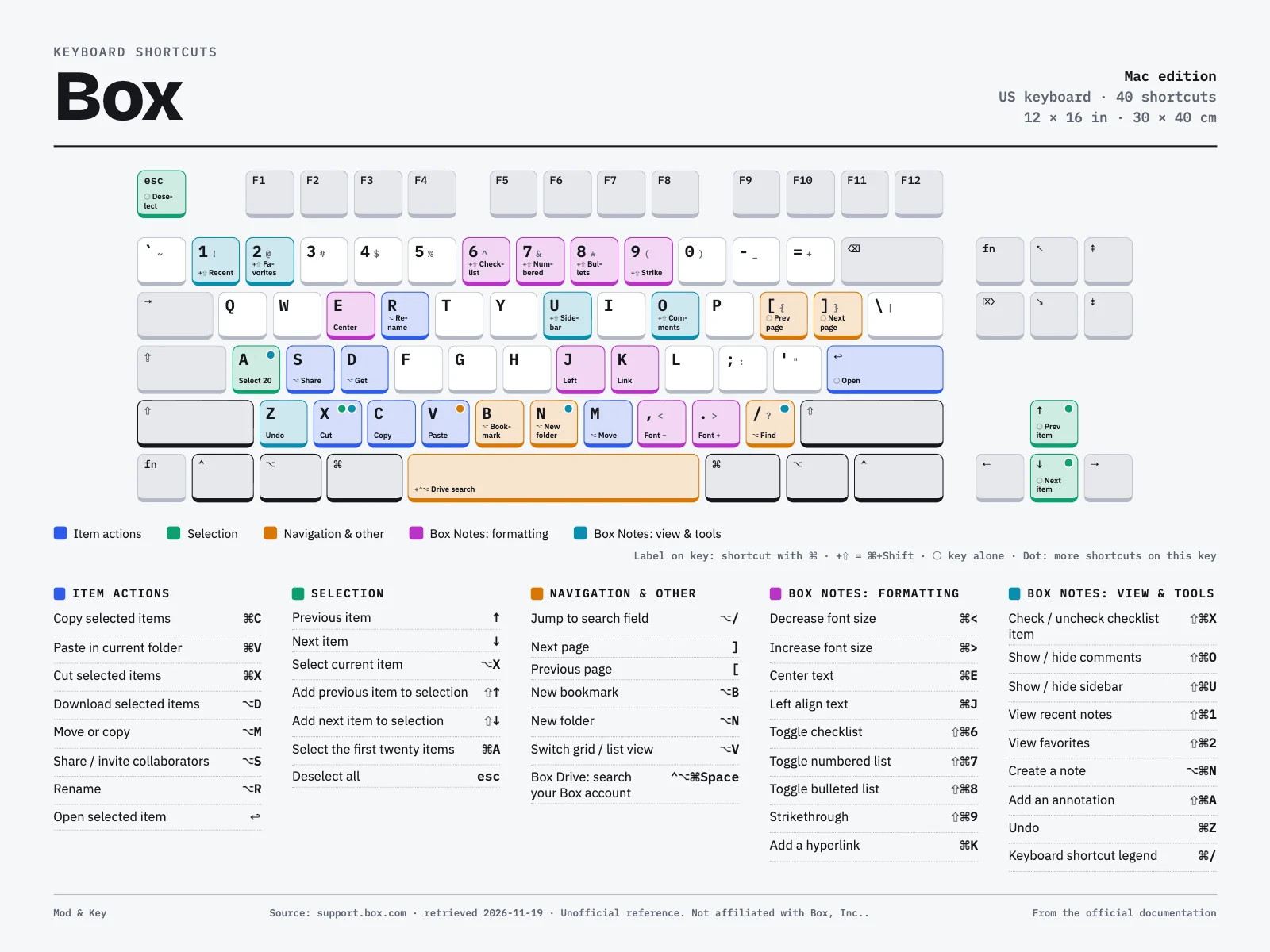
The most used Box shortcuts on Mac: Copy selected items (⌘C), Paste in current folder (⌘V), Cut selected items (⌘X), Open selected item (↩), Deselect all (esc). This page lists all 40, from the official documentation.
40 Box keyboard shortcuts for Mac, grouped into Item actions, Selection, Navigation & other, Box Notes: formatting, Box Notes: view & tools. Every key is copied from support.box.com (retrieved November 19, 2026) and shown on a real keyboard layout.
On Mac, 38 of these 39 shortcuts are the Windows ones with ⌘ in place of Ctrl; 1 are different, for example Box Drive: search your Box account (⌃⌥⌘Space; Windows: Ctrl+Alt+Shift+B).
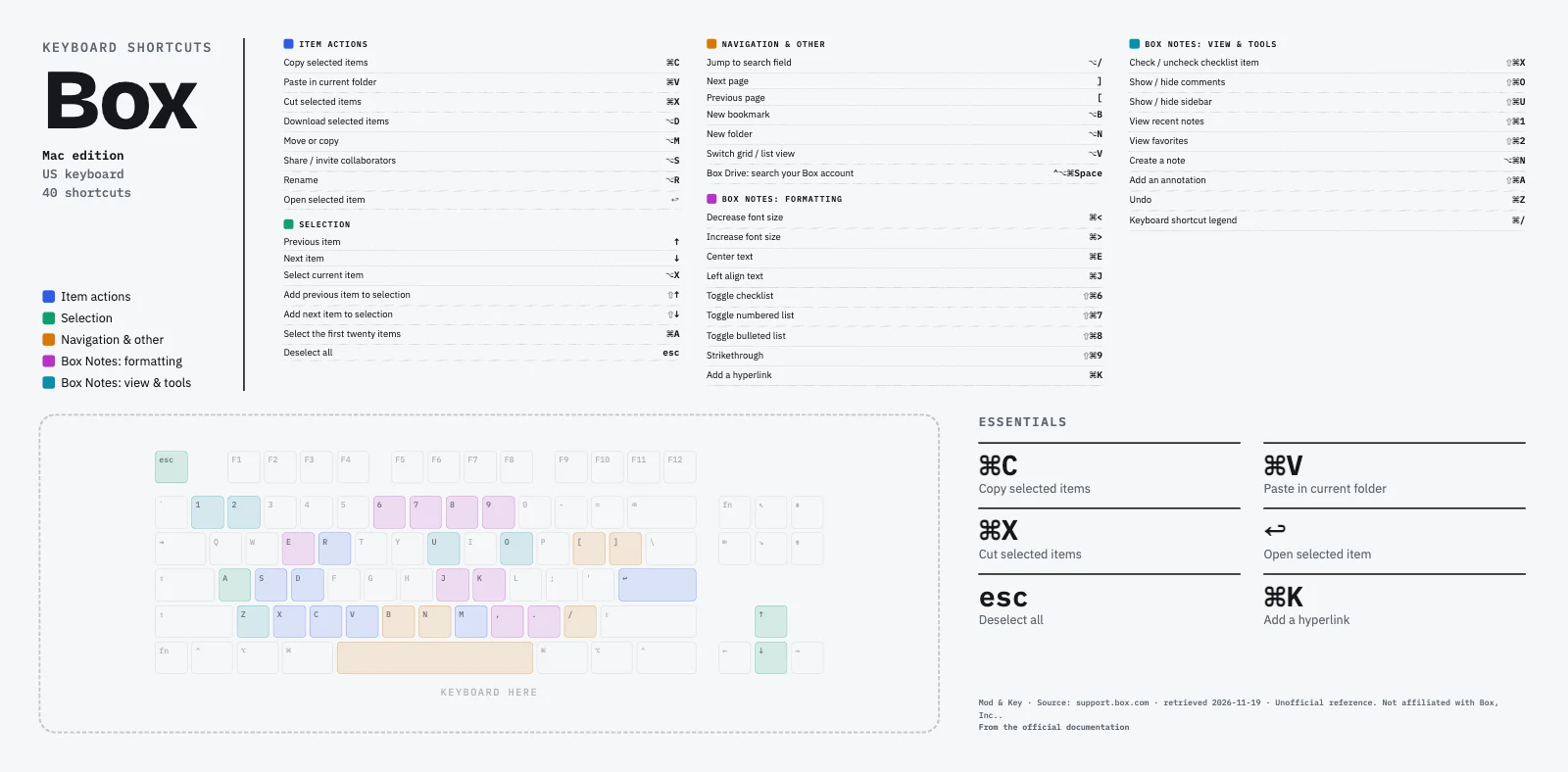
Box keyboard map
Pick your keyboard and a modifier. Keys with a shortcut light up; point at or tap a key to see everything on it. Try it: hold ⌘ Cmd on your keyboard
More shortcuts on this key with other modifiers.
With ⌘11 keys
All Box keyboard shortcuts for Mac
No shortcut matches that search.
Item actions8
| Command | Shortcut |
|---|---|
| Copy selected items | ⌘C |
| Paste in current folder | ⌘V |
| Cut selected items | ⌘X |
| Download selected items | ⌥D |
| Move or copy | ⌥M |
| Share / invite collaborators | ⌥S |
| Rename | ⌥R |
| Open selected item | ↩ |
Selection7
| Command | Shortcut |
|---|---|
| Previous item | ↑ |
| Next item | ↓ |
| Select current item | ⌥X |
| Add previous item to selection | ⇧↑ |
| Add next item to selection | ⇧↓ |
| Select the first twenty items | ⌘A |
| Deselect all | esc |
Navigation & other7
| Command | Shortcut |
|---|---|
| Jump to search field | ⌥/ |
| Next page | ] |
| Previous page | [ |
| New bookmark | ⌥B |
| New folder | ⌥N |
| Switch grid / list view | ⌥V |
| Box Drive: search your Box account | ⌃⌥⌘Space |
Box Notes: formatting9
| Command | Shortcut |
|---|---|
| Decrease font size | ⌘< |
| Increase font size | ⌘> |
| Center text | ⌘E |
| Left align text | ⌘J |
| Toggle checklist | ⇧⌘6 |
| Toggle numbered list | ⇧⌘7 |
| Toggle bulleted list | ⇧⌘8 |
| Strikethrough | ⇧⌘9 |
| Add a hyperlink | ⌘K |
Box Notes: view & tools9
| Command | Shortcut |
|---|---|
| Check / uncheck checklist item | ⇧⌘X |
| Show / hide comments | ⇧⌘O |
| Show / hide sidebar | ⇧⌘U |
| View recent notes | ⇧⌘1 |
| View favorites | ⇧⌘2 |
| Create a note | ⌥⌘N |
| Add an annotation | ⇧⌘A |
| Undo | ⌘Z |
| Keyboard shortcut legend | ⌘/ |
Source: Box, Inc. · support.box.com · retrieved . Unofficial reference. Not affiliated with Box, Inc.. How we source shortcuts →
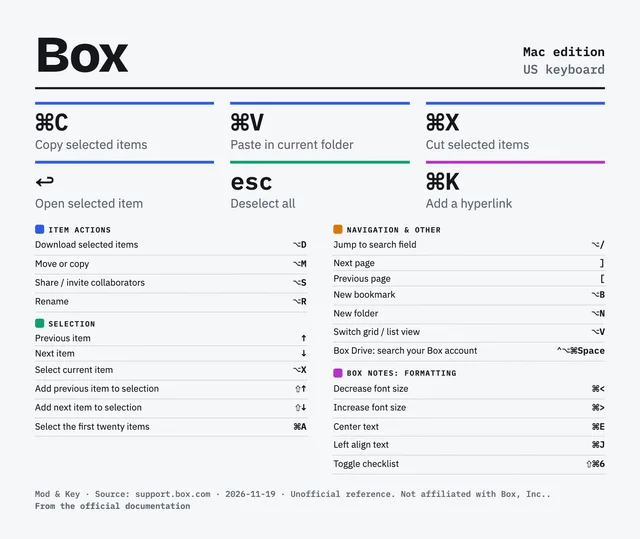
Free printable Box cheat sheet
The essential shortcuts on one page (PDF, 24 × 20 cm), for your keyboard and language.
Box shortcut questions
- What is the shortcut for “Copy selected items” in Box on Mac?
- Press ⌘C. That is the shortcut for “Copy selected items” in Box on Mac, as given in the official documentation.
- What is the shortcut for “Paste in current folder” in Box on Mac?
- Press ⌘V. That is the shortcut for “Paste in current folder” in Box on Mac, as given in the official documentation.
- What is the shortcut for “Cut selected items” in Box on Mac?
- Press ⌘X. That is the shortcut for “Cut selected items” in Box on Mac, as given in the official documentation.
- Where do these Box shortcuts come from?
- From Box, Inc.’s official documentation at support.box.com, retrieved November 19, 2026. Every key is copied from there, never from other websites.