 Get it on your desk →
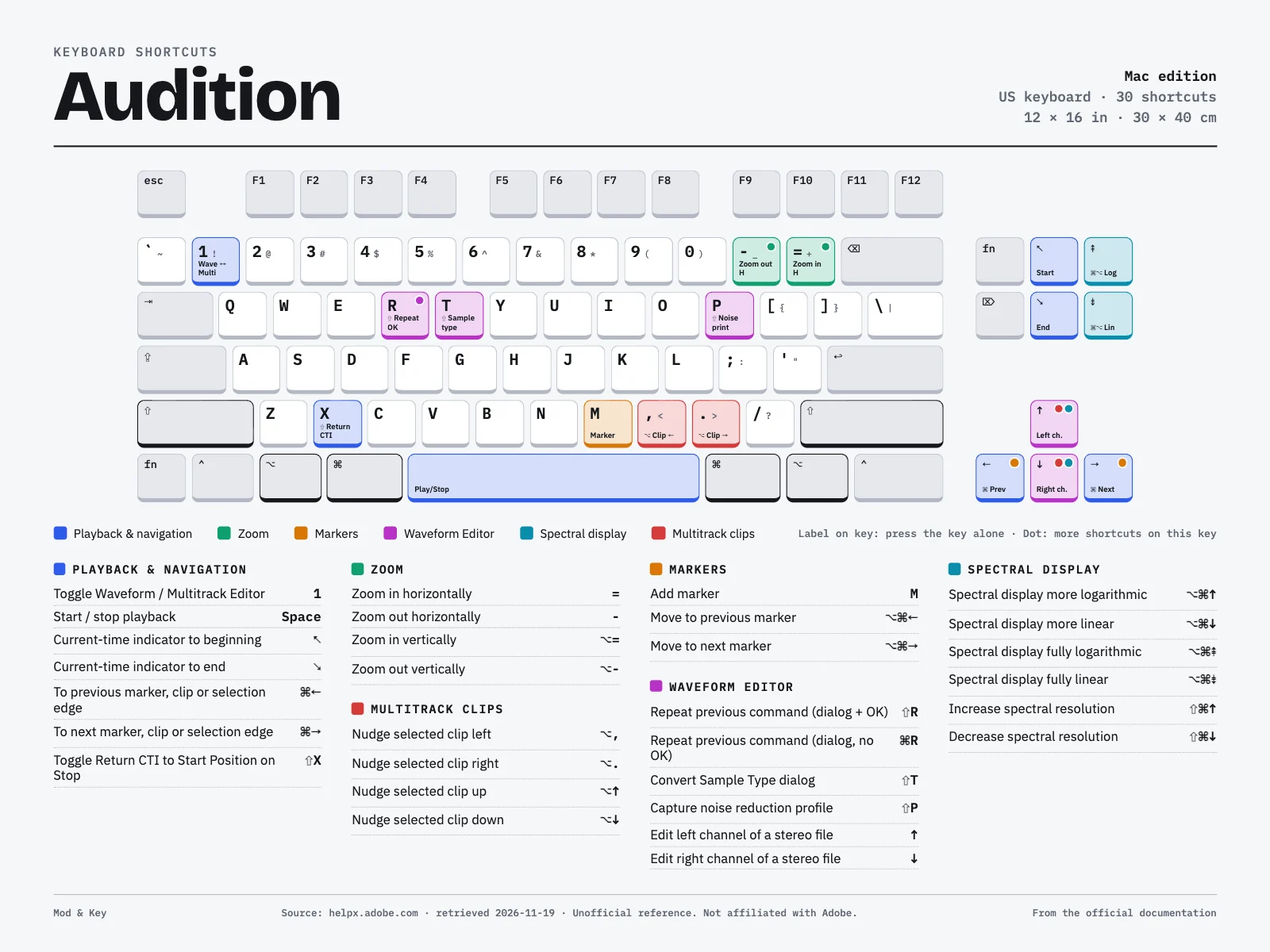
The most used Audition shortcuts on Mac: Toggle Waveform / Multitrack Editor (1), Start / stop playback (Space), Zoom in horizontally (=), Zoom out horizontally (-), Add marker (M). This page lists all 30, from the official documentation.
30 Audition keyboard shortcuts for Mac, grouped into Playback & navigation, Zoom, Markers, Waveform Editor, Spectral display, Multitrack clips. Every key is copied from helpx.adobe.com (retrieved November 19, 2026) and shown on a real keyboard layout.
All 28 shortcuts here are the Windows ones with ⌘ in place of Ctrl.
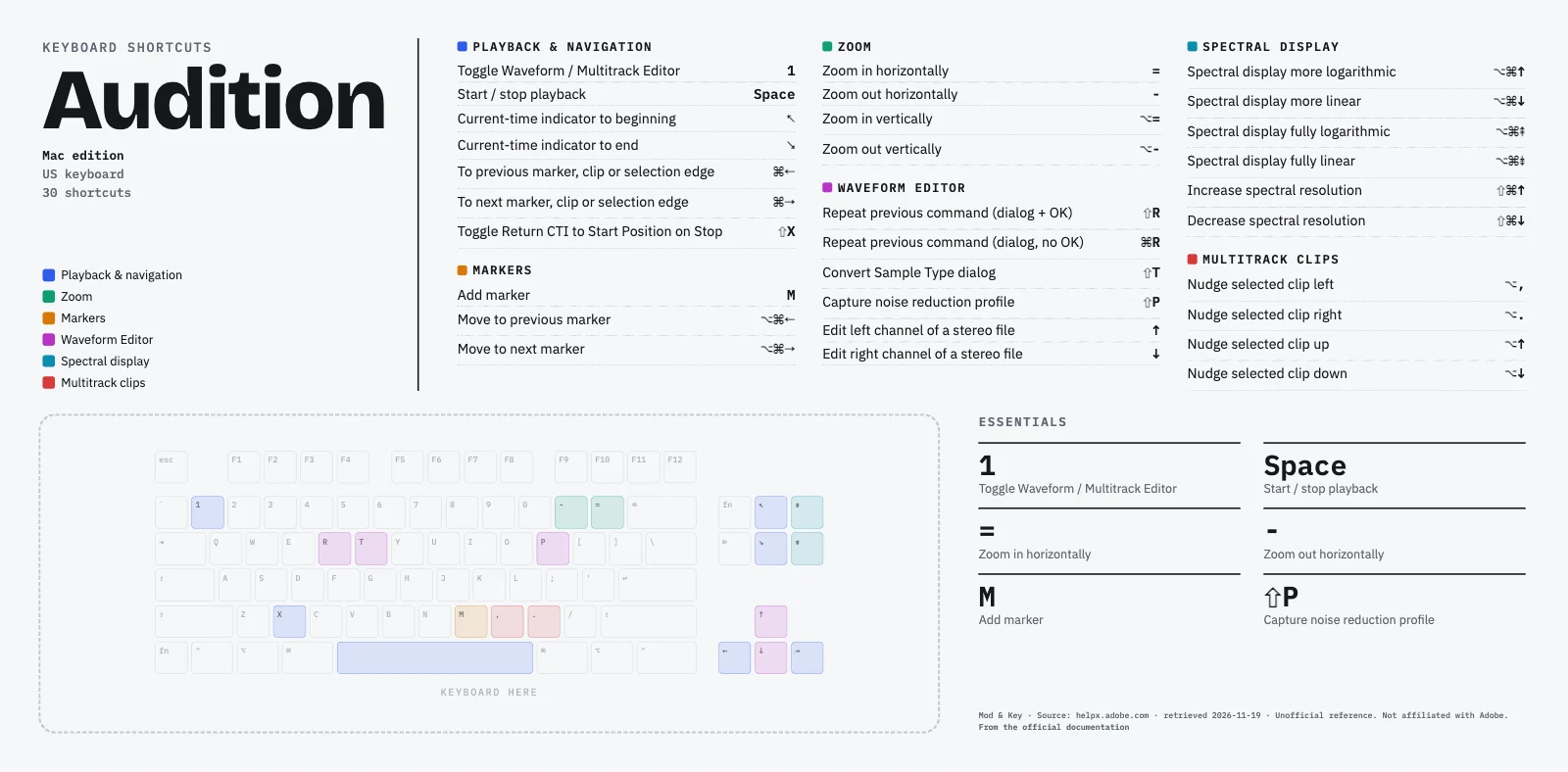
Audition keyboard map
Pick your keyboard and a modifier. Keys with a shortcut light up; point at or tap a key to see everything on it. Try it: hold ⌘ Cmd on your keyboard
More shortcuts on this key with other modifiers.
Key alone9 keys
All Audition keyboard shortcuts for Mac
No shortcut matches that search.
Playback & navigation7
| Command | Shortcut |
|---|---|
| Toggle Waveform / Multitrack Editor | 1 |
| Start / stop playback | Space |
| Current-time indicator to beginning | ↖ |
| Current-time indicator to end | ↘ |
| To previous marker, clip or selection edge | ⌘← |
| To next marker, clip or selection edge | ⌘→ |
| Toggle Return CTI to Start Position on Stop | ⇧X |
Zoom4
| Command | Shortcut |
|---|---|
| Zoom in horizontally | = |
| Zoom out horizontally | - |
| Zoom in vertically | ⌥= |
| Zoom out vertically | ⌥- |
Markers3
| Command | Shortcut |
|---|---|
| Add marker | M |
| Move to previous marker | ⌥⌘← |
| Move to next marker | ⌥⌘→ |
Waveform Editor6
| Command | Shortcut |
|---|---|
| Repeat previous command (dialog + OK) | ⇧R |
| Repeat previous command (dialog, no OK) | ⌘R |
| Convert Sample Type dialog | ⇧T |
| Capture noise reduction profile | ⇧P |
| Edit left channel of a stereo file | ↑ |
| Edit right channel of a stereo file | ↓ |
Spectral display6
| Command | Shortcut |
|---|---|
| Spectral display more logarithmic | ⌥⌘↑ |
| Spectral display more linear | ⌥⌘↓ |
| Spectral display fully logarithmic | ⌥⌘⇞ |
| Spectral display fully linear | ⌥⌘⇟ |
| Increase spectral resolution | ⇧⌘↑ |
| Decrease spectral resolution | ⇧⌘↓ |
Multitrack clips4
| Command | Shortcut |
|---|---|
| Nudge selected clip left | ⌥, |
| Nudge selected clip right | ⌥. |
| Nudge selected clip up | ⌥↑ |
| Nudge selected clip down | ⌥↓ |
Source: Adobe · helpx.adobe.com · retrieved . Unofficial reference. Not affiliated with Adobe. How we source shortcuts →
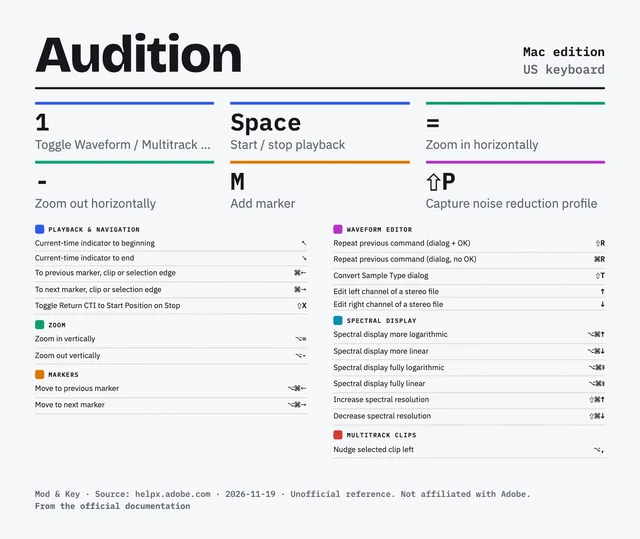
Free printable Audition cheat sheet
The essential shortcuts on one page (PDF, 24 × 20 cm), for your keyboard and language.
Audition shortcut questions
- What is the shortcut for “Toggle Waveform / Multitrack Editor” in Audition on Mac?
- Press 1. That is the shortcut for “Toggle Waveform / Multitrack Editor” in Audition on Mac, as given in the official documentation.
- What is the shortcut for “Start / stop playback” in Audition on Mac?
- Press Space. That is the shortcut for “Start / stop playback” in Audition on Mac, as given in the official documentation.
- What is the shortcut for “Zoom in horizontally” in Audition on Mac?
- Press =. That is the shortcut for “Zoom in horizontally” in Audition on Mac, as given in the official documentation.
- Where do these Audition shortcuts come from?
- From Adobe’s official documentation at helpx.adobe.com, retrieved November 19, 2026. Every key is copied from there, never from other websites.