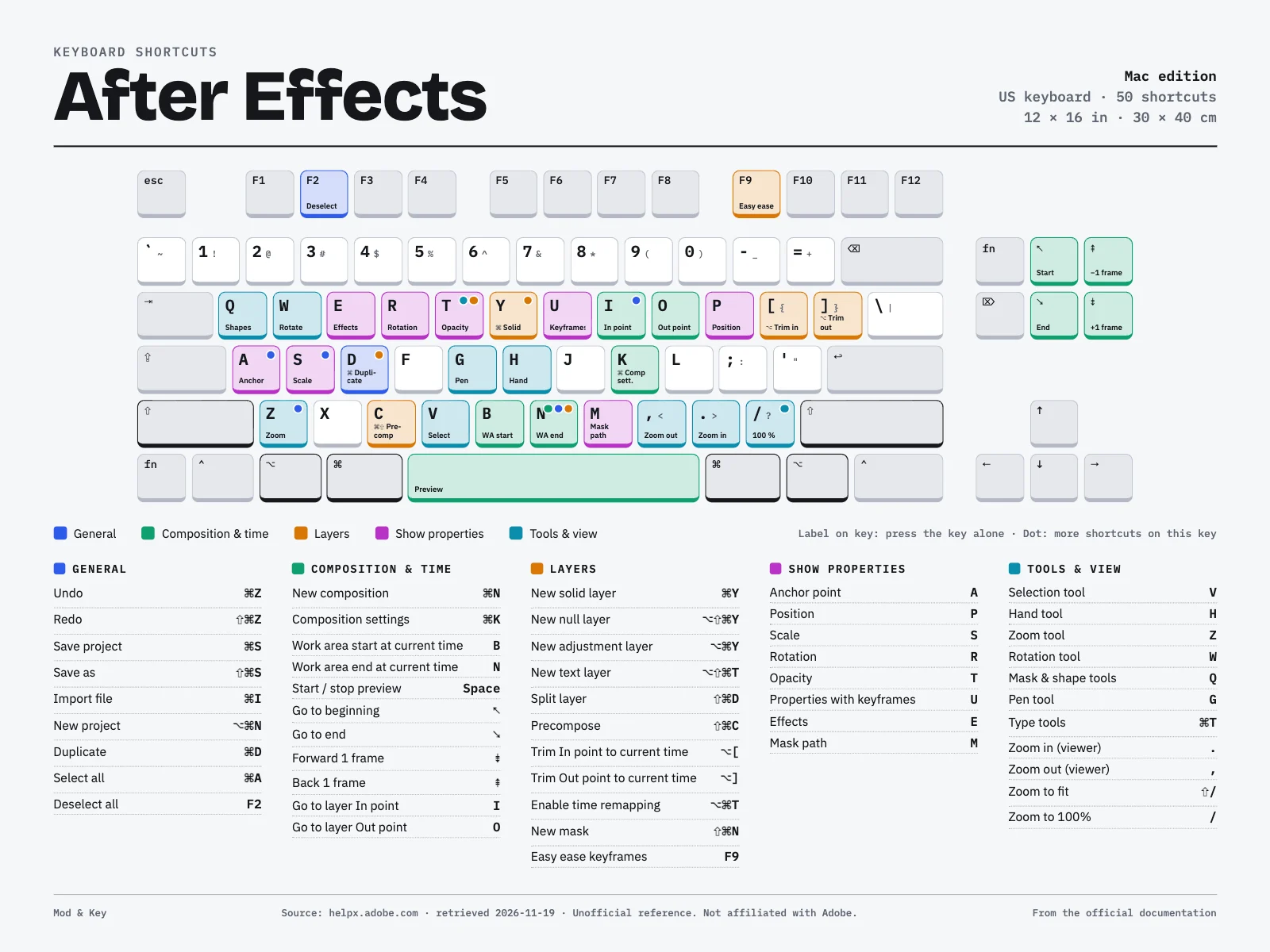
 Get it on your desk →
The most used After Effects shortcuts on Mac: Undo (⌘Z), Save project (⌘S), New composition (⌘N), Start / stop preview (Space), Split layer (⇧⌘D). This page lists all 50, from the official documentation.
50 After Effects keyboard shortcuts for Mac, grouped into General, Composition & time, Layers, Show properties, Tools & view. Every key is copied from helpx.adobe.com (retrieved November 19, 2026) and shown on a real keyboard layout.
All 50 shortcuts here are the Windows ones with ⌘ in place of Ctrl.
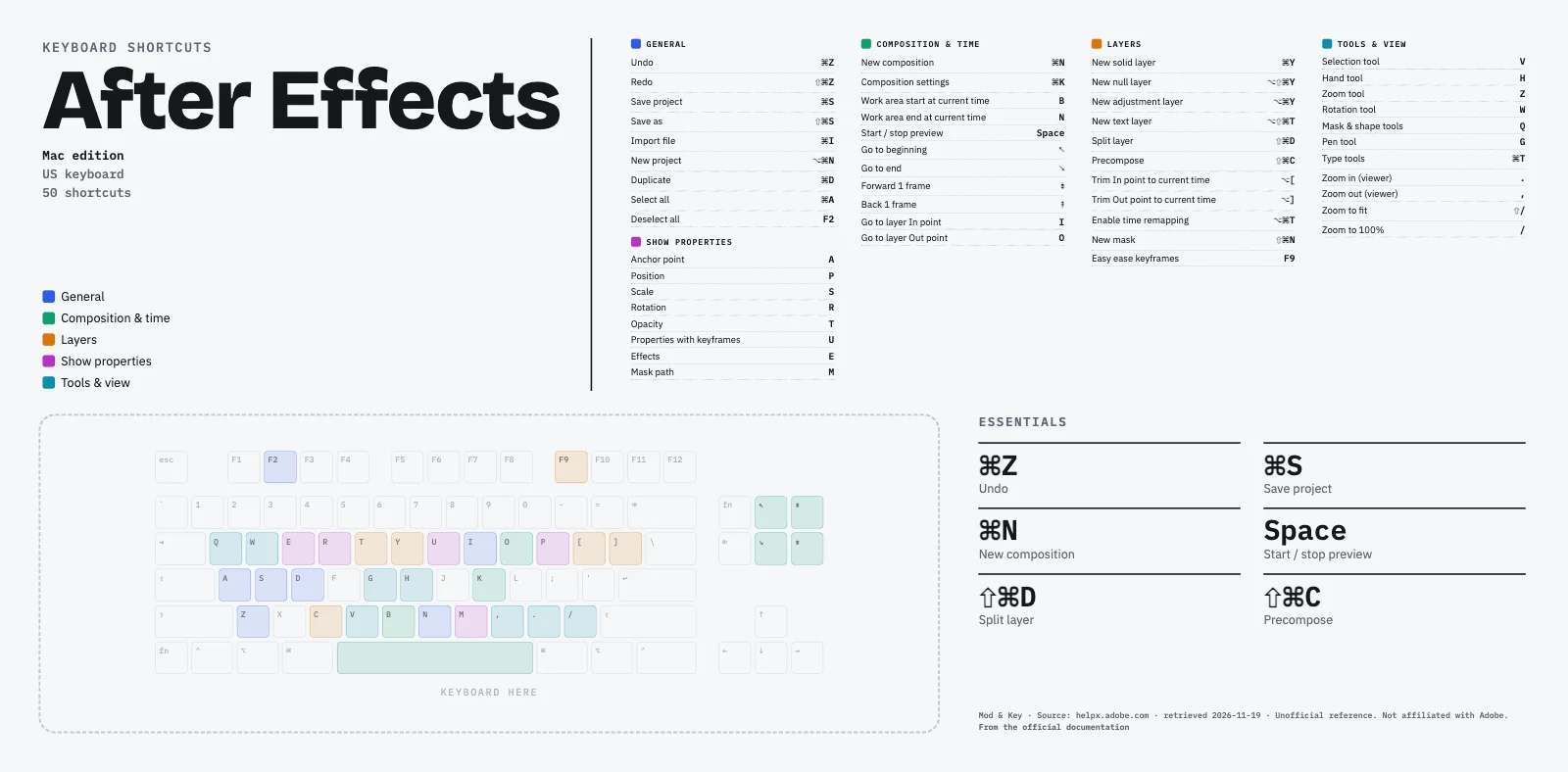
After Effects keyboard map
Pick your keyboard and a modifier. Keys with a shortcut light up; point at or tap a key to see everything on it. Try it: hold ⌘ Cmd on your keyboard
More shortcuts on this key with other modifiers.
Key alone28 keys
All After Effects keyboard shortcuts for Mac
No shortcut matches that search.
General9
| Command | Shortcut |
|---|---|
| Undo | ⌘Z |
| Redo | ⇧⌘Z |
| Save project | ⌘S |
| Save as | ⇧⌘S |
| Import file | ⌘I |
| New project | ⌥⌘N |
| Duplicate | ⌘D |
| Select all | ⌘A |
| Deselect all | F2 |
Composition & time11
| Command | Shortcut |
|---|---|
| New composition | ⌘N |
| Composition settings | ⌘K |
| Work area start at current time | B |
| Work area end at current time | N |
| Start / stop preview | Space |
| Go to beginning | ↖ |
| Go to end | ↘ |
| Forward 1 frame | ⇟ |
| Back 1 frame | ⇞ |
| Go to layer In point | I |
| Go to layer Out point | O |
Layers11
| Command | Shortcut |
|---|---|
| New solid layer | ⌘Y |
| New null layer | ⌥⇧⌘Y |
| New adjustment layer | ⌥⌘Y |
| New text layer | ⌥⇧⌘T |
| Split layer | ⇧⌘D |
| Precompose | ⇧⌘C |
| Trim In point to current time | ⌥[ |
| Trim Out point to current time | ⌥] |
| Enable time remapping | ⌥⌘T |
| New mask | ⇧⌘N |
| Easy ease keyframes | F9 |
Show properties8
| Command | Shortcut |
|---|---|
| Anchor point | A |
| Position | P |
| Scale | S |
| Rotation | R |
| Opacity | T |
| Properties with keyframes | U |
| Effects | E |
| Mask path | M |
Tools & view11
| Command | Shortcut |
|---|---|
| Selection tool | V |
| Hand tool | H |
| Zoom tool | Z |
| Rotation tool | W |
| Mask & shape tools | Q |
| Pen tool | G |
| Type tools | ⌘T |
| Zoom in (viewer) | . |
| Zoom out (viewer) | , |
| Zoom to fit | ⇧/ |
| Zoom to 100% | / |
Source: Adobe · helpx.adobe.com · retrieved . Unofficial reference. Not affiliated with Adobe. How we source shortcuts →
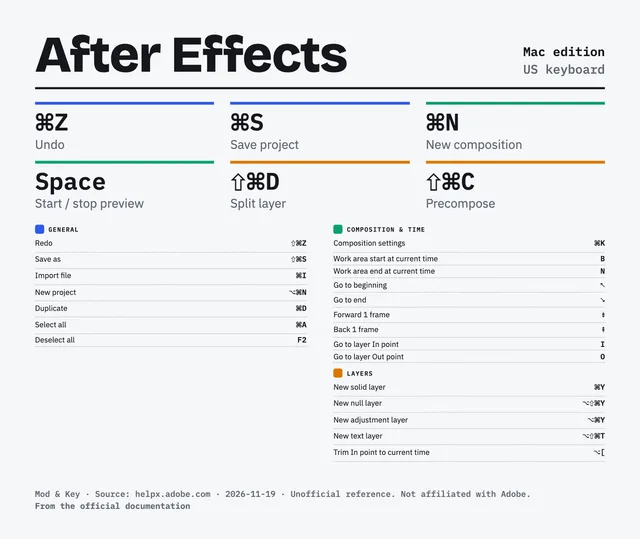
Free printable After Effects cheat sheet
The essential shortcuts on one page (PDF, 24 × 20 cm), for your keyboard and language.
After Effects shortcut questions
- What is the shortcut for “Undo” in After Effects on Mac?
- Press ⌘Z. That is the shortcut for “Undo” in After Effects on Mac, as given in the official documentation.
- What is the shortcut for “Save project” in After Effects on Mac?
- Press ⌘S. That is the shortcut for “Save project” in After Effects on Mac, as given in the official documentation.
- What is the shortcut for “New composition” in After Effects on Mac?
- Press ⌘N. That is the shortcut for “New composition” in After Effects on Mac, as given in the official documentation.
- Where do these After Effects shortcuts come from?
- From Adobe’s official documentation at helpx.adobe.com, retrieved November 19, 2026. Every key is copied from there, never from other websites.