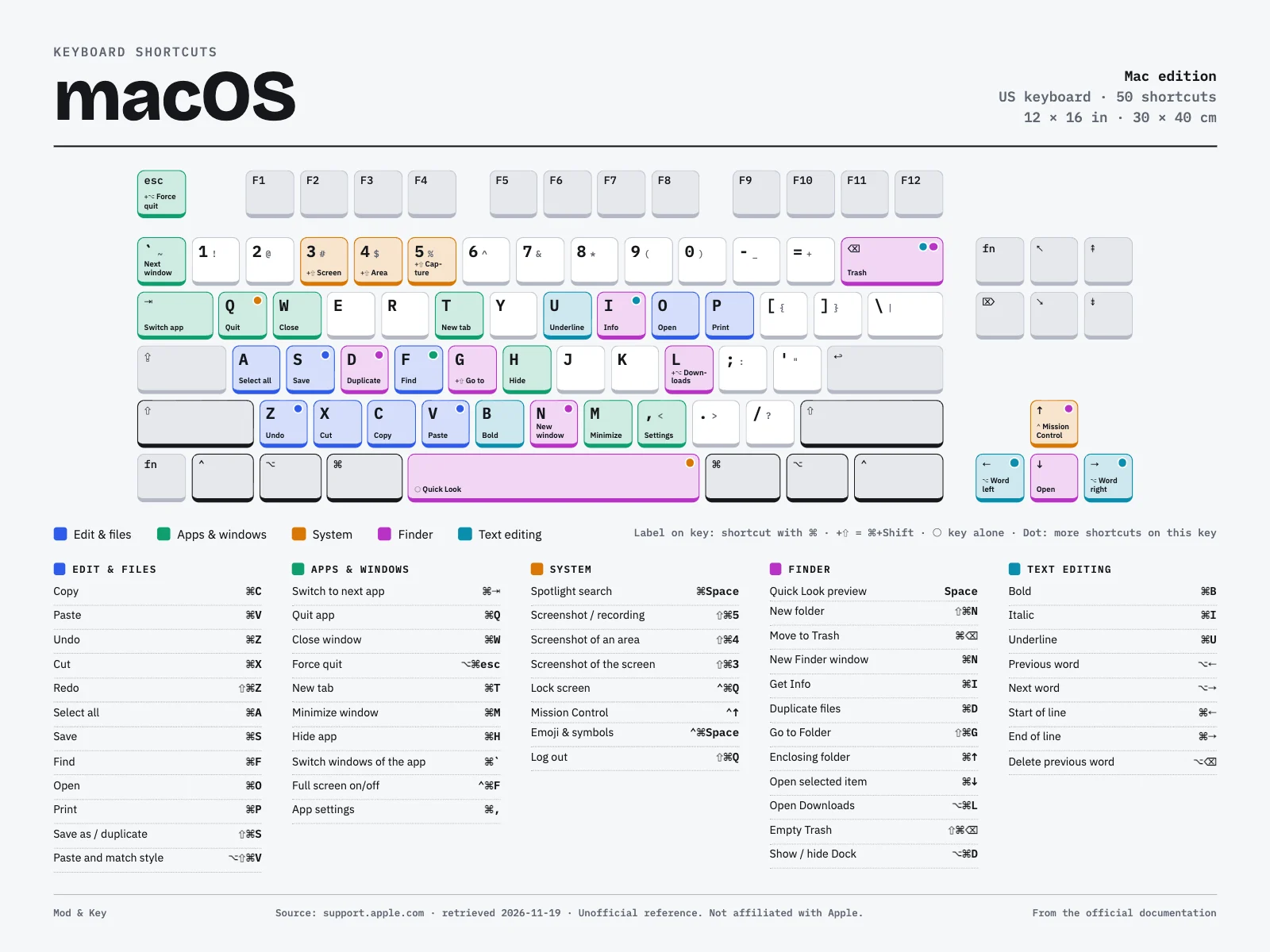
 Get it on your desk →
The most used macOS shortcuts on Mac: Copy (⌘C), Paste (⌘V), Undo (⌘Z), Switch to next app (⌘⇥), Spotlight search (⌘Space). This page lists all 50, from the official documentation.
50 macOS keyboard shortcuts for Mac, grouped into Edit & files, Apps & windows, System, Finder, Text editing. Every key is copied from support.apple.com (retrieved November 19, 2026) and shown on a real keyboard layout.
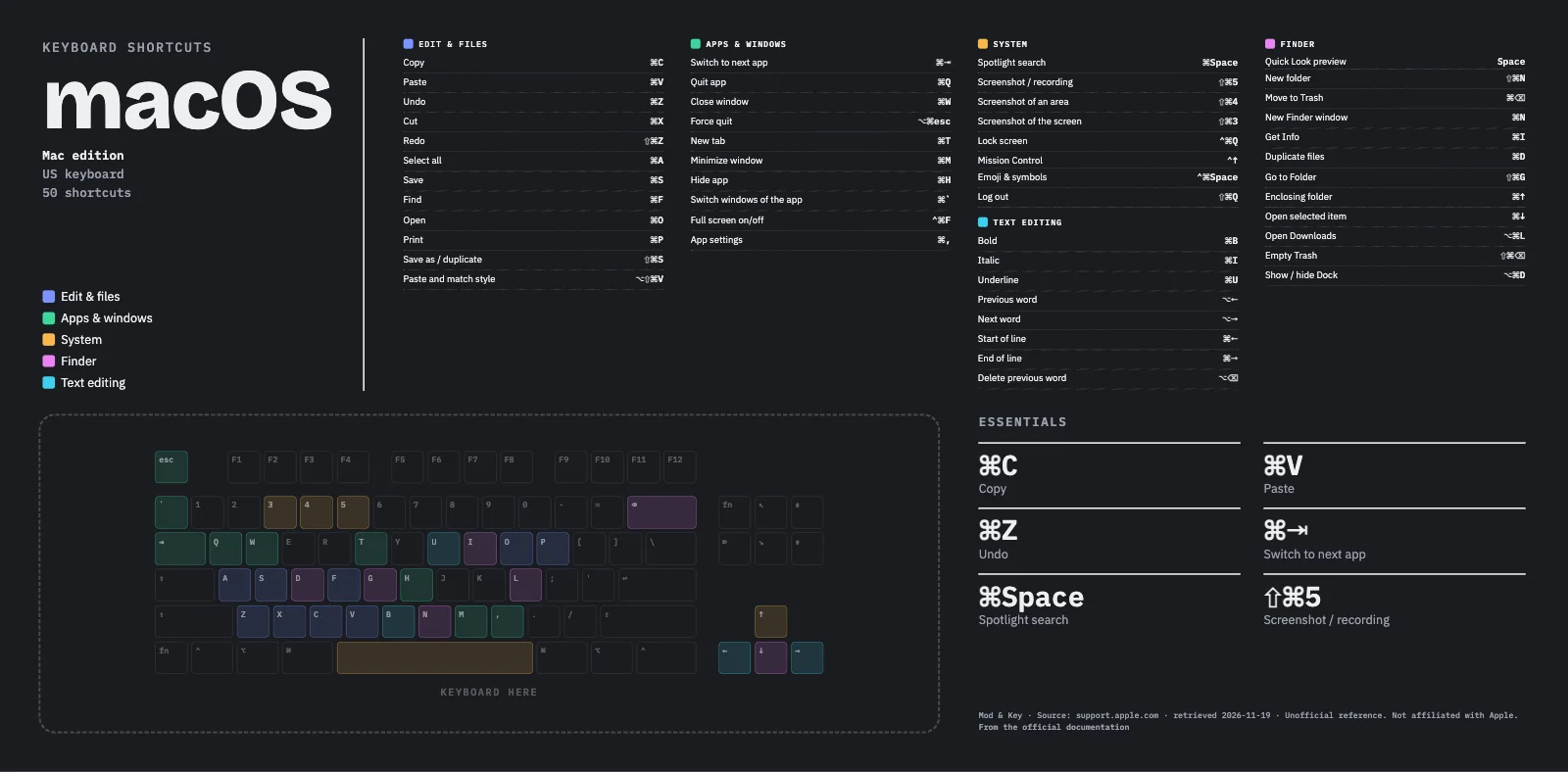
macOS keyboard map
Pick your keyboard and a modifier. Keys with a shortcut light up; point at or tap a key to see everything on it. Try it: hold ⌘ Cmd on your keyboard
More shortcuts on this key with other modifiers.
With ⌘28 keys
All macOS keyboard shortcuts for Mac
No shortcut matches that search.
Edit & files12
| Command | Shortcut |
|---|---|
| Copy | ⌘C |
| Paste | ⌘V |
| Undo | ⌘Z |
| Cut | ⌘X |
| Redo | ⇧⌘Z |
| Select all | ⌘A |
| Save | ⌘S |
| Find | ⌘F |
| Open | ⌘O |
| ⌘P | |
| Save as / duplicate | ⇧⌘S |
| Paste and match style | ⌥⇧⌘V |
Apps & windows10
| Command | Shortcut |
|---|---|
| Switch to next app | ⌘⇥ |
| Quit app | ⌘Q |
| Close window | ⌘W |
| Force quit | ⌥⌘esc |
| New tab | ⌘T |
| Minimize window | ⌘M |
| Hide app | ⌘H |
| Switch windows of the app | ⌘` |
| Full screen on/off | ⌃⌘F |
| App settings | ⌘, |
System8
| Command | Shortcut |
|---|---|
| Spotlight search | ⌘Space |
| Screenshot / recording | ⇧⌘5 |
| Screenshot of an area | ⇧⌘4 |
| Screenshot of the screen | ⇧⌘3 |
| Lock screen | ⌃⌘Q |
| Mission Control | ⌃↑ |
| Emoji & symbols | ⌃⌘Space |
| Log out | ⇧⌘Q |
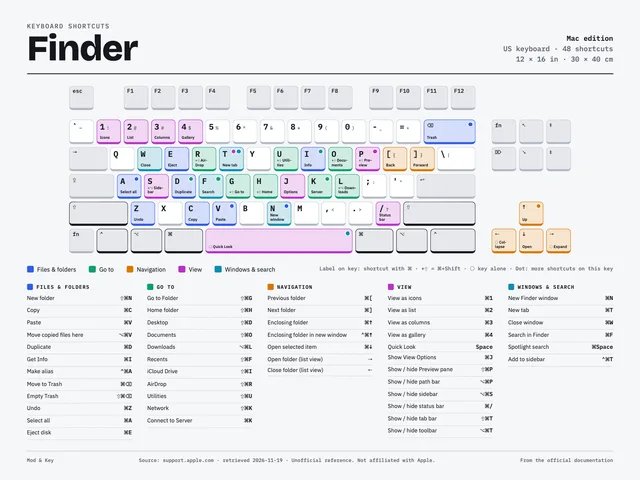
Finder12
| Command | Shortcut |
|---|---|
| Quick Look preview | Space |
| New folder | ⇧⌘N |
| Move to Trash | ⌘⌫ |
| New Finder window | ⌘N |
| Get Info | ⌘I |
| Duplicate files | ⌘D |
| Go to Folder | ⇧⌘G |
| Enclosing folder | ⌘↑ |
| Open selected item | ⌘↓ |
| Open Downloads | ⌥⌘L |
| Empty Trash | ⇧⌘⌫ |
| Show / hide Dock | ⌥⌘D |
Text editing8
| Command | Shortcut |
|---|---|
| Bold | ⌘B |
| Italic | ⌘I |
| Underline | ⌘U |
| Previous word | ⌥← |
| Next word | ⌥→ |
| Start of line | ⌘← |
| End of line | ⌘→ |
| Delete previous word | ⌥⌫ |
Source: Apple · support.apple.com · retrieved . Unofficial reference. Not affiliated with Apple. How we source shortcuts →
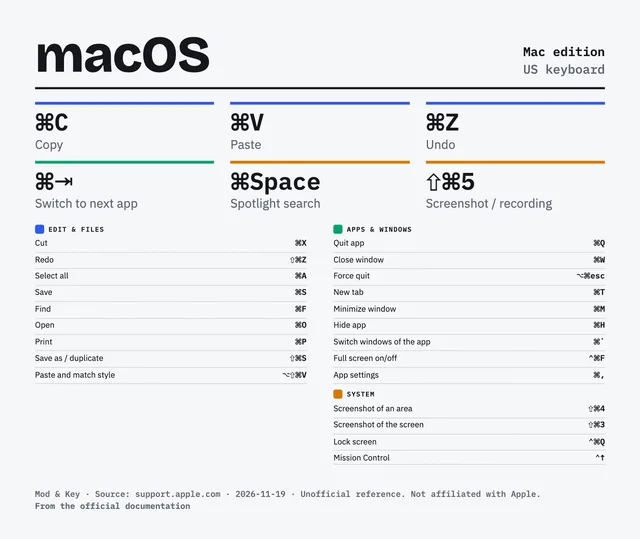
Free printable macOS cheat sheet
The essential shortcuts on one page (PDF, 24 × 20 cm), for your keyboard and language.
macOS shortcut questions
- What is the shortcut for “Copy” in macOS on Mac?
- Press ⌘C. That is the shortcut for “Copy” in macOS on Mac, as given in the official documentation.
- What is the shortcut for “Paste” in macOS on Mac?
- Press ⌘V. That is the shortcut for “Paste” in macOS on Mac, as given in the official documentation.
- What is the shortcut for “Undo” in macOS on Mac?
- Press ⌘Z. That is the shortcut for “Undo” in macOS on Mac, as given in the official documentation.
- Where do these macOS shortcuts come from?
- From Apple’s official documentation at support.apple.com, retrieved November 19, 2026. Every key is copied from there, never from other websites.