 Get it on your desk →
The most used 3ds Max shortcuts on Windows: Save file (Ctrl+S), Undo scene operation (Ctrl+Z), Select and move (W), Select and rotate (E), Smart scale (R). This page lists all 48, from the official documentation.
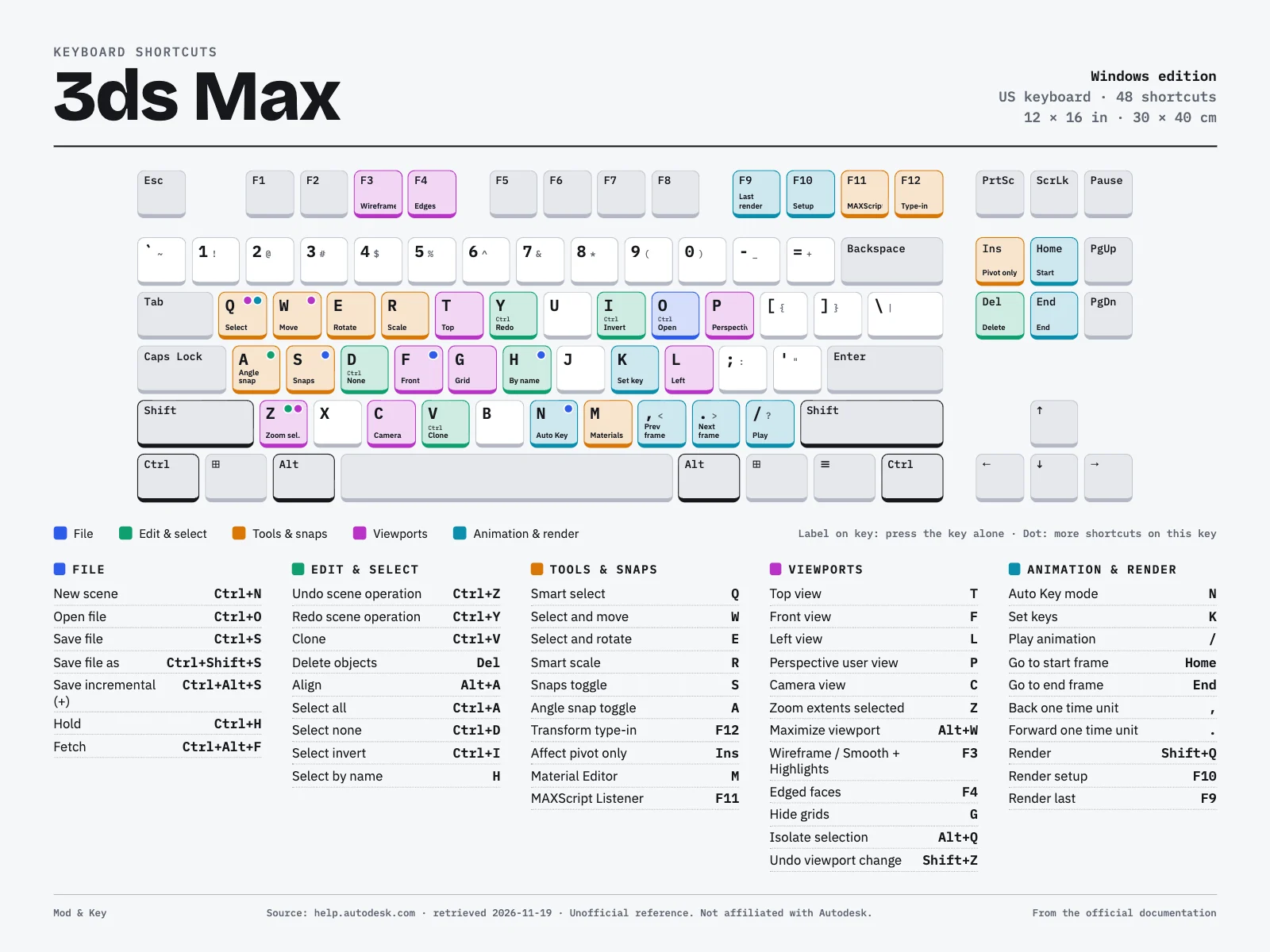
48 3ds Max keyboard shortcuts for Windows, grouped into File, Edit & select, Tools & snaps, Viewports, Animation & render. Every key is copied from help.autodesk.com (retrieved November 19, 2026) and shown on a real keyboard layout.
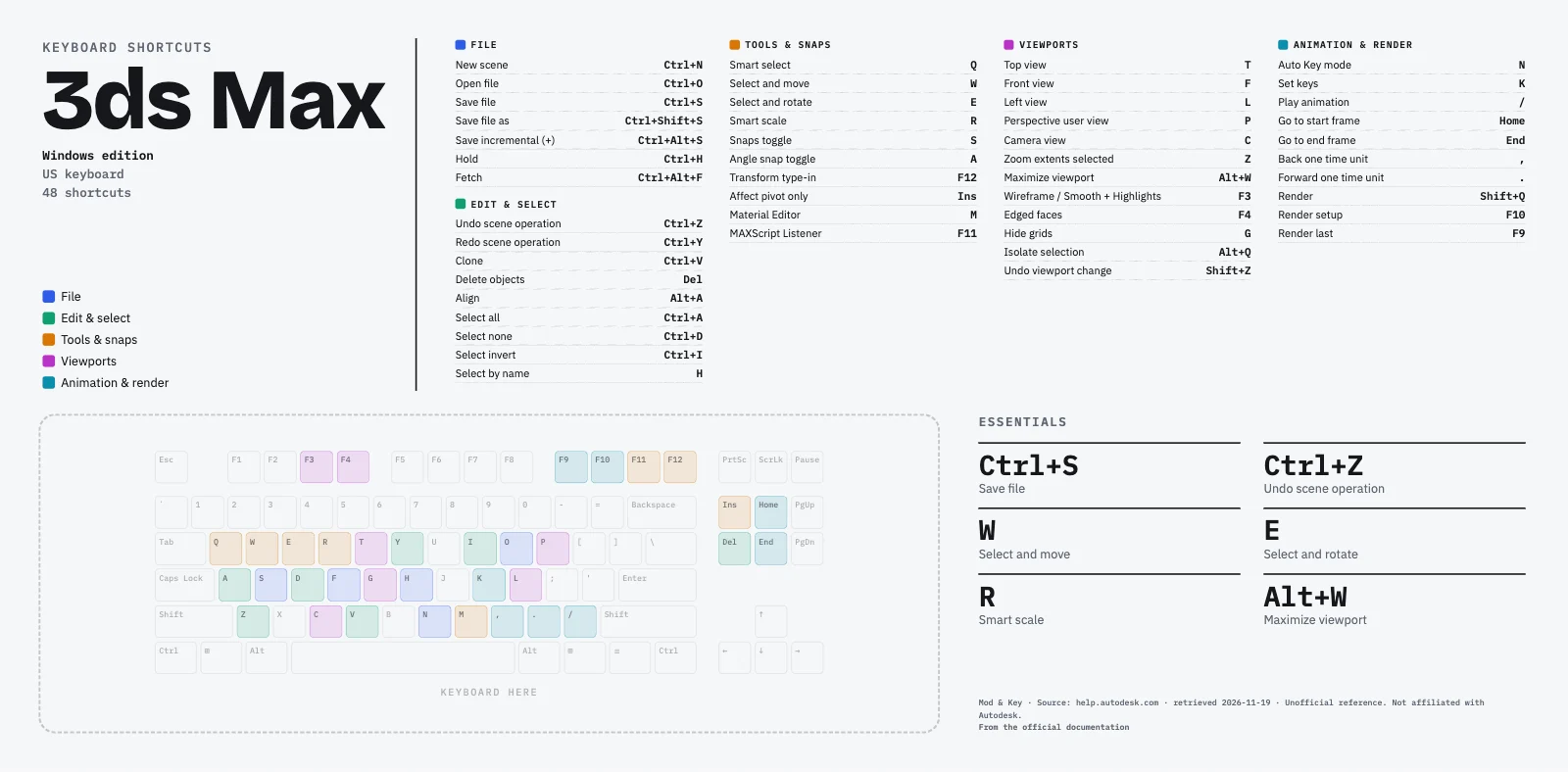
3ds Max keyboard map
Pick your keyboard and a modifier. Keys with a shortcut light up; point at or tap a key to see everything on it. Try it: hold Ctrl on your keyboard
More shortcuts on this key with other modifiers.
Key alone30 keys
All 3ds Max keyboard shortcuts for Windows
No shortcut matches that search.
File7
| Command | Shortcut |
|---|---|
| New scene | Ctrl+N |
| Open file | Ctrl+O |
| Save file | Ctrl+S |
| Save file as | Ctrl+Shift+S |
| Save incremental (+) | Ctrl+Alt+S |
| Hold | Ctrl+H |
| Fetch | Ctrl+Alt+F |
Edit & select9
| Command | Shortcut |
|---|---|
| Undo scene operation | Ctrl+Z |
| Redo scene operation | Ctrl+Y |
| Clone | Ctrl+V |
| Delete objects | Del |
| Align | Alt+A |
| Select all | Ctrl+A |
| Select none | Ctrl+D |
| Select invert | Ctrl+I |
| Select by name | H |
Tools & snaps10
| Command | Shortcut |
|---|---|
| Smart select | Q |
| Select and move | W |
| Select and rotate | E |
| Smart scale | R |
| Snaps toggle | S |
| Angle snap toggle | A |
| Transform type-in | F12 |
| Affect pivot only | Ins |
| Material Editor | M |
| MAXScript Listener | F11 |
Viewports12
| Command | Shortcut |
|---|---|
| Top view | T |
| Front view | F |
| Left view | L |
| Perspective user view | P |
| Camera view | C |
| Zoom extents selected | Z |
| Maximize viewport | Alt+W |
| Wireframe / Smooth + Highlights | F3 |
| Edged faces | F4 |
| Hide grids | G |
| Isolate selection | Alt+Q |
| Undo viewport change | Shift+Z |
Animation & render10
| Command | Shortcut |
|---|---|
| Auto Key mode | N |
| Set keys | K |
| Play animation | / |
| Go to start frame | Home |
| Go to end frame | End |
| Back one time unit | , |
| Forward one time unit | . |
| Render | Shift+Q |
| Render setup | F10 |
| Render last | F9 |
Source: Autodesk · help.autodesk.com · retrieved . Unofficial reference. Not affiliated with Autodesk. How we source shortcuts →
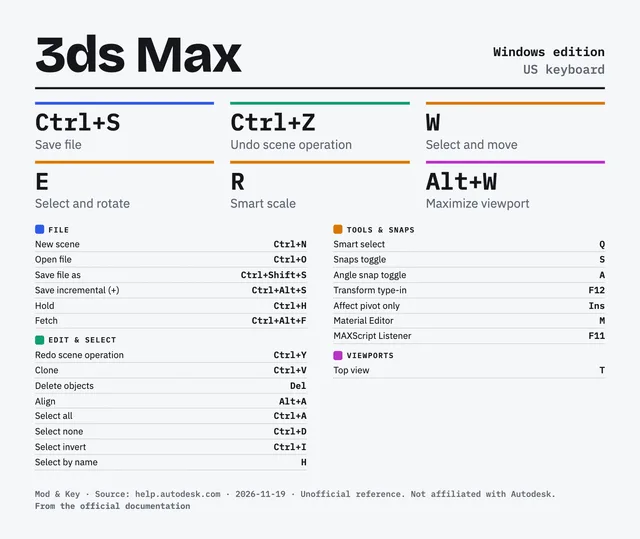
Free printable 3ds Max cheat sheet
The essential shortcuts on one page (PDF, 24 × 20 cm), for your keyboard and language.
3ds Max shortcut questions
- What is the shortcut for “Save file” in 3ds Max on Windows?
- Press Ctrl+S. That is the shortcut for “Save file” in 3ds Max on Windows, as given in the official documentation.
- What is the shortcut for “Undo scene operation” in 3ds Max on Windows?
- Press Ctrl+Z. That is the shortcut for “Undo scene operation” in 3ds Max on Windows, as given in the official documentation.
- What is the shortcut for “Select and move” in 3ds Max on Windows?
- Press W. That is the shortcut for “Select and move” in 3ds Max on Windows, as given in the official documentation.
- Where do these 3ds Max shortcuts come from?
- From Autodesk’s official documentation at help.autodesk.com, retrieved November 19, 2026. Every key is copied from there, never from other websites.